
Vandaag of morgen in huis

Kwaliteit gegarandeerd

Welkomstaanbiedingen ontgrendelen: GRATIS bezorging | Tot 80% korting | Gratis 30 dagen JoyPlus-proefperiode
Download de app
A stylus pen can make writing, drawing and navigating on a touchscreen much more precise. However, not every digital pen is compatible with every tablet or laptop. For example, a pen for iPad does not automatically work with a Windows laptop, while an active stylus for Acer or Dell often requires a specific screen technology.
The most common purchasing mistakes usually stem from three misunderstandings:
First, check the exact model of your tablet, laptop or 2-in-1 device. Then look at the supported technology:
A pen for a laptop is therefore not automatically suitable as a pen for a tablet. Your device’s model name is the safest starting point for your comparison.
An active stylus communicates with a special digitiser layer in the screen. Common standards include AES, USI and MPP. If a standard is not listed in your tablet or laptop’s product specifications, it is best to consult the device manual.
Also check whether pairing is required. According to the product information, the Dell PN5122W can be used straight away with compatible Dell laptops. Other models use Bluetooth or an app for pairing.
For taking notes, a precise tip is often all you need. For illustrations, shading and handwriting, additional features are important:
Check that the feature you want is actually included in the product specification. A manufacturer’s claim of “paper-like writing” is a description of the product, not a guarantee that you will have the same experience on every device.
An AAAA battery can be convenient if you do not want to recharge your pen regularly. According to the product information, the Acer ASA410 uses AAAA batteries, which are not included. The Dell PN5122W also uses an AAAA battery and has a stated battery life of up to 12 months.
Models with a built-in rechargeable battery require a different routine. The Apple Pencil USB-C charges via USB-C, while the Samsung S Pen attaches magnetically to a compatible tablet for pairing and wireless charging. Also check whether a replacement pen tip is available and whether a charging cable is included.
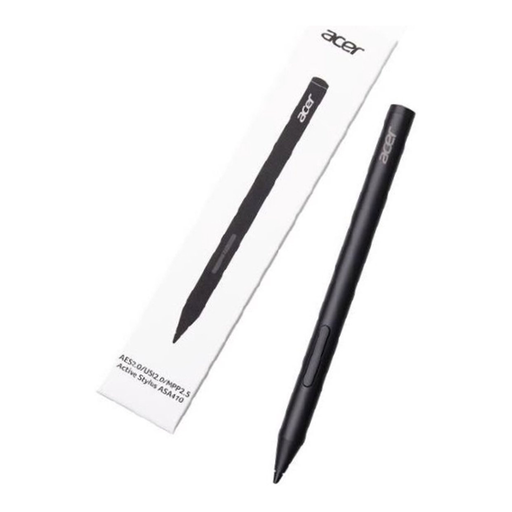
Why it suits this profile: A lightweight 16.5-gram tablet pen for Acer users who mainly take notes, edit documents or draw occasionally.
The supported AES 2.0, USI 2.0 and MPP2.5 standards are clearly listed. However, check that your Acer device uses one of these protocols.
4096 pressure levels, a weight of 16.5 grams and a stated battery life of up to 96 hours. AAAA batteries are not included.
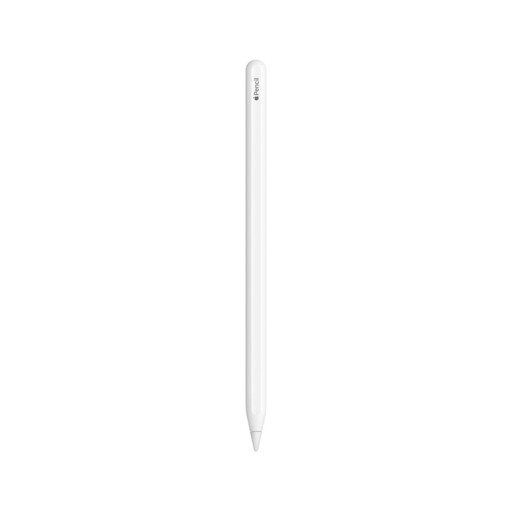
Why it suits this profile: A pen for iPad users who draw, annotate PDFs and combine handwritten notes with a compatible Apple tablet.
The compatible iPad models are specified. This reduces the chance of confusing the 2nd generation with another Apple Pencil version.
Magnetic pairing and charging, double-tap functionality switching, plus support for palm rejection and tilt detection.

Why it suits this profile: Designed for business users and artists with a compatible Dell 2-in-1 who value shortcuts and a built-in rechargeable battery.
The pen uses a rechargeable battery instead of separate AAAA batteries. Before buying, check that your Dell model is included on the compatibility list.
4096 pressure levels, programmable buttons, Bluetooth and, according to the product specification, up to 40 days of battery life. According to the description, charging to 80% takes 20 minutes.

Why it suits this profile: Suitable for iPad users who want to write, draw and take study notes without Bluetooth pairing.
The product information states that it works straight away without pairing and is compatible with iPad models from 2018 onwards. Also check the required iPadOS version.
USB-C charging, tilt detection, palm rejection and a stated battery life of up to 6.5 hours.
We have compiled a complete, up-to-date list of products that fully meet these strict selection criteria and the applicable European safety regulations.
No. A basic capacitive stylus can simulate touches, but may not support pressure sensitivity or palm rejection. For advanced features, the pen must be suitable for the specific iPad model. Always check the compatibility list before buying a pen for iPad.
It varies by type. According to the product specification, a model with an AAAA battery can last for months or more than a year, depending on use. Rechargeable models usually offer a shorter usage time per charge, but are easier to recharge. Bluetooth, shortcuts and intensive drawing can increase power consumption.
Not always. For handwritten notes and navigation, compatibility, a reliable pen tip and palm rejection are often more important. For drawing, shading and variable line widths, 4096 pressure levels are a relevant specification, provided the touchscreen and app support them.
