
Vandaag of morgen in huis

Kwaliteit gegarandeerd

Welkomstaanbiedingen ontgrendelen: GRATIS bezorging | Tot 80% korting | Gratis 30 dagen JoyPlus-proefperiode
Download de app
A stylus pen can make note-taking, drawing and touchscreen navigation much more precise. However, not every digital pen works with every tablet or laptop. For example, a pen for iPad won’t automatically work with a Dell 2-in-1, while an Epson interactive pen is designed for specific projectors.
The most common buying mistakes usually come down to three misunderstandings:
Always check the exact model number of your device. When choosing a pen for a tablet or laptop, check which technology it uses, such as AES, USI, MPP, EMR or Apple Pencil support.
For example, a Dell Active Pen is designed for selected Dell Inspiron, Latitude and XPS models. A Microsoft Surface Pen works within the Surface ecosystem, while an HP stylus pen with MPP support is intended for compatible HP and Microsoft devices. Wacom styluses use their own system, which won’t necessarily work with every tablet.
For an iPad, the following options are available, among others:
Check the manufacturer’s compatibility list before buying. Also check the software version, as a pen may be physically compatible while a particular feature isn’t available.
A basic touchscreen pen may be enough for writing and navigation. For drawing, handwritten notes and graphic work, additional features are more important.
A higher specification is most useful when your software and device can make the most of it.
An active pen may need power for precise input, buttons and Bluetooth. So, check how it charges:
Also check whether pairing is required. According to the product description, the Dell PN5122W works with compatible Dell laptops without pairing, while the Dell PN7522W uses Bluetooth for programmable features. A universal capacitive pen may, in some cases, require an app or Bluetooth pairing.
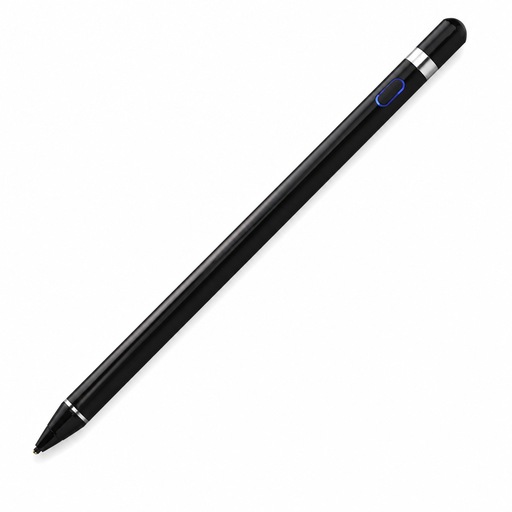
Why it suits this type of user: This touchscreen pen is aimed at people who want to write, draw and navigate on compatible capacitive screens without immediately opting for a brand-specific pen.
The product information explicitly lists support for iOS, Android and other capacitive screens. Check that your device and the app you need are supported.
140 mAh battery, aluminium and plastic body, and support for writing, drawing and navigation.
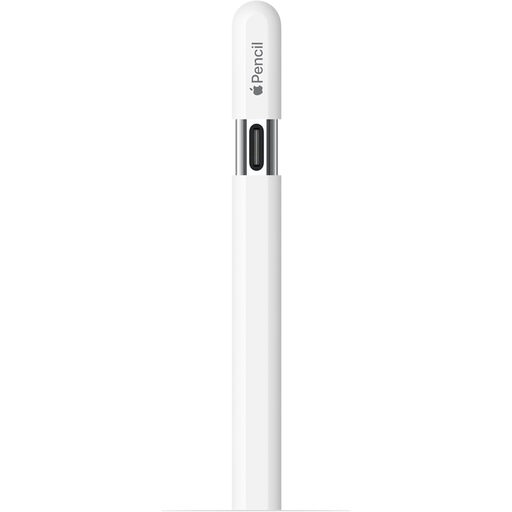
Why it suits this type of user: A great choice for students and creative iPad users who want to combine USB-C, magnetic attachment and precise writing.
The compatibility list names specific iPad models, so you can check before buying whether the pen works with your iPad generation.
USB-C connection, tilt sensitivity, magnetic attachment and hover support on compatible iPads.
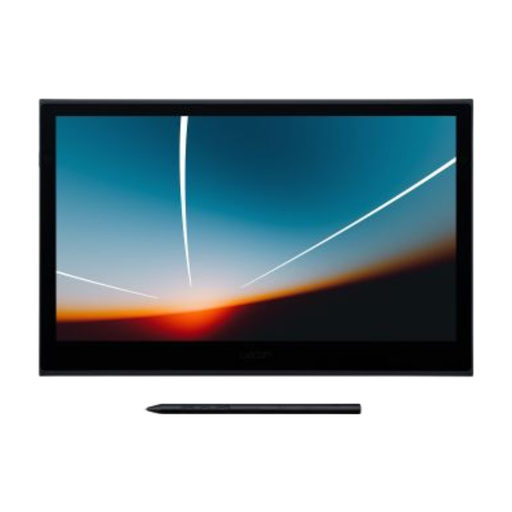
Why it suits this type of user: Designed for artists and creative professionals who need a larger active area, USB-C and a wide range of pressure levels.
The pen comes with a compatible Wacom display and, according to the product information, doesn’t need charging or pairing.
8192 pressure levels, 13.3-inch OLED screen, USB-C and support for Windows, macOS, Android and ChromeOS.
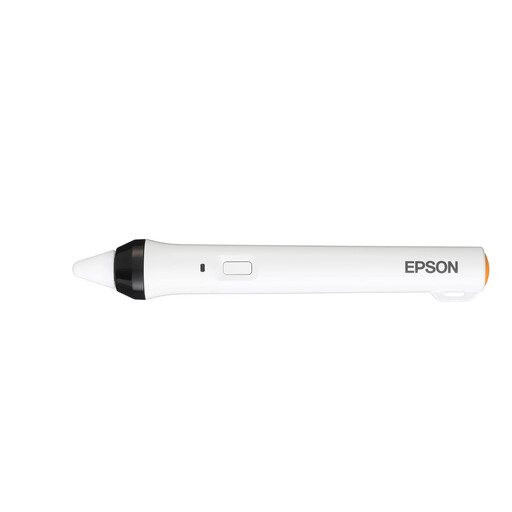
Why it suits this type of user: This digital pen is made for interactive Epson projectors in classrooms, meeting rooms and presentation settings.
The product description names specific Epson projectors, including the 475Wi, 480i, 485Wi, 575Wi, 585Wi, 595Wi and 600.
IR interface, support for interactive annotations and a body designed for use with compatible projectors.
We’ve put together a complete, up-to-date list of products that meet these strict selection criteria and the applicable European safety regulations.
No. A basic capacitive pen can often register simple touches, but features such as pressure sensitivity and palm rejection require the right technology. So, check the exact tablet model and the compatibility list.
It varies by model and usage. The Dell PN5122W has a stated AAAA battery life of up to twelve months. The Logitech Crayon offers up to 6.5 hours of use per USB-C charge. According to the product information, the Wacom Pro Pen 3 works without a battery, but only with compatible Wacom devices.
No. An Apple Pencil is designed for selected iPads and offers features such as tilt, magnetic pairing and, on certain models, hover. A universal touchscreen pen may work with several capacitive screens, but often has fewer built-in features. Always check compatibility before ordering.
