
Vandaag of morgen in huis

Kwaliteit gegarandeerd

Welkomstaanbiedingen ontgrendelen: GRATIS bezorging | Tot 80% korting | Gratis 30 dagen JoyPlus-proefperiode
Download de app
A stylus pen can make writing, drawing and navigating on a tablet much more comfortable. However, choosing one is not always straightforward. A tablet pen that works with an Android tablet may not be suitable for an iPad, Windows tablet, projector or graphics tablet.
The main problems usually arise from three common pitfalls:
Below, you’ll find out which specifications to check and which stylus pen is suitable for different users in the Netherlands.
The connection between the digital pen and the device determines almost everything. Before ordering, always check the exact model number of your tablet, projector or graphics tablet.
Look out for these differences:
Apple Pencil and styluses for iPad
Apple Pencil models only work with selected iPad models. According to the product information, the Apple Pencil USB-C is suitable for certain iPad Air, iPad Pro, iPad mini and iPad models, among others. Features such as magnetic attachment and hover only work on compatible devices.
Samsung S Pen
According to the product specifications, the Samsung EJ-PX510 is designed for the Galaxy Tab S9 FE and Tab S9 FE+. An S Pen for another Galaxy model is not automatically interchangeable. So check both the tablet series and the specific version.
Microsoft Surface Pen
The Microsoft Surface Slim Pen 2 is designed for selected Surface devices running Windows. The available features may vary by model. In particular, check whether your Surface tablet supports the pen features you want to use.
Wacom pen
A Wacom Pro Pen 3 is not a general-purpose touchscreen pen. According to the product information, this model is compatible with the Wacom MovinkPad 11, Cintiq Pro 17, Cintiq Pro 22 and Cintiq Pro 27, among others. A different pen model may be required for another Wacom series.
Epson interactive pen
An Epson interactive pen works with compatible interactive projectors, not with an ordinary tablet. The ELPPN05B and ELPPN05A are listed for Epson BrightLink models such as the 475Wi, 480i, 485Wi, 575Wi, 585Wi, 595Wi and 600.
A basic capacitive touchscreen pen usually imitates a finger. This is sufficient for tapping, scrolling and simple navigation. For precise writing or drawing, you will generally need an active stylus.
An active stylus may contain additional electronics for features such as:
Please note: a product description may mention a feature without it being available on every device. Always check the combination of pen, device and app you use.
A digital pen can be powered in several ways:
A pen with a built-in battery does not need disposable batteries, but it does need to be charged regularly. For Epson models that use AA batteries, it is sensible to keep a spare battery available for lessons or presentations.
The nib is the part that comes directly into contact with the screen or surface. Check whether replacement pen nibs are available and whether they are specifically made for your model.
For example, Wacom offers separate sets for different pens. The Wacom Pro Pen 3 standard nibs contain five nibs. The Wacom Standard Pen Nibs ACK22211 are designed for the Pro Pen 2 and Pro Pen 3D. Do not use a random nib if the manufacturer specifies a particular component; its shape and resistance can affect both performance and the surface.
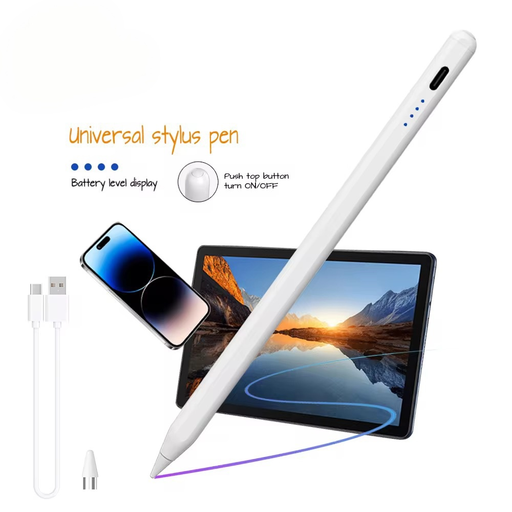
Why it suits this profile: This lightweight stylus is aimed at users of compatible iOS and Android devices who mainly want to write, navigate or create simple sketches.
The product information explicitly states support for capacitive screens, iOS and Android. Even so, check your device before ordering.
140 mAh built-in lithium battery, aluminium and plastic housing, and a weight of 59.4 grams.
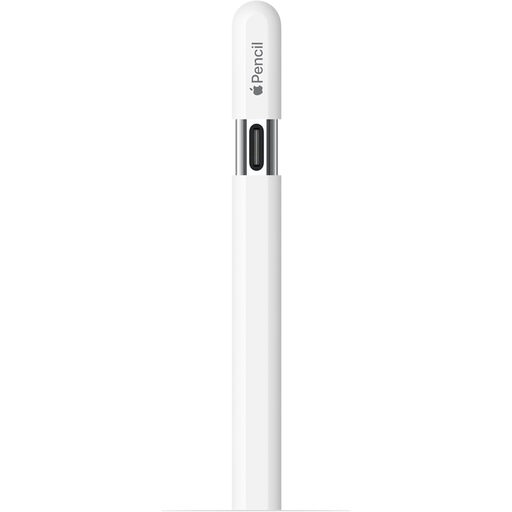
Why it suits this profile: Suitable for iPad users who want to edit notes, sketches and documents digitally with a pen that charges via USB-C.
The compatible iPad models are specified. This means you do not have to rely solely on the general term “stylus for iPad”.
USB-C charging, magnetic attachment, tilt recognition and hover support on selected iPads.
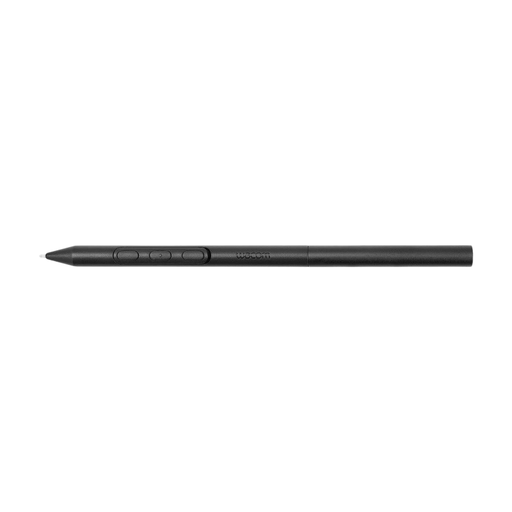
Why it suits this profile: This Wacom pen is designed for creative users with a compatible Wacom graphics tablet who do a lot of drawing, sketching or retouching.
Compatibility is limited to the Wacom models listed. This prevents you from buying a graphics pen for an unsupported screen.
Battery-free EMR technology and customisable weight, grip thickness, buttons and balance point.
We have put together a complete, up-to-date list of products that fully meet these strict selection criteria and the applicable European safety regulations.
No. A basic capacitive pen can often imitate basic touches, but features such as palm rejection, pressure sensitivity and tilt recognition require specific support. Always check the exact device model and compatibility list.
Battery life depends on the type of power supply, the battery, how frequently you use it and how you store the pen. With a model that uses a replaceable battery, you can replace it when necessary. A built-in battery needs to be charged regularly. Store the pen in a dry place and avoid heat, moisture and putting excessive pressure on the nib.
Replace the nib when it is visibly worn, flattened or damaged, or when the pen moves less smoothly across the surface. Choose a nib specifically designed for your stylus model. The wrong nib can affect the writing experience and may damage the screen or graphics tablet.
