
Vandaag of morgen in huis

Kwaliteit gegarandeerd

Welkomstaanbiedingen ontgrendelen: GRATIS bezorging | Tot 80% korting | Gratis 30 dagen JoyPlus-proefperiode
Download de app
A stylus pen can be useful for taking notes, sketching, signing PDFs and navigating with precision. However, not every tablet pen is suitable for every touchscreen. A pen that works with an iPad will not automatically work with a Dell laptop or Samsung tablet.
The main pitfall is therefore not the colour, shape or number of features, but compatibility with your device. Also check how the pen communicates with the screen, what type of power it requires and whether features such as palm rejection are genuinely supported.
A basic touchscreen writing pen usually uses capacitive touch. This type of pen may be suitable for tapping, scrolling and simple navigation, but it often does not offer pressure sensitivity or tilt recognition.
An active stylus uses a specific technology, such as AES, USI, MPP, EMR or Apple Pencil technology. This can enable features such as pressure levels, palm rejection and a more precise pen tip. However, the technology must match your device’s screen.
An Apple Pencil is designed for compatible iPad models. A Samsung S Pen is intended for certain Galaxy Tab devices. The same applies to a Dell Active Pen, Microsoft Surface Pen, Wacom stylus or Acer stylus.
Check the following before buying:
A product title containing words such as ‘universal’ is no substitute for checking the model.
With a digital pen, battery life may refer to usage time, standby time or an estimated period based on normal use. Also check the type of power supply. Some models use an AAAA battery, while others charge via USB-C or magnetically.
A flat battery can make the pen unusable during a lecture, meeting or drawing session. A model with a replaceable battery can be practical for mobile use, while a rechargeable pen means you do not need to carry spare batteries.
The first thing to check is always the device. A tablet pen will only work properly when the screen’s digitiser supports the relevant technology. Some models do not require a Bluetooth connection, while other features are activated via Bluetooth or a companion app.
Note the difference between:
Pressure sensitivity is often expressed in levels. For example, the Dell Pro Plus Active Pen PN5122W specifies 4096 pressure levels. This can be useful for drawing, shading and handwritten notes. However, more levels do not automatically mean that every user will notice a visible difference; the app and screen also play a part.
Tilt recognition can affect line thickness or shading. This is particularly relevant for illustrations and handwriting. According to the product description, the Apple Pencil USB-C supports tilt sensitivity and hover on selected iPads. So check whether your specific iPad supports these features.
Palm rejection prevents your palm from being registered as a touch while you are writing. This feature is especially useful when taking lengthy notes. Not every touchscreen pen offers it, and support may vary by operating system or app.
Programmable buttons are handy for an eraser, right-click or shortcut. Also consider how the pen is operated: some pens work straight away, while others must first be paired or configured using software.
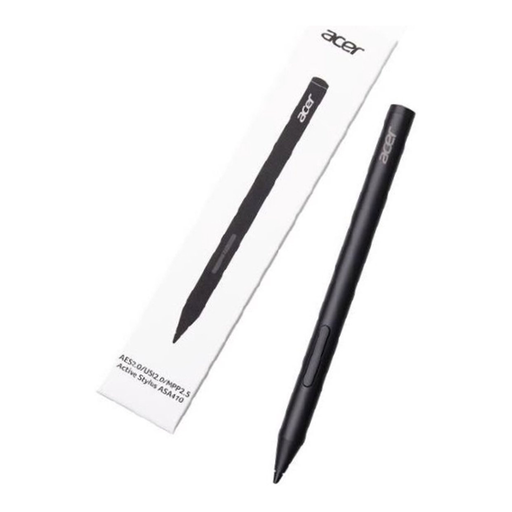
Why it suits this profile: A lightweight model for Acer users who want to write, draw or study without carrying a heavier pen.
The product description lists AES 2.0, USI 2.0 and MPP2.5. However, first check which standard your Acer device supports.
16.5 grams, 4096 pressure levels and a stated battery life of up to 96 hours.
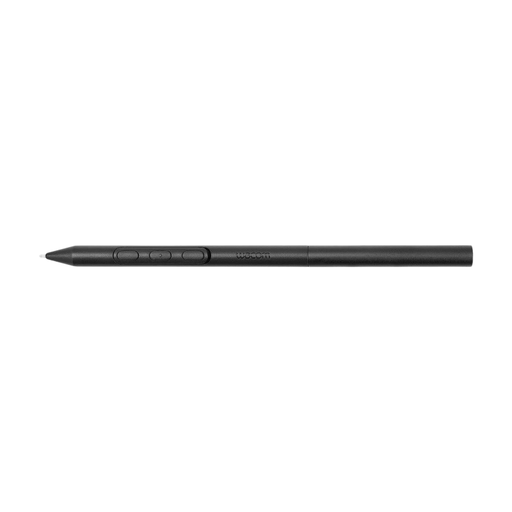
Why it suits this profile: Designed for creative users who want to adjust the grip, weight and balance for a compatible Wacom device.
The compatibility list is specific: MovinkPad 11 and selected Cintiq Pro models. This helps prevent a purchase based on assumed universal compatibility.
Adjustable weight, grip, buttons and balance point; according to the product information, designed for compatible Wacom devices.
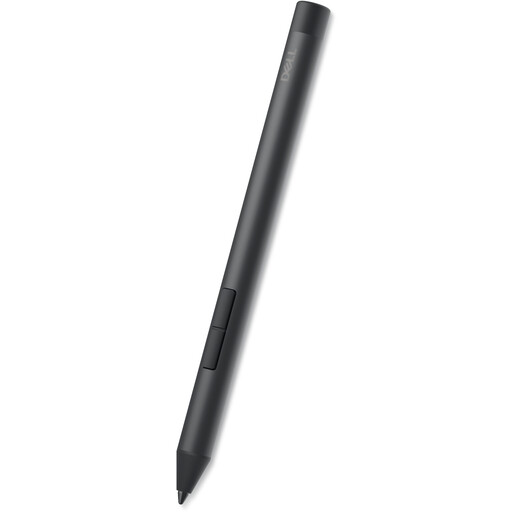
Why it suits this profile: Suitable for users with a compatible Dell Inspiron, Latitude or XPS 2-in-1 who frequently write or draw.
According to Dell, the pen works without pairing on the listed compatible models. Check the model name before ordering.
4096 pressure levels, tilt functionality, side buttons and an AAAA battery with a stated lifespan of up to 12 months.
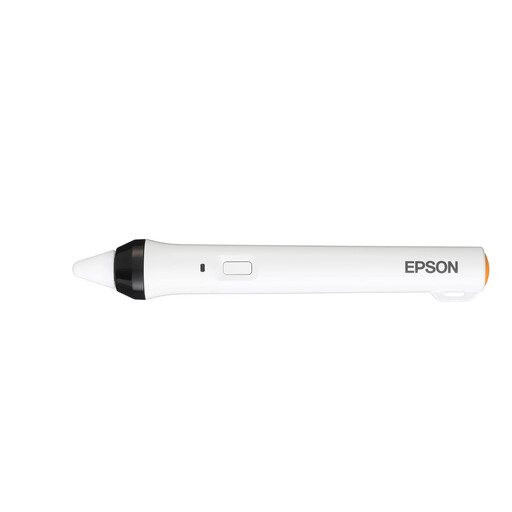
Why it suits this profile: Designed for interactive Epson projectors in classrooms, meeting rooms and presentation settings.
This is not a general-purpose pen for a tablet or laptop. The product information lists specific Epson projector models and an IR interface.
IR control, one pen per pack and support for writing, drawing and annotating on compatible projectors.
We have put together a complete, up-to-date list of products that fully meet these strict selection criteria and the applicable European safety regulations.
No. A capacitive touchscreen pen is often suitable for simple touches, but an active stylus requires a compatible digitiser and pen standard. So check the exact tablet model and the manufacturer’s compatibility list.
That depends on the model. According to the product information, the Dell PN5122W uses an AAAA battery. The Apple Pencil USB-C is charged via USB-C. Other models charge magnetically or work according to the stated specifications without separate pairing. Before buying, check the included accessories and charging method.
Its lifespan depends on use, battery type, pen tip and how it is handled. A replaceable pen tip can extend its usable life. Keep the pen dry, avoid putting pressure on the tip and replace batteries according to the instructions. With models that use a rechargeable battery, capacity decreases over time, so use a suitable cable and charger.
Pressure sensitivity is not always necessary for basic notes. It can be useful for drawing, shading and varying line thickness. Also check whether the app you use supports pressure levels and tilt recognition.
