
Vandaag of morgen in huis

Kwaliteit gegarandeerd

Welkomstaanbiedingen ontgrendelen: GRATIS bezorging | Tot 80% korting | Gratis 30 dagen JoyPlus-proefperiode
Download de app
Whether you're a student taking notes, a designer sketching, or a professional annotating documents, a finger on a touchscreen often isn't precise enough. A good stylus pen can completely change the way you work with your tablet or laptop. But with so many different models, protocols, and features, making the right choice isn't always easy.
This guide is here to help. We'll skip the marketing jargon and focus on the specifications that truly matter, so you can find a digital pen that perfectly matches your device and your needs.
Before you make a choice, there are a few key points to consider. Paying attention to these will help you avoid a bad purchase.
Not every pen for a tablet or pen for a laptop works with every device. This is the most important thing to check. Manufacturers use different technologies:
Always check the product page for both the pen and your device to ensure they are compatible.
A passive stylus is essentially a replacement for your fingertip, with no electronics. An active pen, on the other hand, contains technology that communicates with your screen. This enables advanced features such as:
All the pens we recommend below are active pens.
What will you primarily use the pen for? For taking quick notes during a lecture or meeting, you might not need 4096 levels of pressure. However, if you're a creative professional involved in digital drawing and illustration, high pressure sensitivity and tilt sensitivity are indispensable features for detailed work.
Based on specifications and functionality, we have listed some popular choices for different users and devices.
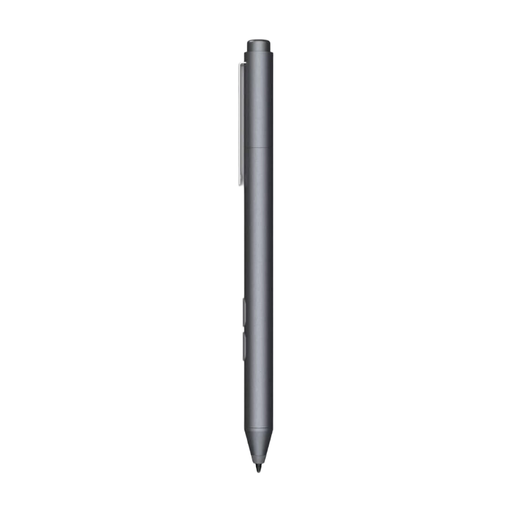
Why it stands out This HP pen is a reliable choice for users within the Microsoft ecosystem. It uses the MPP 1.51 protocol, making it compatible with a range of HP laptops and other devices that support it. The long battery life and customisable buttons make it a practical tool for daily productivity.
Advantages
Who is it for? For students and business users with a compatible HP laptop or another MPP device. Ideal for taking notes, signing documents, and light sketching.
View the HP MPP 1.51 Stylus Pen
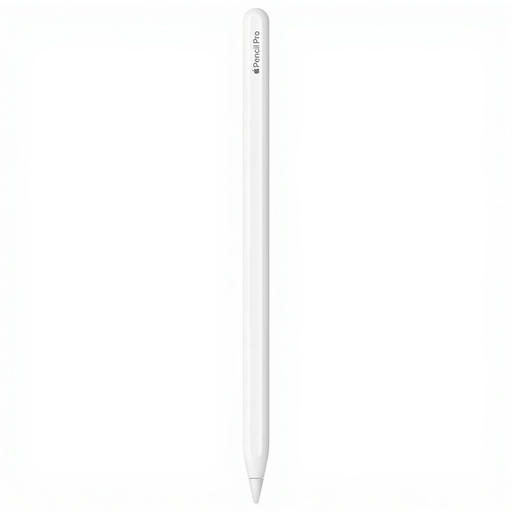
Why it stands out The Apple Pencil Pro is designed for seamless integration with the latest iPad models. Features like squeeze, barrel roll, and haptic feedback provide intuitive control that goes beyond traditional drawing and writing. Magnetic pairing and charging make it effortless to use.
Advantages
Who is it for? For creative professionals, illustrators, and iPad users with a compatible model (iPad Pro M4, iPad Air M2) who seek the most advanced and integrated pen experience for digital drawing, painting, and design.
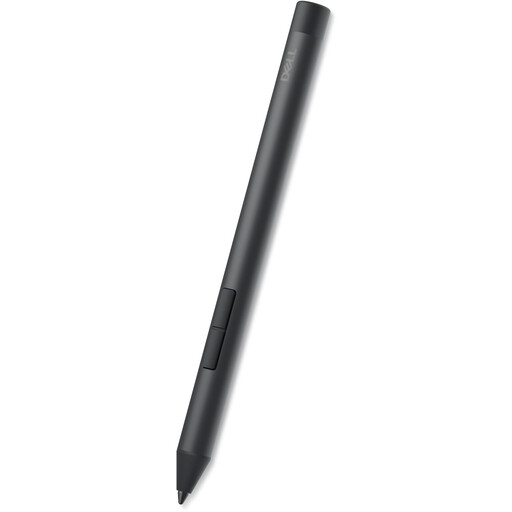
Why it stands out This Dell pen is designed for precision and productivity on compatible Dell 2-in-1 laptops. With 4096 levels of pressure sensitivity and AES 2.0 technology, it offers a highly accurate and responsive experience. A major advantage is that no pairing is required; you can get started right away.
Advantages
Who is it for? For users of compatible Dell Inspiron, Latitude, or XPS 2-in-1 laptops who are looking for a precise active pen for both creative projects and daily tasks like note-taking.
View the DELL Pro Plus Active Pen
The world of stylus pens is vast, and many more options are available for different devices and budgets. If the recommendations above aren't exactly what you need, there might be another pen that's a better fit for you.
Browse our full range and find the perfect match for your device. Discover more options in our portable drawing pen category.
A passive stylus is a simple, non-electronic tool that touches the screen, just like your finger. An active pen contains internal electronics that communicate with your device's screen. This enables advanced features like pressure sensitivity, palm rejection, and programmable buttons, providing a much more accurate and functional experience.
The only way to be certain is to check the manufacturer's compatibility list. Look at the product page for the stylus pen to see the supported models, and also check the specifications of your own tablet or laptop to see which pen protocol (e.g., MPP, AES) it supports.
While most active pens provide a good foundation, specific features are important for professional digital drawing. Pay close attention to a high number of pressure levels (e.g., 4096) and support for tilt sensitivity. These features give you the control needed for detailed and expressive artwork.
