
Tablet owner who wants to write formulae
You mainly want a pen that works with the tablet you already own. Check compatibility for your exact model with the manufacturer, such as Apple, Samsung, Microsoft or Lenovo.


Start with your exact tablet model: a stylus that works with one tablet family won’t necessarily work with another. Then decide whether you simply want to write formulae by hand or also convert them into typed equations. As Microsoft Support explains, this conversion also depends on the app and platform. If you’ll be using the tablet at a sit-stand desk, check where you can position it and how you’ll store and charge the pen.
You mainly want a pen that works with the tablet you already own. Check compatibility for your exact model with the manufacturer, such as Apple, Samsung, Microsoft or Lenovo.
You want to use handwritten symbols as typed equations later. The pen, tablet, platform and app you use all need to support the feature you want; Microsoft Support explains the relevant software capabilities.
You write at an adjustable desk and want to position your tablet conveniently and put the pen away between uses. Arboportaal discusses alternating between sitting and standing; also check how the pen attaches to and charges with your tablet.
| What to consider | What should you check? | Who is this important for? |
|---|---|---|
| Compatibility | Note down your exact tablet model and generation, then compare them with the manufacturer’s compatibility information. | If you want to use the stylus with your current tablet, confirmed compatibility is essential; around 36% of consumers prioritise tablet compatibility. |
| Converting formulae | Decide whether handwritten notes are enough. If not, check whether the app you want to use can convert handwriting into typed equations on your platform; converting an equation is not the same as solving it. | If you want to edit formulae as typed equations later, the software feature needs to fit the way you work too; around 29% of consumers prioritise editable maths notes. |
| Using it at a sit-stand desk | Check that you can position the tablet securely and find out how the pen is stored and charged. Magnetic attachment doesn’t automatically mean magnetic charging. | If you alternate between sitting and standing while you write, your setup and how you store the pen matter; around 21% of consumers prioritise sit-stand use. |
| What’s included? | Check the contents of the exact tablet configuration and see whether you’ll need to buy a pen, cable or charging accessory separately. | If you want to know in advance what else you’ll need to buy, compare the bundle with your requirements; around 14% of consumers prioritise the total cost of purchase. |
Manufacturers list compatibility by device or configuration. The name of a tablet family alone may not be enough to confirm that you’ve found the right combination.
Before buying, compare the exact tablet model and generation with the manufacturer’s compatibility information.
Attachment and charging are two different things. Apple says the Apple Pencil (USB-C) charges via a USB-C cable; according to Microsoft Support, some Surface Slim Pen models need a compatible device or a separate charger.
Check separately how the pen and tablet you choose can be stored and charged.
A pen can capture handwriting, but converting it into a typed equation and solving it are software features. Microsoft Support says the Math Assistant described requires a Microsoft 365 subscription for Enterprise or Education.
Decide in advance whether you want to keep your handwriting, create a typed formula or view a solution too. Then check the app, platform and any subscription requirements.
Lenovo offers the Idea Tab Pro with a pen, and also lists the option to add a Tab Pen Plus separately.
Check the contents of the exact tablet configuration before ordering a separate pen.
The Apple Pencil (USB-C) is designed for iPads listed on Apple’s model-specific compatibility list.
An S Pen may be suitable for a compatible Galaxy Tab, for example for writing in Samsung Notes.
The Surface Slim Pen is an option for supported Surface models, particularly if you’re considering a Windows workflow for handwritten equations.
The Tab Pen Plus is an option for Lenovo tablets confirmed to be compatible, including the Idea Tab Pro configuration reviewed.
These product picks are styluses for use with iPad models. Before buying, check compatibility with your exact iPad and make sure the pen supports the writing or software features you need.
 No image available
An option for handwritten notes on iPad models; check that your exact model is included in the stated compatibility range.
The product name mentions USB-C fast charging.
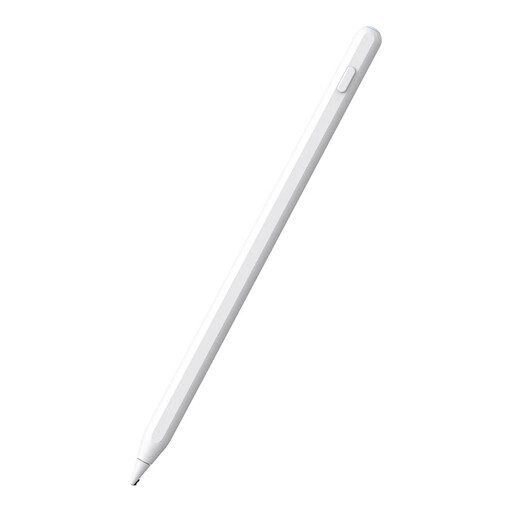 No image available
The product name describes this as an Apple Pencil alternative for iPad; check compatibility with your exact tablet.
The product name mentions magnetic charging and palm rejection.
 No image available
An option for writing and taking notes on selected iPad models; check whether your exact model is supported.
The product name mentions tilt detection, palm rejection, magnetic attachment and an LED battery indicator.
 No image available
The product name states that it’s compatible with iPad; check that it connects to your exact model.
The product name mentions USB-C.
 No image available
An option for the iPad Air and iPad Pro models named in the product title; check whether your exact tablet is supported.
No. First check whether the pen is compatible with your exact tablet model. Manufacturers specify compatibility by model or configuration, so a suitable-sounding pen name or tablet family alone isn’t confirmation.
Not with the pen alone. Microsoft Support describes converting ink into mathematical equations in specific Windows apps, as well as a OneNote workflow on Windows and iPad, among other platforms. Check that the feature is available in the app and on the device you use.
Microsoft distinguishes between converting an equation into typed text and using Math Assistant. According to Microsoft Support, the solving feature described is only available with a Microsoft 365 subscription for Enterprise or Education; also check whether your type of problem is supported.
Position the tablet so you can write comfortably, and alternate between sitting and standing rather than staying in the same position for long periods. Arboportaal warns about the risks of standing still for too long; this isn’t a specific requirement for the stylus.
According to ACM ConsuWijzer, the seller is responsible for the statutory guarantee. If the product breaks sooner than you could reasonably expect during normal use, the seller must offer an appropriate solution free of charge. Online purchases generally also come with a 14-day cooling-off period after delivery, subject to legal exceptions. This cooling-off period is separate from your rights if a product is faulty.