
Painter with an existing tablet
You want to check which pen works with your exact tablet before buying. Compatibility information from Apple Support Netherlands, Samsung Netherlands and STAEDTLER varies by pen family.


First, choose a stylus that the compatibility information confirms will work with your exact tablet. Then check which pen inputs your drawing app supports. Pressure sensitivity, tilt and extra pen controls are separate features, and switching styluses won’t reduce screen reflections: assess the display and any model-specific anti-reflective solution separately. Manufacturers’ specifications describe features, but can’t guarantee how well a stylus will work for painting in your app.
You want to check which pen works with your exact tablet before buying. Compatibility information from Apple Support Netherlands, Samsung Netherlands and STAEDTLER varies by pen family.
You want to vary lines and shading, so you’re comparing the pen controls with the features supported by your drawing app. Apple, Samsung, STAEDTLER and Logitech describe different pen features.
You want to see the image clearly when light falls on the screen. Samsung Netherlands describes an anti-reflective screen protector for the Galaxy Tab S11; Apple mentions an anti-reflective coating on certain iPad Pro displays.
Start with compatibility, then compare pen controls, screen visibility, charging and maintenance.
| What to consider | What to look for | Who it’s for |
|---|---|---|
| Compatibility | Compare your exact tablet model and the required software with the pen manufacturer’s compatibility information. Also check that your drawing app supports it. | I want to make sure the pen works with my tablet and drawing app; around 36% of consumers put compatibility first. |
| Brushstrokes | Compare pressure sensitivity, tilt and extra pen controls separately. Check which inputs your app supports. | For landscape painting, I want to control brushstrokes and shading using features my app supports; around 29% of consumers prioritise control over brushstrokes. |
| Visibility in light from a window | Assess the display from your usual seating position and check whether an anti-reflective solution is designed for your exact tablet. | Next to a bright window, I want to assess the image clearly, so I look at the screen as well as the pen; around 21% of consumers put visibility first. |
| Charging and maintenance | Check how the pen charges and is stored, and whether suitable replacement tips are available. | I want to know how to charge, store and maintain the pen, including whether the tip can be replaced; around 14% of consumers prioritise ease of use and maintenance. |
Apple Pencil generations, S Pens and EMR pens all have different compatibility requirements. A pen that doesn’t work with your exact tablet model won’t provide the input you want.
Before buying, check the full tablet model, the pen version and, where relevant, the screen technology.
Some iPads may require an adapter for Apple Pencil (1st generation); check which version is right for your tablet.
Logitech describes tilt on Crayon as a way to vary line thickness, but doesn’t describe this pen as pressure-sensitive. These features aren’t interchangeable.
Work out which inputs your painting technique and drawing app use, then check that the exact pen version supports them.
Anti-reflective properties belong to a screen or screen protector, not the stylus.
First, assess visibility from your usual position by the window. Then check whether a suitable solution is available for your tablet.
An anti-reflective screen protector is a separate, model-specific solution; check that it’s designed for your tablet.
Apple Pencil versions differ in their controls, charging and compatibility with iPads.
The S Pen for the Galaxy Tab S11 series is a model-specific option; Samsung also offers a separate screen protector for this series.
Noris digital is a pencil-shaped, battery-free pen for compatible EMR displays.
Crayon (USB-C) is designed for sketching and writing on compatible iPads.
Bamboo Ink Plus is designed for compatible Windows tablets with Wacom AES or Microsoft Pen Protocol.
Joybuy’s selection for drawing and painting on tablets, with compatibility varying by pen and device.
 No image available
An option for drawing on compatible Wacom devices; check that your screen and device work with this pen.
The product information lists the Wacom MovinkPad 11 and Cintiq Pro models among the compatible devices.
 No image available
An option for drawing on a compatible capacitive screen; check that the pen is suitable for your device and how you plan to use it.
The product information lists fast charging, an LED indicator, magnetic attachment and two replacement tips.
 No image available
For painting with pen controls on a compatible iPad; check support for your exact model and drawing app.
Apple describes pressure and tilt sensitivity, as well as squeeze and barrel roll controls. The pen pairs and charges magnetically with compatible iPads.
 No image available
An option for sketching and shading on a compatible iPad; check compatibility with your exact model.
Apple describes this version as tilt-sensitive and says it charges via a USB-C cable.
 No image available
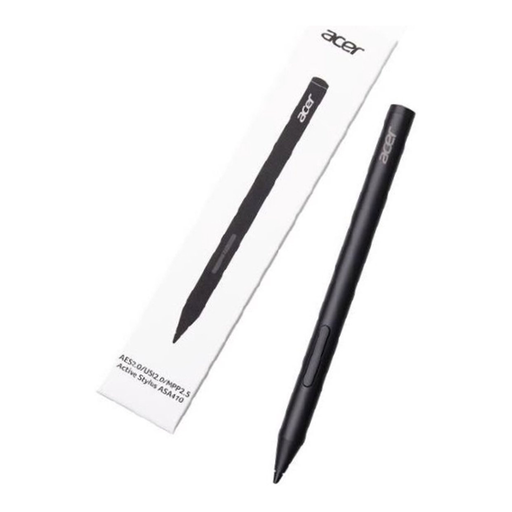
An option for varying pen strokes if your device supports one of the listed pen protocols.
The product information lists 4,096 pressure levels and an AAAA battery, which isn’t included. Check the protocol support on your tablet.
Find the exact model and generation of your tablet, then compare them with the pen manufacturer’s compatibility information. Noris digital requires the relevant screen version to support EMR; for Bamboo Ink Plus, AES or MPP and a compatible Windows configuration are required.
Follow the pairing and charging instructions for your version: Apple Pencil Pro pairs and charges magnetically, while Apple Pencil (USB-C) charges via a cable. Samsung describes how to replace the S Pen tip for the Tab S11 series; check the instructions for your own model.
According to ACM ConsuWijzer, for a standard online product purchase you generally have up to 14 days from delivery to change your mind. Exceptions apply, for example to certain personalised products. You’re also entitled to a legal guarantee if the product doesn’t do what you could reasonably expect under normal use. This isn’t the same as a fixed two-year warranty for every stylus.