
Sketcher with an existing tablet
You want to add or replace a pen without immediately buying another tablet. Your exact tablet model determines which pens are suitable; Apple and Samsung publish compatibility information for each version.


Start with your exact tablet model: not every Apple Pencil or S Pen version works with the same devices. Then choose based on the kind of sketching you do and the features your drawing app supports. At a shared desk, consider how you’ll charge and store your pen, too. Manufacturers describe pen features, but their specifications aren’t independent assessments of sketching quality.
You want to add or replace a pen without immediately buying another tablet. Your exact tablet model determines which pens are suitable; Apple and Samsung publish compatibility information for each version.
You draw a range of outlines and shadows, so you want to know which pen features are specified rather than relying on the word ‘stylus’ alone. Apple, Samsung and Wacom describe the features of specific versions.
You want to capture ideas and then charge or put your pen away easily. You may draw directly on an iPad or Galaxy Tab, or use a computer with a separate drawing surface.
A good fit if: you have an iPad supported by Apple and want to use squeeze or rotation gestures in your drawing workflow.
Bear in mind: the pen doesn’t work with every iPad. Also check whether your drawing app supports the gestures you want to use.
A good fit if: you mainly create outlines, concepts and notes on a supported iPad.
Bear in mind: pairing and charging are done with a USB-C cable; magnetic attachment is for storage.
A good fit if: you use a Galaxy Tab supported by the specific S Pen version.
Bear in mind: Samsung says compatibility varies by pen. The S Pen for the Tab S11 series is specifically designed for the Tab S11 and S11 Ultra.
A good fit if: you want to sketch quickly on a compatible iPad without a separate Bluetooth pairing process.
Bear in mind: Logitech describes line-width variation when tilting the pen. Don’t assume it has all the features of an Apple Pencil Pro.
A good fit if: you work at a computer and want a separate drawing surface on your desk.
Bear in mind: a Wacom Intuos or Huion Inspiroy is a drawing device with its own pen, not a standalone stylus for your existing iPad or Galaxy Tab.
| What to consider | What should you check? | Who is this important for? |
|---|---|---|
| Compatibility | Note down the full tablet model and, if needed, check the required software version against the manufacturer’s compatibility list. | If I want to keep using my current tablet, the pen needs to work with that exact device. Around 36% of consumers give compatibility with their existing tablet top priority. |
| Line control | Compare pressure sensitivity, tilt recognition and any gestures separately. Also check whether your drawing app supports these features. | If I want to vary outlines and shading, I look at which pen features I can use in my app. Around 29% of consumers prioritise control over fine lines and shading. |
| Workspace and storage | Decide whether you want to draw directly on your tablet or use a computer with a separate drawing surface; think about where you’ll store the pen. | If I share a desk, I want to keep my sketching space tidy and know where my pen is. Workspace and storage are the main concern for around 21% of consumers. |
| Charging and nibs | Check how the pen charges and which replacement nibs fit the exact model, including whether any are included. | If I use my pen regularly, I want to know how to charge it and what to do when a nib needs replacing. Around 14% of consumers prioritise maintenance and long-term usability. |
Manufacturers specify which tablet models and pen versions are supported. A general product label doesn’t automatically tell you whether a pen will work with your device.
Note down the full device name and, if relevant to the pen, the software version. Compare these details with the official compatibility list before choosing.
A pen that doesn’t work with your current device won’t provide the intended pen features on that tablet.
Apple, Samsung and other manufacturers describe features for each pen. Tilt and pressure sensitivity aren’t the same, and a drawing app won’t necessarily use every feature.
Check the features of the exact pen and make sure your chosen drawing app supports them.
The Wacom Intuos and Huion Inspiroy H1161 are drawing devices with their own drawing surface and pen. They’re not simply pens for your existing iPad or Galaxy Tab.
First decide whether you want to draw directly on your tablet screen or on a separate surface that suits your computer workflow.
A separate drawing device needs extra desk space and a connection to a supported device.
Apple Pencil versions are designed for different iPad models and drawing needs. Check the compatibility list for your device.
Samsung S Pen versions are designed for supported Galaxy devices; check compatibility for the specific pen.
The Logitech Crayon (USB-C) is a pen for compatible iPads, designed for sketching and note-taking.
Intuos is a graphics tablet with its own pen for computer workflows, not a standalone stylus for an iPad or Galaxy Tab.
The Inspiroy H1161 is a graphics tablet for drawing with a computer or a supported Android device.
These Joybuy product picks are for sketching on tablets. For each pen, check the exact device, the stated compatibility and the features supported by your drawing app.
 No image available
Could suit you if you want to sketch on one of the e-ink tablets listed; check the exact model before choosing.
The product title lists 4,096 pressure levels. The stated compatibility is limited to reMarkable 1 and 2 and Kindle Scribe.
The product description mentions magnetic attachment and a pen that doesn’t need a battery.
 No image available
Could suit you if you sketch on a compatible iPad and want to use pressure and tilt sensitivity.
The product description lists pressure and tilt sensitivity, gestures, and magnetic pairing and charging.
Compatibility varies by iPad model; check the list for your exact device.
 No image available
Could suit you if you want to sketch outlines and shading with tilt recognition on a compatible iPad.
The product description lists tilt recognition and magnetic attachment for storage.
Pairing and charging are done with a USB-C cable. Check compatibility with your exact iPad model.
 No image available
Could suit you if you use one of the iPad models listed in the product title for sketching or note-taking.
The title lists the 12.9-inch iPad Pro (3rd, 4th, 5th and 6th generation), 11-inch iPad Pro, iPad Air (4th and 5th generation) and iPad mini (6th generation).
Check that your exact iPad model matches one of those listed.
 No image available
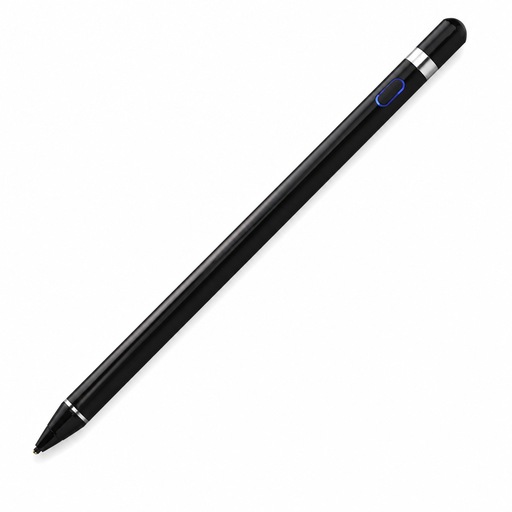
Could suit you if you use a capacitive screen and the stated pairing and app requirements fit your workflow.
The product title lists iOS, iPad, Android and PC. The description mentions pressure sensitivity, a built-in battery and fast charging.
According to the product description, the accompanying app and Bluetooth pairing are required; check that your device meets these requirements.
No. Apple lists the iPad models supported by each Apple Pencil version and, where applicable, the minimum iPadOS version required. Check your exact iPad model and software version before choosing.
According to Apple, you pair and charge the Apple Pencil (USB-C) using a USB-C cable. The Pencil Pro attaches magnetically to a compatible iPad for pairing and charging.
Samsung lists a tool and two nibs in the box for the S Pen Creator Edition. Check which replacement nibs fit your exact pen; don’t assume nibs are interchangeable between models.
ACM ConsuWijzer says you generally have a statutory cooling-off period of up to 14 days after delivery, with some exceptions. You’re also covered by the statutory guarantee if a product doesn’t perform as you could reasonably expect under normal use; this isn’t the same as a fixed two-year guarantee period.
Check that the product meets the applicable European safety requirements and carries the relevant CE marking. The Dutch Government’s general information doesn’t confirm that an individual product meets those requirements.