
Artists with an existing tablet
If you want to sketch directly on the screen, first check that the stylus is compatible with your exact tablet model. Apple Support and Samsung Netherlands list compatibility for each stylus model.


If you already have an iPad or Galaxy Tab, first check that the stylus is compatible with your exact tablet model. Then choose the features you need for outlines and shading. If you draw on a computer, compare compact graphics tablets without screens by their overall dimensions, active drawing area and connection: you draw on the tablet and view your work on a separate screen.
If you want to sketch directly on the screen, first check that the stylus is compatible with your exact tablet model. Apple Support and Samsung Netherlands list compatibility for each stylus model.
If you switch between outlines and shading as you sketch, check the features of the specific stylus you’re considering. Apple and Samsung list features by model, so don’t assume they’re the same as those of another stylus.
A graphics tablet without a screen can sit next to your computer, but its active drawing area is smaller than its overall dimensions. Wacom and XPPen list these measurements separately.
Choose this option: if you want to draw directly on the screen of your current iPad or Galaxy Tab.
Bear in mind: compatibility varies by stylus and tablet model; features found on one stylus don’t automatically apply to another.
Choose this option: if you have a Galaxy Tab S11 or S11 Ultra and are looking for a compatible standalone stylus.
Bear in mind: the stated compatibility applies to the specific S11 Series S Pen, not to all Galaxy Tabs or S Pens.
Choose this option: if you draw on a computer and want to use a separate drawing surface beside your screen.
Bear in mind: you look at your computer screen while drawing on the tablet. Also check its overall dimensions, connection and driver requirements.
| What to consider | What to check before buying | Who is this important for? |
|---|---|---|
| Compatibility | Note down the full tablet model and check the compatibility list for the specific stylus, including any software requirements. | If I already have a tablet, I want to know whether the stylus will actually work with it. Compatibility is a top priority for around 31% of consumers. |
| Line control and shading | Check separately whether the stylus is pressure- or tilt-sensitive, and which features your drawing app supports. | For outlines and shading, I want to know exactly which input features this stylus offers. Around 31% of consumers prioritise these drawing features. |
| Desk space | Compare the overall dimensions with the space you have available, and check the size of the active drawing area. | If my desk is small, I want to know how much room the device takes up without choosing one with too small a drawing area. Desk space is the main consideration for around 23% of consumers. |
| Connecting and maintenance | Check the connection, any driver requirements, how it charges and whether you might need a replacement nib. | I want to use and store the stylus without unnecessary interruptions. Connection and maintenance matter most to around 15% of consumers. |
A stylus that doesn’t work with your tablet model won’t be any use for your drawing sessions. Apple lists compatible iPads for each Pencil model.
Compare the full tablet and stylus model names, and check any software requirements and accessories you’ll need.
If the combination isn’t compatible, you may have to find a suitable stylus or the accessory needed to connect it.
Features vary by model: Apple lists tilt sensitivity for the Pencil (USB-C), while Samsung specifies pressure detection for the S11 Series S Pen.
Check pressure and tilt sensitivity for the stylus you’ve chosen, and see which features your drawing app supports.
On graphics tablets without a screen, the overall dimensions are larger than the area you draw on. This affects how much desk space the device takes up.
Measure your available workspace and compare both the overall dimensions and active drawing area before choosing a compact model.
Allow space for your hand and the cable too, so your workspace remains practical to use.
Apple Pencil styluses are designed for specific iPad models, making them worth considering if you already draw on an iPad.
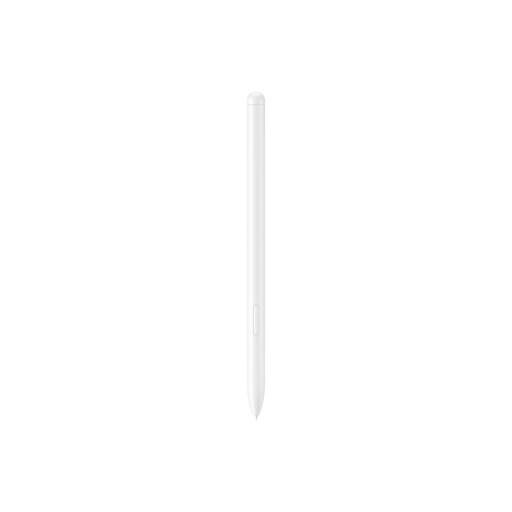
The S11 Series S Pen is worth considering if you have a Galaxy Tab S11 or S11 Ultra.
One by Wacom small CTL-472 is a graphics tablet without a screen, supplied with a pen for computer setups with limited desk space.
Deco mini7 is a compact graphics tablet without a screen, designed for computer-based sketching.
Inspiroy H640P is a compact graphics tablet without a screen, worth comparing for a computer-based setup.
These Joybuy products are designed for sketching with a stylus on an existing tablet or using a graphics tablet with a computer. Before choosing, check the compatibility and requirements of the specific model.
 No image available
Worth considering if you want to draw on a computer; check this model’s compatibility, connection and driver requirements before buying.
 No image available
An option for a computer setup; check that this model works with your computer and find out which connection and driver requirements apply.
 No image available
For sketching on a compatible iPad; check your exact model against Apple’s compatibility list. Apple lists squeeze and barrel roll controls for Pencil Pro.
 No image available
For drawing on a compatible iPad; check the list for your exact model. Apple lists tilt sensitivity and charging via cable.
 No image available
If you’re looking for a standalone stylus for a Galaxy Tab, check that the EJ-PX510 is compatible with your exact tablet model before buying.
No, don’t assume they’re universally compatible. Apple lists the supported iPads for each Pencil model; for the S11 Series S Pen covered here, Samsung specifically names the Galaxy Tab S11 and S11 Ultra.
You draw on the tablet and view your work on a connected computer screen. Also check which computers and connections it supports; Wacom specifies USB connectivity and driver installation on Mac or PC for the CTL-472.
For online purchases from a business, ACM ConsuWijzer says you’ll generally have a statutory cooling-off period of up to 14 days after delivery; check the exceptions and returns policy. If a product is faulty, your statutory guarantee is separate from any manufacturer’s warranty, and the retailer is your point of contact.
That depends on which EU product rules apply to the specific product. The European Commission says CE marking is required for products covered by rules that call for it. The marking doesn’t tell you how comfortable a stylus is to draw with.