
Vandaag of morgen in huis

Kwaliteit gegarandeerd

Welkomstaanbiedingen ontgrendelen: GRATIS bezorging | Tot 80% korting | Gratis 30 dagen JoyPlus-proefperiode
Download de app
A stylus for a tablet might seem simple at first: choose a pen, connect it to your screen and start writing. In practice, the wrong choice could leave you with a pen that doesn’t work, runs out of power quickly or lacks the features you need for drawing and writing.
These three common pitfalls are worth watching out for:
So always check your device’s exact model before buying a tablet stylus.
A pen for iPad won’t necessarily work with every iPad. According to the product information, the Apple Pencil 2nd generation is compatible with specific iPad Pro, iPad Air and iPad mini models. The Apple Pencil USB-C supports a different selection of iPads.
The same applies to other systems:
Can’t find your device listed by its exact model? Check your tablet or laptop’s manual and compare the supported technology. With a capacitive pen, “universal” often just means it can tap on a compatible touchscreen; features such as palm rejection or pressure sensitivity aren’t guaranteed.
A basic pen may be enough for notes and simple tasks. For drawing and writing, extra features are more important.
Bear in mind that figures quoted by different brands aren’t always directly comparable. A pen with 4096 pressure levels won’t necessarily work with every drawing app. According to the product information, the Dell PN5122W, Dell PN7522W, Microsoft Surface Slim Pen 2 and Acer ASA410 all have 4096 pressure levels.
An active stylus needs power. Check whether the pen uses an AAAA battery, has a built-in rechargeable battery or charges magnetically.
A battery-powered pen can be handy for extended use without a charging cable. According to the product information, the Dell Pro Plus Active Pen PN5122W comes with an AAAA battery and has a stated battery life of up to 12 months. The HP MPP 1.51 has a stated battery life of up to 18 months. These are product specifications; actual battery life depends on use and settings.
Rechargeable models are more convenient if you don’t want to replace a separate battery. The Logitech Crayon uses USB-C and has a stated battery life of up to 6.5 hours. According to the product information, the Dell PN7522W can charge up to 80% in 20 minutes and has a stated battery life of up to 40 days per charge.
Also check whether pairing is required. Some pens work straight away with a compatible screen, while others need to be set up via Bluetooth or a companion app.
The recommendations below are based on the stated compatibility, power source, pressure sensitivity and features. Always check your exact device model before buying.
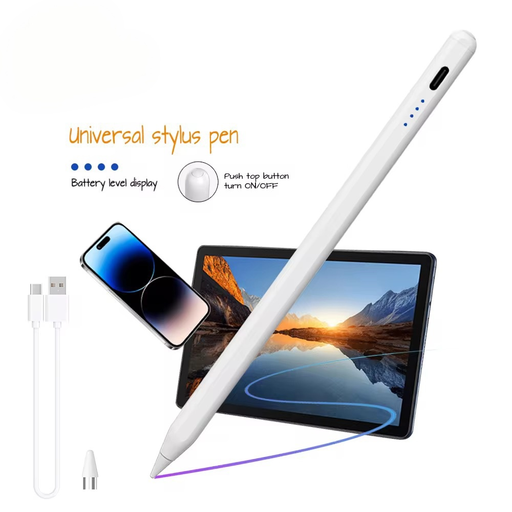
Why it suits this user: This pen is designed for capacitive screens and, according to the product information, supports iOS and Android. That makes it an interesting option for simple note-taking, navigation and occasional use.
The product information specifically mentions capacitive screens and a built-in 140 mAh battery. Still, check in advance that your device and the features you want are supported.
Aluminium and plastic casing, a built-in lithium battery, and support for iOS and Android according to the product specifications.
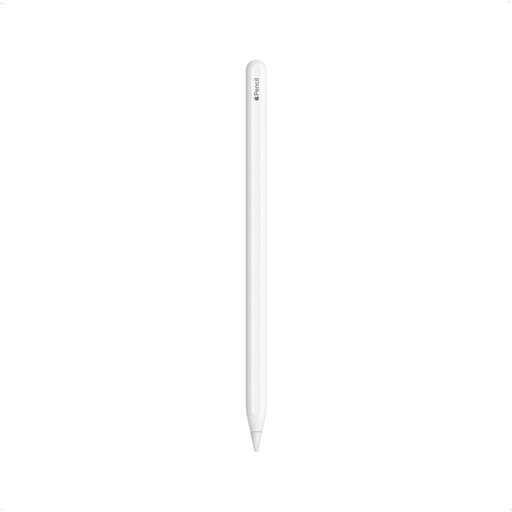
Why it suits this user: A great choice for iPad users who want to write, sketch, annotate PDFs and switch between tools with a double tap.
Compatible iPad models are listed specifically, making it less likely you’ll buy a pen based on the word “iPad” alone.
Magnetic pairing and charging, palm rejection, tilt sensitivity and a touch function for switching tools, according to the product information.
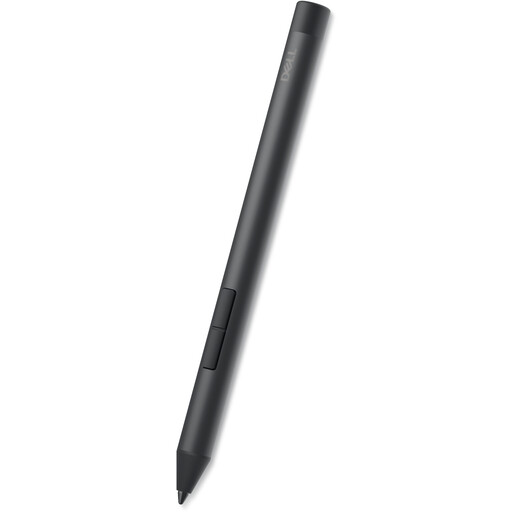
Why it suits this user: This model is aimed at users of compatible Dell 2-in-1 laptops who write, draw and use shortcuts in their day-to-day work.
The list of supported Inspiron, Latitude and XPS models is specific. The product information also states that Bluetooth pairing isn’t required.
4096 pressure levels, tilt function, side buttons and an AAAA battery with a stated life of up to 12 months.
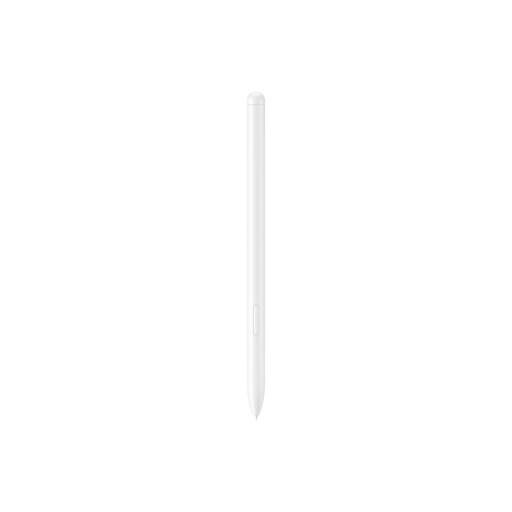
Why it suits this user: According to the product information, this pen is designed for the Galaxy Tab S9 FE and Tab S9 FE+ and works with Samsung Notes and PENUP.
Compatibility is clearly defined and limited, helping you avoid buying a Samsung pen for an unsupported Galaxy Tab.
Weighs 8.7 grams, attaches magnetically and has an IP68 rating, according to the product information. Don’t charge the pen when it or the tablet is wet.
We’ve put together a complete, up-to-date list of products that meet these strict selection criteria and the applicable European safety regulations.
No. A basic capacitive touchscreen pen can often tap on different screens, but active features only work when the technology matches your device. So check the exact model and whether it supports Apple Pencil, AES, USI, MPP or another standard.
That depends on the power source and how you use it. An AAAA battery can last for many months according to product specifications, while a built-in battery needs regular charging. Bluetooth, shortcut buttons and intensive drawing can also affect battery life.
Not always. A basic pen may be enough for typing, scrolling and jotting down short notes. Pressure sensitivity is more useful for sketching, shading and handwriting, provided your tablet and the app you use support the feature.
