
Teacher with an existing tablet
Wants to draw geometric shapes and make notes on a device that is already available. Check the exact model against the pen manufacturer's compatibility information, such as Apple, Samsung, Microsoft or Wacom.


First, choose a stylus that the manufacturer confirms works with your exact tablet or computer model. A pen from the same brand ecosystem is not necessarily compatible. Then check how to switch it on, pair it, charge it and store it when it is passed around, and try it with your geometry app on your device. Manufacturer information describes features and compatibility, but does not prove which pen delivers the best drawing performance.
Wants to draw geometric shapes and make notes on a device that is already available. Check the exact model against the pen manufacturer's compatibility information, such as Apple, Samsung, Microsoft or Wacom.
Passes the pen around during an explanation and wants to know how quickly it is ready for the next person, where it is stored and how palm rejection works on screen. Logitech, Apple and Samsung describe different features and ways of using their pens.
Wants to construct shapes and annotate explanations. GeoGebra describes tools for geometric objects in Geometry and pen input in Notes; try your preferred workflow on your own device.
Choose this option: if the shared table uses a compatible iPad and quick handovers matter. Logitech says you can get started without a complicated Bluetooth pairing process.
Bear in mind: your iPad must be one of the supported models, and the pen needs charging.
Choose this option: for writing and annotating with the USB-C version on an iPad included on Apple's compatibility list. Consider Pencil Pro only with a supported iPad if you use its extra controls.
Bear in mind: Pencil (USB-C) pairs and charges using a USB-C cable; magnetic attachment does not mean this model charges magnetically.
Choose this option: if your existing Galaxy Tab supports the relevant S Pen. For the EJ-PX510BJEGEU reviewed, Samsung lists the Tab S9 FE series and Tab S10 FE+ among the compatible models.
Bear in mind: check the exact tablet variant; the name S Pen alone does not confirm compatibility with every Galaxy Tab.
Choose this option: if Lenovo supports the pen for your exact tablet model. Lenovo lists magnetic pairing and charging, as well as an additional pen tip.
Bear in mind: Lenovo recommends checking compatibility for each system; the stated number of pressure levels does not prove better results in geometry lessons.
Choose this option: for a Surface model with confirmed pen input, or a Windows device for which Wacom confirms AES or MPP support.
Bear in mind: not every Surface model supports pen input. Wacom says performance also depends on the hardware and software, and that Bamboo Ink Plus is not compatible with Apple products.
| What to consider | What should you check? | Who is this important for? |
|---|---|---|
| Compatibility | Note down the full model of your tablet or computer and compare it with the pen manufacturer's compatibility information. For Windows, also check whether AES or MPP applies. | If I want to use the pen with an existing device, I want to know in advance whether that specific model supports pen input. Around 36% of consumers rank compatibility as their main concern when buying. |
| Passing the pen around | Check how to switch the pen on and pair it, how it charges and where it can be stored. Also check whether palm rejection works with your device and app. | If several people take turns drawing, I want to spend as little time as possible getting started and be able to find the pen again afterwards. Around 29% of consumers give easy sharing at the table top priority. |
| Geometry input | Try drawing a line, angle and circle, and adding an annotation in the app you intend to use. GeoGebra Geometry offers tools for geometric objects; this does not tell you how a particular pen and tablet work together. | If I want to construct shapes and add explanations, I want to know whether the app and pen suit that workflow. Around 21% of consumers give geometry input top priority. |
| Power and pen tips | Check how the pen is powered, what you need to charge it and whether an extra or replaceable pen tip is included. | If the pen is shared frequently, I want to know what charging and maintenance routine it requires. Around 14% of consumers focus mainly on power and pen tips. |
Manufacturers link compatibility and available features to specific device models. Microsoft, for example, says that some Surface models do not support pen input.
Before buying, check the full model of your tablet or computer with the pen manufacturer.
A pen that does not work with your existing device cannot be used for the lesson you have in mind.
Apple says Pencil (USB-C) attaches magnetically, but pairs and charges using a USB-C cable.
Check attachment, pairing and charging separately for the exact model.
You may also need to include a charging cable and a regular charging step in your lesson routine.
A pressure-level specification does not show that geometric constructions will work better in your chosen app. GeoGebra has its own tools for geometric objects.
First, try the shapes and annotations you actually use during lessons.
An extra pen feature may add little if the app already has its own tools for constructing shapes.
Charging options and pen tips vary by model. Microsoft describes a replaceable tip for Surface Slim Pen; Lenovo lists an additional tip with Precision Pen 3.
Check what comes with the exact model, how the pen is powered and what you need to charge it.
A suitable charger, battery or replacement pen tip may need to be bought separately or require extra maintenance.
Apple Pencil models are designed for iPads on the relevant compatibility list.
Crayon (USB-C) is designed for supported iPads and may suit a table where the pen is passed around.
The S Pen is a model-specific option for Galaxy Tab devices.
Precision Pen 3 may be an option for a compatible Lenovo tablet.
Surface Slim Pen is designed for Surface devices that support pen input.
Bamboo Ink Plus is designed for Windows devices with a compatible AES or MPP pen protocol.
This selection includes stylus pens for iPad, certain Galaxy Tab models and Windows devices. Always check that your exact device supports the pen before buying.
 No image available
Designed for writing and drawing on supported iPads; the product description says you can get started without pairing and includes palm rejection.
According to the product information, it works with iPad models from 2018 onwards running iOS 12.2 or later. Charges via USB-C; the stated maximum battery life is 6.5 hours.
 No image available
For drawing and taking notes on a supported iPad; consider the extra controls only if they suit your teaching approach.
The product description lists iPad Pro (M4), iPad Air (M2) and iPad mini (A17 Pro), among other supported models. Check Apple's full compatibility list for your iPad.
The product information lists magnetic attachment, pairing and charging.
 No image available
An option for writing, drawing and taking notes on an iPad that supports this model.
The product description includes a list of supported iPad models; check that your exact variant is included. Charges via the USB-C port beneath the cap. Magnetic attachment is listed separately and does not mean the pen charges magnetically.
 No image available
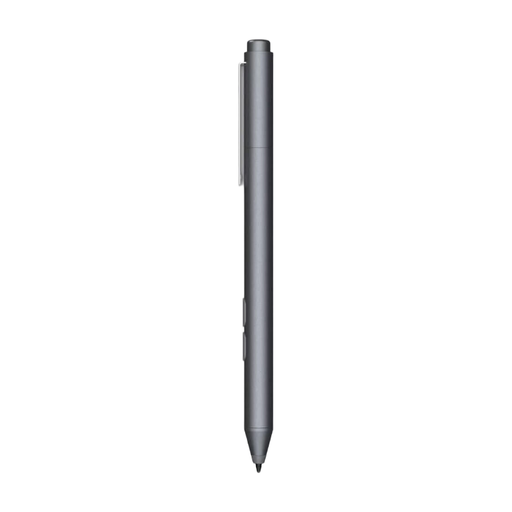
Designed for drawing and taking notes on a compatible Windows device; the product description lists customisable buttons.
The information lists MPP and use with an HP laptop or selected Microsoft devices. Check whether your own device supports pen input. The pen uses an AAAA battery and, according to the product name, has a replaceable tip.
 No image available
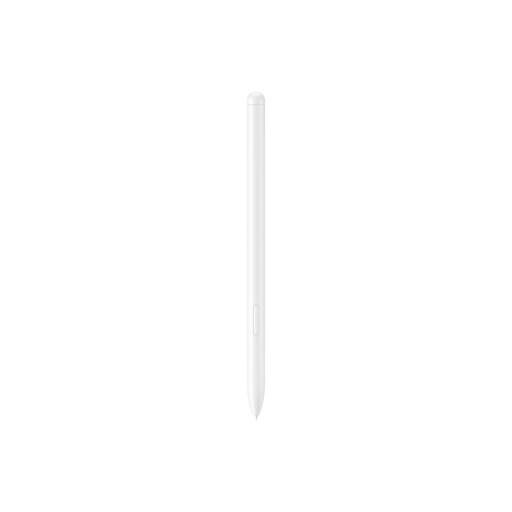
An option for writing and drawing on a supported Galaxy Tab; the product information lists the Galaxy Tab S9 FE and S9 FE+.
The description mentions a magnetic holder and charging in the designated place. Do not attach or charge the pen when it or the tablet is wet.
No. Check the compatibility list for the specific pen. Apple lists the iPads supported by Pencil (USB-C), while Wacom describes Bamboo Ink Plus as being for Windows devices with a compatible pen protocol.
Try both constructing shapes and making notes as you explain, using your own device. GeoGebra Geometry lists features including angles and circles; GeoGebra Notes supports writing with a pen. This alone does not confirm how a particular pen and tablet work together.
It depends on the model. According to Apple, Pencil (USB-C) pairs and charges using a USB-C cable, even though it attaches magnetically. Microsoft lists compatible devices or accessories for charging Surface Slim Pen.
For a consumer purchase in the Netherlands, the seller is your point of contact if the product does not meet what you could reasonably expect. ACM ConsuWijzer explains that if a product breaks sooner than expected, the seller must resolve the issue free of charge; according to the ACM, the statutory guarantee has no fixed time limit. Do not automatically apply this consumer rule to a school's business purchase.
Privacy depends on what the school does with the tablet and lesson app. If this involves processing pupils' personal data, the Dutch Data Protection Authority says that schools and digital education tools must comply with GDPR rules. If so, check how accounts, access and data processing are set up.