
Artists with an existing computer
You want to keep using your current screen and drawing software, and are looking for a compact pen tablet for your desk.


If you already have a suitable tablet or computer, start by choosing a pen that’s confirmed to work with your device. A compact graphics tablet uses your existing screen, while a pen display needs an additional screen and connections. If you want to draw without a computer, check that your iPad or Galaxy Tab is compatible with the pen.
You want to keep using your current screen and drawing software, and are looking for a compact pen tablet for your desk.
You already have an iPad or Galaxy Tab and want to know exactly which pen will work with it before you buy.
You want to see your brushstrokes beneath the pen tip, so you’re considering a pen display or a suitable standalone tablet.
Start with the devices you already own, then measure how much space the complete setup will take up on your desk. The percentages below indicate which considerations may matter most to consumers making this choice.
| What to consider | What should you check? | Who is this important for? |
|---|---|---|
| Compatibility | Check the exact device model, pen version, software version and required connection. | If I want to keep using my existing tablet or computer, the pen, device and software need to work together. Around 27% of consumers give compatibility top priority. |
| Desk space | Measure the entire device and allow for cables, a stand if needed and an additional screen. | With a small desk, I want to know how much room the whole setup will take up, not just the drawing area. Around 27% of consumers put the space required on their desk first. |
| Brush control | Compare the pen features supported and check that they work with your drawing software. | If I want to vary my brushstrokes and shading, I look at the features of the specific pen. Around 26% of consumers make brush control their main consideration. |
| Drawing on screen | Decide whether you want to draw directly beneath the pen tip and check which devices you’ll need. | I want to see my line directly beneath the pen tip and, if necessary, I’m happy to use an additional screen or a suitable tablet. Around 20% of consumers make seeing their strokes directly their top priority. |
Not every Apple Pencil model works with the same iPads. The software version and, in some cases, an adapter may also matter.
Find the exact model of your iPad and compare it with Apple’s compatibility list for the pen you’re considering.
If the combination isn’t compatible, you may need a different pen or an adapter.
According to the manufacturer, the XPPen Artist 12 3rd can’t be used on its own. A USB-C port alone also isn’t enough for the connection described if the required video output is unavailable.
Before you buy, check the video, data and power connections on your computer or other source device, and find out which cables the setup needs.
You may need a compatible source device, connection accessories or a power supply.
The casing may be larger than the drawing area. With a pen display, cables and the connected equipment also take up space.
Measure the available width and depth on your desk, then compare them with the full device dimensions and your planned cable route.
The Intuos Small is a compact pen tablet designed to be used with a separate screen.
The Inspiroy H640P is a small screenless pen tablet for use with an existing computer.
The Artist 12 3rd is a compact pen display for anyone who wants to draw directly on the image shown on screen.
Apple Pencil models are designed for compatible iPads; the right generation depends on your iPad model.
The Galaxy Tab S10 FE range, with S Pen support, is an option if you want to draw on an Android tablet.
This selection includes compact pen tablets for use with a computer and separate pens for compatible iPads and Galaxy Tab models.
 No image available
A compact pen tablet for drawing with a computer; you’ll look at a separate screen as you draw.
A computer is required. The listed connection options are USB-C or Bluetooth.
 No image available
A compact pen tablet for drawing and painting with an existing Windows or macOS computer.
A computer is required; the pen is described as pressure-sensitive.
 No image available
A separate pen for drawing on a compatible iPad, without needing a separate pen tablet as your drawing surface.
Check that your specific iPad works with this model; compatibility varies by device.
 No image available
A separate stylus for drawing on a compatible iPad.
Check compatibility with your iPad. Hover is listed only for selected models.
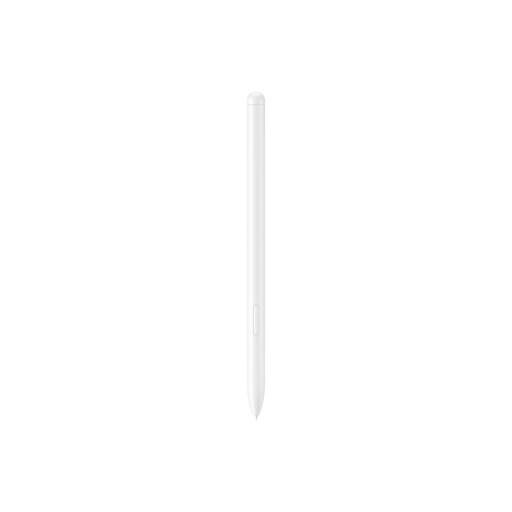 No image available
A separate pen for drawing and sketching with a Galaxy Tab S9 FE or Galaxy Tab S9 FE+.
Before you buy, check that you have one of these exact tablet models.
No. Apple Pencil models aren’t all compatible with the same iPads. Apple Support Netherlands lists compatibility for each pen and iPad; also check which iPadOS version your combination requires.
No. According to the manual, the XPPen Artist 12 3rd can’t be used on its own: you need to connect a computer or a compatible Android device. A computer connection using a single USB-C cable, as described, requires DisplayPort output; the manual also describes a connection via HDMI and USB-A.
Check whether you’ll need to buy a suitable drawing app, replacement pen nibs or other accessories separately. When you buy as a consumer in the Netherlands, you’re entitled to a legal guarantee from the seller. According to the Dutch government, there is no fixed statutory guarantee period in the Netherlands.
According to ACM ConsuWijzer, when you buy a product online, you generally have up to 14 days after delivery to change your mind. There are exceptions, including certain personalised products, so check the terms that apply to your order.
Not simply because it’s a stylus or drawing tablet. According to the European Union, CE marking is required for products covered by specific harmonised rules, including certain electrical and electronic equipment. Check which product category applies to the specific model and review the relevant conformity information.