
Artist with an existing tablet
Wants to use a pen with the tablet already on their desk, without adding another screen. Apple Support Netherlands and the pen manufacturers mentioned here link compatibility to specific device models.


First, choose a stylus that’s compatible with your exact tablet or pen display model. Then compare the features for line work and shading. At a small desk, charging, storage and the parts already included in the box matter too, but the available space doesn’t determine which pen is technically compatible.
Wants to use a pen with the tablet already on their desk, without adding another screen. Apple Support Netherlands and the pen manufacturers mentioned here link compatibility to specific device models.
Compares line and brush control features once compatibility is confirmed. Apple, Wacom, XPPen and Huion describe features for each pen model.
Wants to put the pen away easily after a drawing session and avoid surprises such as a charging cable or loose parts. Apple and Samsung describe magnetic attachment; Wacom and Huion say the pens mentioned here work without batteries.
First, check that the pen works with your device. Then compare pen controls, storage and what’s already included in the box.
| What to consider | What to look for | Who should prioritise this? |
|---|---|---|
| Device compatibility | Check the full model number and, where relevant, the required system version. | I want to make sure the pen works with my existing tablet or pen display first. Around 36% of consumers prioritise compatibility with their exact device model. |
| Brush stroke control | Check which pressure, tilt or button features are supported by both the pen and your drawing app. | For portrait lines and shading, I want to know whether the pen and drawing app support the controls I need. Around 29% of consumers give brush stroke control top priority. |
| Use and storage | Check whether magnetic attachment means charging or simply storage; also see whether charging requires a cable. | On a small desk, I want to put the pen away after drawing and know whether I’ll need a cable. Around 21% of consumers prioritise use and storage. |
| Parts and packaging | Check whether the pen is already included and whether the combination requires an adapter or compatible nibs. | I want to check whether the pen or adapter I need is already included with my device, so I don’t buy a duplicate. Around 14% of consumers give missing or potentially duplicated parts top priority. |
Manufacturers specify compatibility with particular tablet and pen display models. The brand name alone doesn’t confirm that a pen will work.
Before ordering, compare your device’s full model number with the pen’s compatibility list.
With the Apple Pencil (USB-C), magnetic attachment is for storage; pairing and charging are done using a USB-C cable.
Check the charging method for the exact Pencil version you’re considering.
Huion says the PW600L is included as standard with the Kamvas 13 (Gen 3).
Check what’s included with your exact device variant before choosing a separate replacement pen.
The Netherlands government distinguishes between statutory rights and additional manufacturer or seller warranties; there is no fixed statutory warranty period that applies to every product in the Netherlands.
Check the seller’s current terms separately from your statutory rights.
Worth considering if you’re looking for a pen for an iPad you already own; compatibility varies by iPad model.
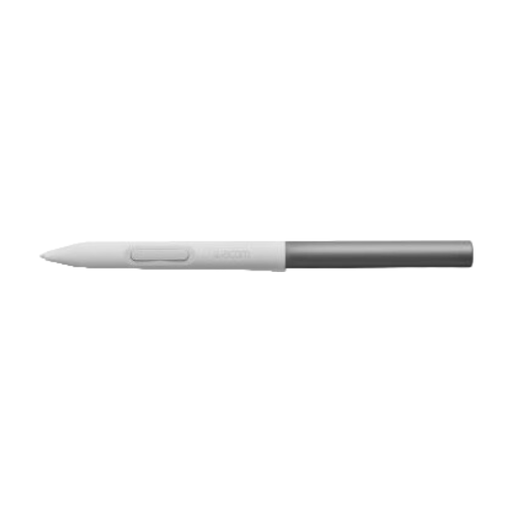
The One Standard Pen CP92303B2Z is designed for the Wacom One models specified by Wacom for this pen.
The X3 Elite Plus PH20B is an option for the Deco and Artist models specified by XPPen for this pen.
The PW600L is a battery-free pen for the devices on Huion’s compatibility list, including the Kamvas 13 (Gen 3).
The S Pen EJ-PX510BJEGEU is designed for the Galaxy Tab models specified by Samsung for this version.
This selection includes pens for specific iPad, Wacom One, reMarkable and Kindle Scribe models. Check that your device and drawing app are supported for each pen.
 No image available
An option to compare if you draw on a compatible Wacom One device; the stated compatibility is specifically for the Wacom One DTC133.
Check that DTC133 matches your device’s full model number.
 No image available
An option to compare for drawing on the reMarkable or Kindle Scribe models mentioned; check that your exact device is supported.
The product name mentions an eraser and 4,096 pressure levels.
 No image available
An option to compare if you use one of the selected iPad models; check compatibility with your exact model.
The product name mentions tilt detection, palm rejection, magnetic attachment and an LED battery level indicator. The product information describes magnetic attachment for storage, not wireless charging.
 No image available
Apple describes features including squeeze and barrel roll controls for Pencil Pro; check that your exact iPad model and drawing app support them.
Apple also describes magnetic pairing and charging. The stated compatibility applies to specific iPad models.
 No image available
An option if you use a compatible iPad; check the full model designation before choosing.
Apple Support Netherlands says pairing and charging are done using a USB-C cable. Magnetic attachment is for storing the pen, not wireless charging.
No. Apple lists the Apple Pencil (USB-C) and the 1st generation Apple Pencil for the iPad (A16), but not the Pro. Pairing and charging the 1st generation pen with this iPad model requires a USB-C to Apple Pencil Adapter.
Not always. Wacom says the One Standard Pen works without batteries, and Huion says the PW600L is battery-free too. This tells you nothing about the power supply or connection for the pen display itself.
It depends on the pen and device. Apple describes magnetic attachment for storing the Apple Pencil (USB-C), while pairing and charging are done via USB-C. Samsung describes a magnetic holder for the S Pen mentioned here. If you’re replacing a nib, check which nibs fit your pen’s full model number.
According to the Netherlands government, the seller must provide a solution if a product is faulty; there is no fixed statutory warranty period for every product. For an online distance purchase, you generally have 14 days to change your mind. These are statutory consumer rights, not an additional manufacturer’s warranty.