
Quick costume sketcher
You capture silhouettes, colours and notes at a small desk. A pen that works with your tablet and is easy to use may matter more than extra controls.


Start with your exact tablet model: Apple Pencil, Logitech Crayon, Samsung S Pen and an EMR pen are not interchangeable. For quick outlines and notes, compatibility and how the pen charges and stores are important considerations. If you need pen pressure to control your strokes, check that both the specific pen and your drawing app support it. A handy storage or charging feature won’t make an incompatible pen suitable.
You capture silhouettes, colours and notes at a small desk. A pen that works with your tablet and is easy to use may matter more than extra controls.
You work on folds, textures and line variation. Check whether the pen and drawing app offer the pressure sensitivity or tilt control you need for your sketches.
You want to keep using your current iPad or S Pen tablet and are looking for a compatible standalone pen, without making room for a second drawing device.
First, check that the pen is compatible with your tablet. Then decide what best suits the way you sketch: line control, ease of use or compact storage.
| What to consider | What should you check? | Who is this important for? |
|---|---|---|
| Compatibility | Check your exact tablet model against the pen’s compatibility list. For Apple Pencil, also check the required iPadOS version. | If you’re looking for a pen for a tablet you already own, you’ll want to make sure it works. Around 39% of consumers put compatibility first. |
| Line control | Check whether the pen is pressure- or tilt-sensitive, and whether your drawing app supports that feature. | If you work on folds, textures or shading, you’ll want to know how you can vary your lines. Around 31% of consumers give line control top priority. |
| Ready to use | Check whether the pen charges via USB-C, charges magnetically or doesn’t need charging. Also check whether pairing is required. | For short sketching sessions, it’s handy to get started without extra steps. Around 15% of consumers prioritise ease of use. |
| Storage and maintenance | Check whether the pen attaches magnetically to your tablet and whether replacement nibs are available for the exact model. | If you have limited desk space, you’ll want to store your pen compactly and replace its parts when needed. Around 15% of consumers prioritise storage and maintenance. |
Apple lists specific compatible iPads, while Samsung offers several S Pen versions, and the Noris digital requires a compatible EMR screen.
Look up your exact tablet model and compare it with the compatibility information for your chosen pen before ordering.
Logitech states that the Crayon isn’t pressure-sensitive. Tilting and applying pressure therefore don’t offer the same way to vary your lines.
Decide whether you want to control lines and folds using the angle of the pen or the pressure you apply, and check that your drawing app supports it.
Apple states that the Apple Pencil (USB-C) pairs and charges via a USB-C cable; magnetic attachment is a separate feature.
Check how the specific version charges rather than looking only at how the pen is stored.
These brands offer different ranges of pens. Compatibility and features vary by model and don’t automatically apply to every product from the same brand.
Apple Pencil models are designed for specific iPads. Apple Support publishes compatibility information for each version.
The Logitech Crayon (USB-C) is designed for use with a compatible iPad and offers tilt control.
The S Pen Creator Edition is designed for devices that support S Pen, including compatible Galaxy Tab models.
The Noris digital jumbo is a pencil-shaped stylus for devices with a compatible EMR screen.
This selection includes pens for compatible iPads and tablets that support the listed pen standards. Before buying, check that your exact tablet model is compatible with the pen.
 No image available
Could suit sketches where extra pen controls and a pen that stores magnetically on your tablet are important to you.
Pressure- and tilt-sensitive, with magnetic attachment and charging. Only suitable for supported iPads; Apple lists iPadOS 17.5 or later for Pencil Pro.
 No image available
Could suit quick outlines and sketches on a compatible iPad if tilt control fits the way you draw.
Tilt-sensitive; pairs and charges via a USB-C cable. Magnetic attachment isn’t the same as magnetic charging. Apple lists iPadOS 17.1.1 or later for this model.
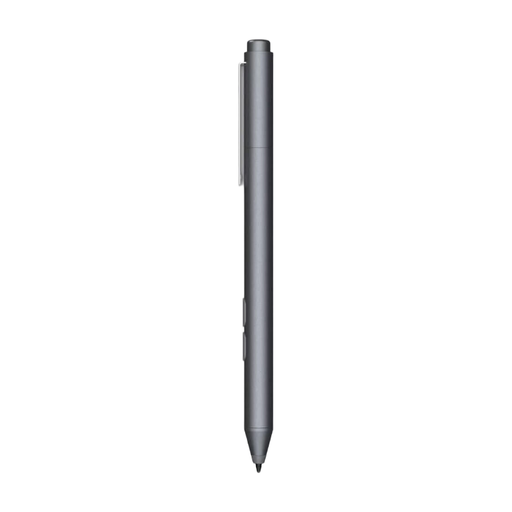 No image available
Could suit sketches on an MPP-compatible tablet if a pressure-sensitive nib and replaceable nib meet your needs.
Pressure-sensitive nib, one replaceable nib and a weight of 10 g. Works with devices that support MPP; uses an AAAA battery.
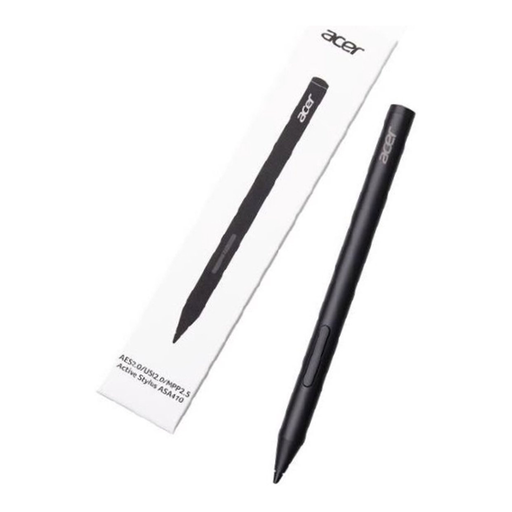 No image available
Could suit sketches with varied linework if your tablet supports one of the listed pen standards.
Supports AES 2.0, USI 2.0 or MPP 2.5; listed as offering 4096 pressure levels and weighing 16.5 g. Requires an AAAA battery, which isn’t included.
 No image available
Could suit sketches on a compatible iPad if magnetic pairing and charging, and switching tools with a double-tap, would be useful.
Magnetic attachment, pairing and charging; double-tap to switch tools. Compatible with the listed 12.9-inch iPad Pro models (3rd–6th generation), 11-inch iPad Pro, iPad Air (4th and 5th generation) and iPad mini (6th generation).
Look up your exact iPad model and compare it with Apple’s compatibility list for the Pencil you’ve chosen. Apple lists iPadOS 17.5 or later for Pencil Pro and iPadOS 17.1.1 or later for Apple Pencil (USB-C).
No. Apple states that pairing and charging are done via a USB-C cable; magnetic attachment is a separate feature.
First, check compatibility and the guidance for the exact model. STAEDTLER lists replaceable nibs for the Noris digital jumbo; don’t assume nibs from different brands are interchangeable.
Contact the seller. The Dutch government describes the legal guarantee as your right to a product that works properly and states that there is no fixed statutory guarantee period in the Netherlands. Normal wear and tear or damage caused by you doesn’t automatically mean repairs will be free.