
Vandaag of morgen in huis

Kwaliteit gegarandeerd

Welkomstaanbiedingen ontgrendelen: GRATIS bezorging | Tot 80% korting | Gratis 30 dagen JoyPlus-proefperiode
Download de app
A stylus can make writing, drawing and navigating on a touchscreen more comfortable. However, not every tablet pen works with every device. For example, a pen for iPad won’t automatically work with a Samsung tablet or Dell laptop. Terms such as ‘universal’, ‘pressure-sensitive’ and ‘lag-free’ don’t tell you much if the underlying technology isn’t compatible.
So, pay particular attention to these three common pitfalls:
Always start with the exact model of your tablet or laptop. Don’t just search by brand name: check the model number and supported technology too.
For example:
A basic capacitive touchscreen pen may work with several devices, but it usually offers fewer features than an active stylus. According to VoxorAI’s product information, the HL-U05 is designed for capacitive screens and supports iOS, iPad, Android and PC. With models like this, check that the features you want are also available in your app.
Pressure sensitivity determines how a digital pen responds to light or firm pressure. When drawing, this can affect line thickness or shading. On paper, a model with 4,096 pressure levels offers more variation than a basic touchscreen pen without pressure detection. However, the results also depend on the screen, app and supported pen standard.
Palm rejection stops your hand from being registered as a touch while you write or draw. This is especially useful for students taking long notes and illustrators who rest their hand on the screen. Check that this feature is explicitly listed in the product specifications; don’t assume every active stylus supports it.
Tilt support can also be useful for drawing. It allows the pen to use the angle at which you hold it to create effects such as broader brush strokes. According to the product description, various Apple Pencil models support tilt sensitivity. This depends on having a compatible iPad model and using compatible software.
An active stylus may use:
Also check how the pen connects. Some pens work straight away without pairing, while other models need Bluetooth or a companion app. Buttons on the side or top can be useful for erasing, shortcuts and app functions.
For everyday use, long battery life may matter more than extra features. According to the product information, the Dell PN5122W uses an AAAA battery with a stated lifespan of up to 12 months. The Dell PN7522W has a built-in rechargeable battery offering up to 40 days of use and fast charging to 80 per cent in 20 minutes, according to the same source. These figures depend on usage and aren’t guaranteed for every user.
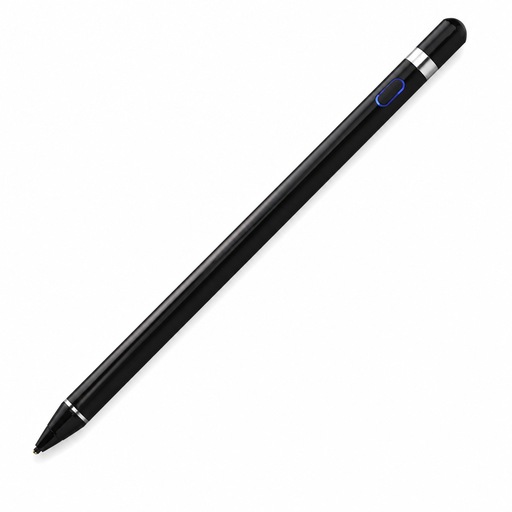
Why it suits this profile: This touchscreen pen is aimed at people who want to write, draw and navigate on compatible capacitive screens without immediately opting for a brand-specific pen.
The product information explicitly mentions capacitive screens and support for iOS, iPad and Android. Even so, check your device and the app you need before buying.
Built-in 140 mAh lithium battery, support for writing and drawing, and broad compatibility with capacitive screens.
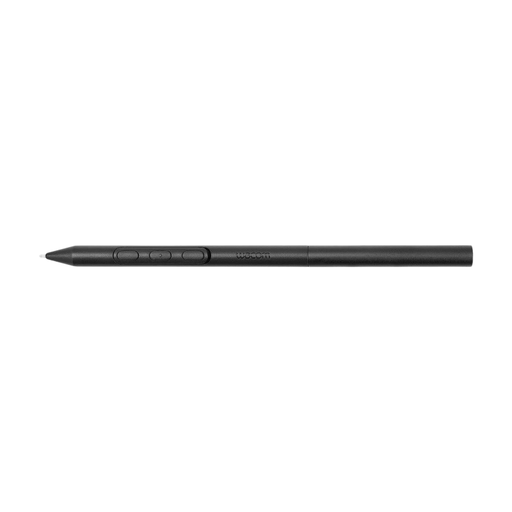
Why it suits this profile: Illustrators and designers who use a Wacom device can adjust the weight, grip thickness, buttons and balance to suit their working style.
The pen is designed for specific Wacom devices. This makes its compatibility clearer than that of a stylus described only in general terms as universal.
Battery-free EMR technology and adjustable weight, grip, buttons and balance point, according to the product specifications.
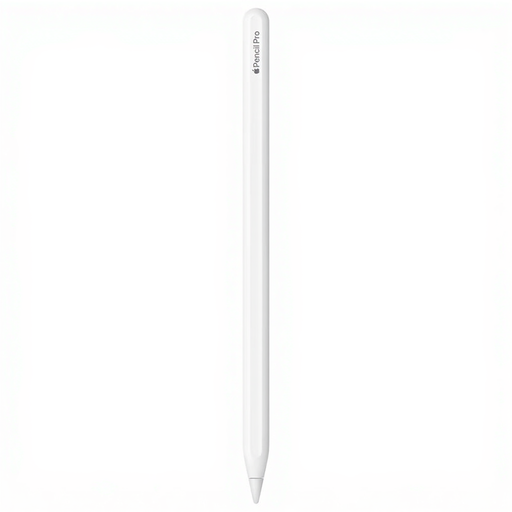
Why it suits this profile: Designed for people with a compatible iPad Air or iPad Pro who do a lot of drawing, sketching and writing, or work with digital tools.
The compatible iPad models are listed specifically. Check the list before buying, as the Pencil doesn’t work with every iPad.
According to the product information, this model offers pressure and tilt sensitivity, magnetic pairing and charging, low latency and haptic feedback.
For a Samsung tablet, the Samsung EJ-PX510 may be a suitable choice for the Galaxy Tab S9 FE and Tab S9 FE+. According to the product information, this pen has an IP68 rating, magnetic attachment and support for Air Command. Don’t use the pen for charging if the pen or tablet is wet.
We’ve put together a complete, up-to-date list of products that meet these strict selection criteria and the applicable European safety requirements.
No. A basic capacitive pen can usually simulate touch, but features such as pressure sensitivity and palm rejection require support from both the pen and the iPad. So, always check the exact iPad model.
It depends on the type. According to the product specifications, an AAAA battery can last for months, while a built-in rechargeable battery needs regular charging via USB-C or magnetically. Clear information about the battery type and stated usage time makes it easier to compare models.
Not always. A capacitive touchscreen pen may be enough for basic navigation. For accurate note-taking, drawing, palm rejection and pressure sensitivity, an active stylus is generally a better choice, provided it’s compatible with your device.
