
Student with a study room that has a weak signal
Your study portal works closer to the router but keeps dropping out in the room behind the kitchen. The position of the Wi-Fi access point and any obstacles will affect your choice.


Start by checking whether the problem is caused by Wi-Fi in your study room or by your internet connection. If the room behind the kitchen is the main weak spot, a well-placed extra Wi-Fi access point, ideally connected with a suitable network cable, is a more targeted solution than simply getting a faster router. If your internet also performs poorly close to the router, investigate the connection and settings first. The Consumers' Association of the Netherlands points out that walls and other obstacles can interfere with the Wi-Fi signal.
Your study portal works closer to the router but keeps dropping out in the room behind the kitchen. The position of the Wi-Fi access point and any obstacles will affect your choice.
When studying online, you want to be able to tell whether dropouts are caused by Wi-Fi or your internet line. Compare wired and wireless use to find out.
You want to extend your coverage without replacing your modem unnecessarily. Check how an additional router or access point will work with your existing connection.
Test the connection by the router and in your study space first. This will help you work out whether you mainly need a Wi-Fi solution or need to investigate the internet connection itself.
| Concern | What to look for when buying | Who is this most relevant to? |
|---|---|---|
| Coverage behind the kitchen | Test in your study space and by the router; consider where an extra Wi-Fi access point could go and whether you can run a network cable to it. | If I want to use my study portal in the study room without the connection dropping out, I prioritise good reception there. Around 36% of consumers put coverage in that spot first. |
| Stability while studying | Compare wired use with Wi-Fi in your study space, and repeat the test at different times. | If I don't want to lose my connection during a study session, I first want to find out where the interruption is happening. Around 29% of consumers focus mainly on a stable connection to their study portal. |
| Compatibility with your provider's equipment | Decide whether you are adding or replacing equipment; check the available ports and the connection settings required. | If I already have a provider router, I want to extend my Wi-Fi without replacing it unnecessarily. Around 21% of consumers prioritise compatibility with their existing equipment. |
| Updates and support | Check the update function and support for the exact model, as well as the CE marking on the version being sold. | If I manage my own router, I want to know how updates are handled and which version I'm buying. Around 14% of consumers focus mainly on secure maintenance and support. |
A newer Wi-Fi standard doesn't guarantee that the signal will reach your study room through obstacles. The Consumers' Association of the Netherlands points out that walls and other obstacles can interfere with Wi-Fi.
Test the signal in your study space first, then assess where to place the access points and how they connect to each other.
A wireless mesh point also needs a usable connection to another point. Placing a satellite where the signal is already dropping out won't automatically solve the problem.
Check the reception where you plan to put it, or see if a wired access point is an option.
An extra access point and a replacement modem require different connections and settings.
Decide in advance whether you want to keep your provider router. If you plan to replace it, check which settings your connection requires.
The Archer AX55 is a standalone Wi-Fi 6 router, while the Deco X50 is a mesh range with optional Ethernet backhaul.
The RT-AX57 is a standalone Wi-Fi 6 router. You can also compare its access point and AiMesh node functions.
The FRITZ!Box 7530 AX combines a DSL modem router with Wi-Fi 6 and mesh features. It's most relevant if you want to replace a compatible DSL setup.
The WiFi 6 Repeater 5400 Mesh Bundle is designed to extend existing Wi-Fi, rather than directly replace a modem router.
This selection includes mesh systems and a wired access point for extending Wi-Fi to a study space with a weak signal. When buying, check the CE marking on the hardware version being sold; the model name alone doesn't confirm this.
 Image unavailable
A mesh system with two units for extending Wi-Fi to a room with a weak signal.
Dual-band Wi-Fi 6 (2.4 GHz and 5 GHz); PoE support and two Ethernet ports per unit.
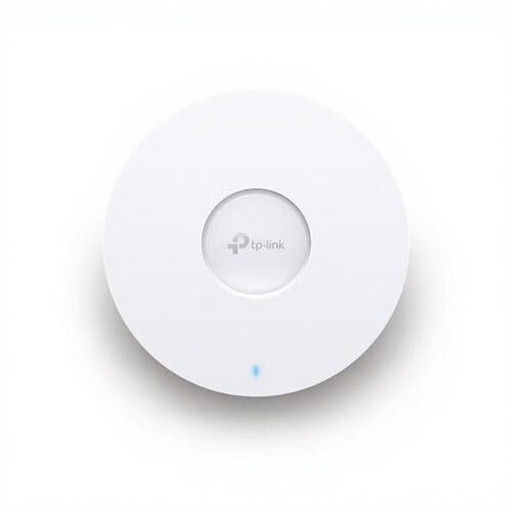 Image unavailable
An access point to consider if you can run a network cable to the spot where you want Wi-Fi.
Dual-band Wi-Fi 6; PoE support and a 2.5 Gbps Ethernet port. The product name lists 5400 Mbit/s.
 Image unavailable
A mesh option to consider if you want to extend Wi-Fi to another room.
Tri-band Wi-Fi 6E (2.4 GHz, 5 GHz and 6 GHz); mesh system with Ethernet ports on each unit.
 Image unavailable
A set of two mesh units for extending Wi-Fi to a study room with a weak signal.
Dual-band Wi-Fi 6 (2.4 GHz and 5 GHz); three gigabit ports per unit. TP-Link lists optional Ethernet backhaul for the Deco X50.
 Image unavailable
A mesh system with three units for extending Wi-Fi to several rooms; allow for the extra space and installation needed for the additional points.
Dual-band Wi-Fi 5 (2.4 GHz and 5 GHz); two Ethernet ports per unit.
Compare a wired speed test with Wi-Fi use in your study space, and repeat the test. If the wired connection is repeatedly much slower than your package promises, contact your provider; an extra Wi-Fi access point won't improve the internet feed.
According to ACM ConsuWijzer, you have the right to choose your own router. Replacing a modem is subject to connection and security requirements, and your provider must make the necessary connection settings available. Check which requirements apply to your connection.
Yes. Check regularly for firmware updates and switch on automatic updates if your device supports them. VeiligInternetten also recommends replacing the default login details with strong credentials.
No. ACM ConsuWijzer explains that the Dutch statutory guarantee depends on what you can reasonably expect from the product; the law doesn't set a fixed two-year period. To make a claim, contact the seller.
Check the CE marking on the version being sold, and select the correct country setting during installation. The Dutch Authority for Digital Infrastructure warns that using the wrong country setting can result in transmission power exceeding the permitted limit.