
Student who wants to move their notes safely
Wants to make a recent copy before packing, rather than keeping notes only on their laptop. VeiligInternetten explains both manual and automatic backups.


Before you pack, make a recent, readable copy of your study notes and store it separately from your laptop. For a one-off move, an external drive or cloud copy may be enough. Choose a NAS if you want to store your notes centrally after the move or access them from several devices. Remember to factor in the drives, setup and a separate backup location.
Wants to make a recent copy before packing, rather than keeping notes only on their laptop. VeiligInternetten explains both manual and automatic backups.
Wants to store notes centrally after the move and use them on different devices, weighing this convenience against the setup and management involved with a NAS.
Wants to know which components are needed for the complete storage setup, including any drives required in addition to the NAS enclosure.
Choose this if: you mainly want to make one extra copy before the move and don’t need central network storage afterwards.
Bear in mind: keep an external drive somewhere separate. Access to cloud files depends on your internet connection and account access.
Choose this if: you want to manage your notes from several devices after the move, or back them up automatically.
Bear in mind: you’ll need to install drives and set up the NAS. You won’t be able to access it over the network while it’s unplugged or out of reach during the move.
| What to consider | What should you check? | Who is this important for? |
|---|---|---|
| A separate, recoverable copy | Store the copy somewhere other than your laptop or NAS enclosure, and check that the files open. | I want to be able to recover my notes if a device or enclosure goes missing. Around 36% of consumers prioritise a separate, recoverable copy. |
| A straightforward transfer | Check which folders and devices you need to copy, and whether a manual copy will be enough. | I want to transfer my existing notes before the move without setting up a NAS if I won’t need one afterwards. Around 29% of consumers prioritise a quick transfer. |
| Total storage costs | Check whether drives are included and which drives are compatible with your chosen model. | I want to know which components I’ll need before choosing a NAS enclosure. Around 21% of consumers focus mainly on total costs and usable storage. |
| Access after the move | Check whether you can keep the NAS connected and accessible, and whether you can use the files on your devices. | I want to use my notes on several devices after the move. Around 14% of consumers prioritise ongoing access from different devices. |
If the whole enclosure goes missing, you could lose both drives at once.
Before packing, also keep a recent copy somewhere else and check that you can read it.
A diskless model won’t provide storage until you’ve bought compatible drives.
Check what’s included in the offer and which drives are compatible before comparing the total cost of your setup.
With a diskless model, you’ll need to include the cost of compatible drives in your storage plan.
If you only need to transfer notes, setting up and managing network storage may be more work than necessary.
First decide whether you want automatic backups or central access from several devices after the move.
The DiskStation DS223j is a two-bay NAS for anyone considering central access and backup options for document folders.
The TS-233 is a two-bay home NAS for central file access.
The Drivestor 2 AS1102T is a two-bay alternative where you may also want to consider the network port.
The NASync DXP2800 is a two-bay alternative for anyone considering more advanced uses alongside storing notes.
This selection includes external drives for making a copy straight away and NAS models for central storage after the move.
 No image available
A NAS option for anyone who wants to manage their notes centrally after the move. Bear in mind that the device needs to be connected and accessible for network access.
 No image available
An external drive for keeping a physical copy alongside your computer. Check that this Mac version is compatible with the equipment and backup method you use.
 No image available
An external drive for anyone who wants a separate physical location for their study notes. Check that its storage capacity is right for what you want to copy.
 No image available
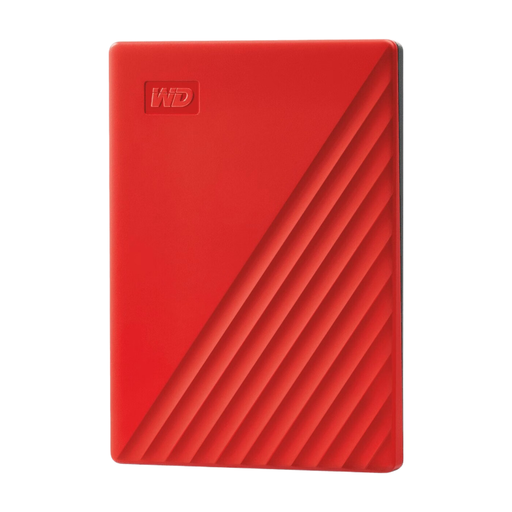
An external drive for anyone who wants to make a physical copy and needs the listed storage capacity. Check in advance which files you want to take with you.
 No image available
A NAS option for anyone who wants to manage their notes centrally after the move. According to the product description, hard drives aren’t included. Check which compatible drives you’ll need.
To access files through the NAS, the device needs to be connected and accessible. So, if you need your notes while the NAS is packed away, keep a recent copy somewhere else.
No. If the whole enclosure goes missing during the move, you could lose both drives at once. Make a copy somewhere else too, and check that you can read it.
Yes, you’ll need compatible drives for storage. ASUSTOR and UGREEN explicitly state that drives aren’t included with the Drivestor 2 AS1102T and NASync DXP2800 respectively. Check what’s included with any other model, too.
No. According to ACM ConsuWijzer, the legal guarantee depends on what you could reasonably expect from the product under normal use. If a product is faulty, the seller is responsible for putting things right.
According to the Dutch Data Protection Authority, processing for purely personal or household purposes is exempt. Don’t assume this exemption applies to professional or commercial use, or if you make personal data available beyond a limited private circle.