For mixing backing vocals at a shared desk, wired, closed-back studio headphones are the practical choice if you want to avoid disturbing colleagues, reduce background noise or record vocals as well. Sound On Sound and RTINGS discuss open-back models as an option for mixing when sound leakage isn’t an issue. Whichever type you choose, check the fit and connection, and listen to your final mix on another playback system.
Who is this choice relevant to?
Mixing alongside colleagues
You’re mixing backing vocals while other people work nearby. Sound leakage and distraction will determine whether an open-back model is suitable for the space. Sound On Sound and RTINGS highlight sound leakage as something to consider with open-back headphones.
Mixing and recording vocals
You switch between mixing and recording vocals at the same desk. Choose a model that minimises the sound picked up by a microphone, and check the fit and your working environment before deciding.
Critical vocal mixing
You assess vocal layers and stereo positioning, and can tolerate some sound leakage. Compare your choices on another playback system too, so you’re not relying on just one pair of headphones.
What should you look for when choosing?
Closed-back studio headphones
Choose this type when: you work alongside other people, want to reduce background noise or record vocals during the same session.
Bear in mind: a closed-back design doesn’t, by itself, guarantee a neutral sound; fit and ear pads affect isolation.
Open-back studio headphones
Choose this type when: you mainly mix and audible sound reaching others at the desk isn’t a problem. Sound On Sound and RTINGS list open-back models as an option for spacious mixing.
Bear in mind: open-back models leak sound and do little to block out your surroundings. Keep a closed-back alternative handy if you also record.
| What to consider |
What should you check? |
Who is this most important for? |
| Sound leakage |
Compare closed-back and open-back designs, and check how well the ear pads fit. |
If I’m mixing alongside colleagues, I don’t want to disturb them or be distracted. Around 33% of consumers in this situation prioritise reducing sound leakage. |
| Assessing backing vocals |
Listen to the vocals and stereo positioning, and check your mix on another playback system too. |
When I need to assess vocal layers, I want to be able to follow the details and mixing decisions clearly. Around 27% of consumers prioritise assessing vocals. |
| Comfort during longer sessions |
Try on the headphones and check the clamping force, ear pads and cable position. |
If I’m mixing for a long time, I want a fit I can wear comfortably. Around 20% of consumers say long-wearing comfort is their main purchasing concern. |
| Connection and maintenance |
Check the plug size, whether an adapter is included, compatibility with your interface and the availability of suitable replacement parts. |
I want to connect the headphones to my equipment and maintain them easily. Around 20% of consumers prioritise connection and maintenance. |
Common mistakes when choosing
-
Open-back is always better for mixing
An open-back design can offer a spacious listening experience, but it lets sound escape. This could disturb others at a shared desk or allow sound to be picked up by a microphone.
First, decide whether you’ll also be recording and whether colleagues are happy to hear what you’re playing. Choose open-back headphones only if they suit your circumstances.
-
The stated noise reduction always applies in practice
Fit and the contact between the ear pads and your head affect isolation. Sennheiser states that the HD 280 PRO offers noise reduction of up to 32 dB; “up to” doesn’t mean you’ll get that figure with every fit.
Try on closed-back headphones and assess their isolation in your own working environment, at a responsible listening volume.
-
Checking the cable and ear pads only after buying
A cable that runs awkwardly across a shared workspace can get in the way. Connections and replaceable parts vary by model and version.
Before buying, check the cable type and connection, and confirm that suitable replacement ear pads are available for the exact model.
Brands to compare
beyerdynamic
The closed-back DT 770 PRO in the 80-ohm version is an option if isolation and replaceable parts matter to you. The open-back DT 990 PRO is a separate model for situations where sound leakage isn’t an issue.
- beyerdynamic lists replaceable ear pads and a 3.5mm plug with a 6.35mm adapter for the DT 770 PRO 80 ohm.
- An open-back design such as the DT 990 PRO won’t block out the people you share your desk with in the same way. Claims about precision are the manufacturer’s statements, not the results of independent tests.
AKG
The closed-back, foldable K371 is a good fit if you want isolation and a choice of included cables at a shared desk.
- AKG lists three detachable cables and replaceable ear pads for the K371.
- The description of neutral calibration is a manufacturer claim. Assess the fit and sound for yourself before using them for mixing.
Sennheiser
The closed-back HD 280 PRO is designed for monitoring with passive noise reduction. The open-back HD 490 PRO is a separate option if sound leakage isn’t an issue.
- Sennheiser lists replaceable ear pads, a foldable design and noise reduction of up to 32 dB for the HD 280 PRO. For the HD 490 PRO, the manufacturer mentions two types of ear pads and a detachable cable.
- The “up to 32 dB” figure doesn’t guarantee that level of noise reduction with every fit. The open-back HD 490 PRO won’t block out others in the same way as closed-back headphones.
Audio-Technica
The closed-back ATH-M50x is a wired option if you want passive isolation and a detachable cable at your desk.
- Audio-Technica confirms that the cable is detachable and describes the headphones as offering passive isolation.
- The manufacturer’s description of the model’s popularity isn’t an independent ranking or proof that it’s the most accurate choice for every vocal mix.
Sony
The MDR-7506 is a studio and recording-focused model worth comparing if you’re looking for lightweight headphones with a long cable.
- Sony lists a 3 m cable and a weight of 230 g for the MDR-7506 in the Netherlands.
- Check that you can route the cable conveniently around your shared desk. “Reference headphones” is Sony’s own product description.
Joybuy products
The Joybuy options below are over-ear headphones for listening at a shared desk, not a confirmed selection of studio headphones. Before using them to mix vocals, check that they connect to your audio interface and listen to the mix on another playback system too.
 No image available
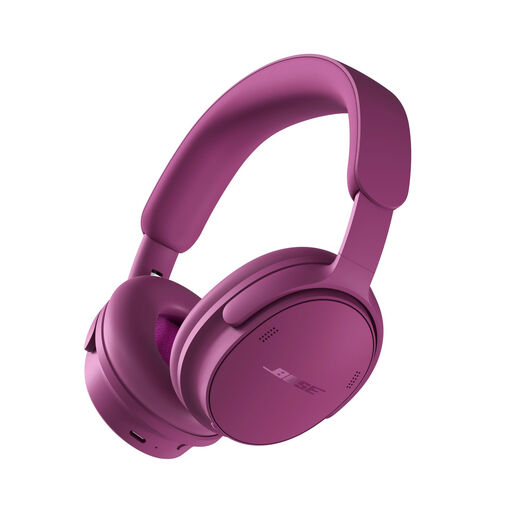
Bose QuietComfort Headphones (2nd Gen), Rosewood Mauve
Consider this model for mixing only if its connection to your interface and playback suit your workflow. Check your mix on another playback system too.
Colour option: Rosewood Mauve.
View at Joybuy
 No image available
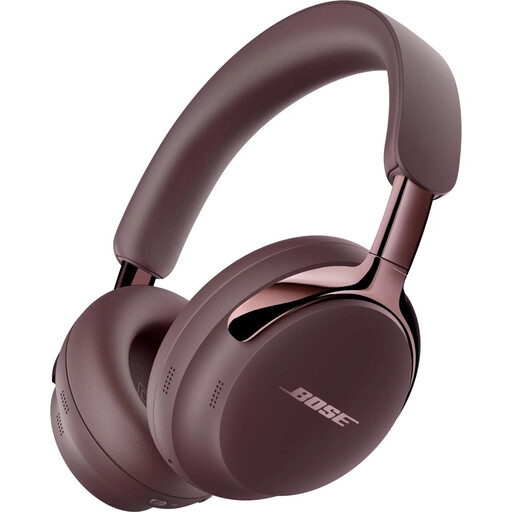
Bose QuietComfort Ultra Headphones (2nd Gen), Cherry Chocolate
For vocal mixing, check that the connection options work with your audio interface, and listen to the finished mix on another system too.
Colour option: Cherry Chocolate.
View at Joybuy
 No image available
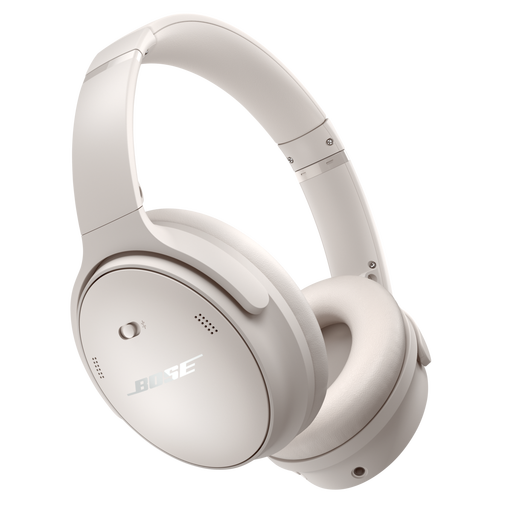
Bose QuietComfort Wireless Bluetooth Noise Cancelling Headphones, white
The product name mentions Bluetooth and noise cancelling. Before using this model for mixing, check that its connection is compatible with your interface.
The product information also lists a 3.5 mm connection and an audio cable.
View at Joybuy
 No image available
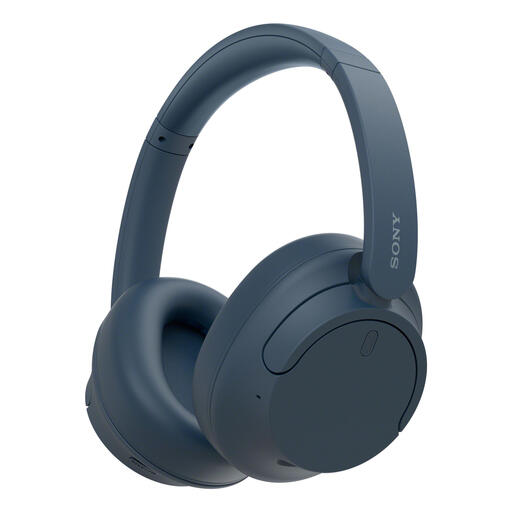
Sony WH-CH720N Noise Cancelling Wireless Bluetooth Headphones, blue
For mixing, check that the wireless connection suits your equipment and workflow. Test your mix on another playback system too.
The product name mentions noise cancelling, battery life of up to 35 hours and quick charging.
View at Joybuy
 No image available
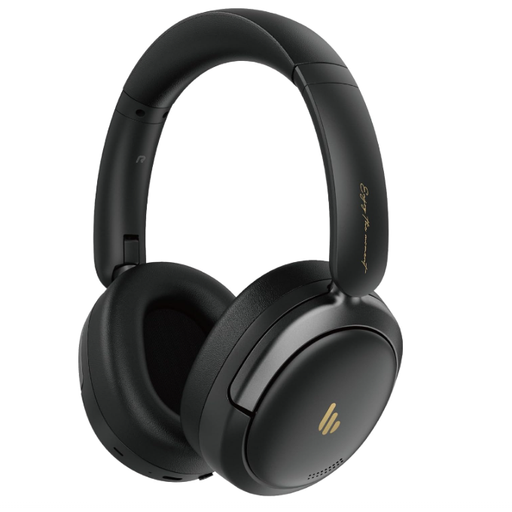
Edifier Atom Max Foldable Over-Ear Headset, black
For vocal mixing, check that the connection to your equipment and the playback suit your workflow. Listen to the mix on another system too.
The product name mentions a foldable design, Hybrid Active Noise Cancellation, Bluetooth 5.4 and 45 hours of playback time.
View at Joybuy
Frequently asked questions
At a shared desk, should I choose open-back or closed-back headphones for mixing?
Choose closed-back headphones if sound leakage or background noise gets in the way of your work, especially if you also record with a microphone. Open-back headphones may suit you if you only mix and others are happy to hear what you’re playing. Check your mix on another playback system as well.
How do I connect studio headphones to my audio interface?
Check the output on your interface against the plug and any adapter supplied with the exact version of the headphones. For example, beyerdynamic lists a 3.5mm plug and a 6.35mm adapter for the 80-ohm DT 770 PRO. Check with your own interface that you can work at a comfortable listening volume.
What do the Dutch cooling-off period and warranty mean when buying online?
For online consumer purchases, there is generally a statutory cooling-off period of up to 14 days after delivery. ACM ConsuWijzer lists exceptions, so check the terms for your specific purchase. In addition, under the statutory guarantee, the seller must put right a product that doesn’t perform as you could reasonably expect under normal use. There is no fixed statutory warranty period in the Netherlands that applies to every pair of headphones.


