
Mixing a soundtrack in a quiet room
Focuses mainly on balance and placement while mixing. An open-back model is worth comparing if background noise and sound leakage aren’t a problem.


If you mainly mix in a quiet room, compare wired open-back studio headphones for critical listening. If you also record or work around other people, consider closed-back models for their isolation. For either type, check the fit, cable and connection to your audio output. Headphones don’t provide audio-visual synchronisation themselves, and for a Dolby Atmos mix, Dolby recommends checking it on both speakers and a binaural headphone feed.
Focuses mainly on balance and placement while mixing. An open-back model is worth comparing if background noise and sound leakage aren’t a problem.
Wants to limit distracting background noise and sound leakage during voice or music recordings. Compare closed-back models and pay attention to the fit.
Follows the picture and audio project side by side and needs a practical wired connection. Avid describes synchronisation as part of the audio-visual workflow, not a feature of the headphones.
First decide whether isolation is important while recording, then check the connection and monitoring setup. For a Dolby Atmos mix, Dolby recommends checking both the speaker playback and the binaural headphone feed.
| What to consider | What to look for | Who is this important for? |
|---|---|---|
| Balance and stereo placement | Compare a familiar section of the soundtrack and check the mix through the intended playback setup too. | If I mainly want to assess balance and placement in a quiet room, I’ll compare open-back models as long as sound leakage isn’t a problem; around 33% of consumers prioritise this way of assessing a mix. |
| Isolation while recording | Decide whether you’ll be recording at the same time or working in a noisy room, then try the seal around the ear pads. | If you want to limit distracting noise and sound leakage while recording or working in a shared space, it makes sense to compare closed-back models; around 27% of consumers prioritise isolation. |
| Connection and video workflow | Check the output on your audio interface, the plug, any adapter and the cable route. Test a familiar cue against the picture in your own project. | If I’m following picture and audio across two screens, I want a wired setup that works with my equipment, and I’ll check synchronisation in the software; around 20% of consumers prioritise connection and video workflow. |
| Comfort and maintenance | Try the fit during a typical listening session and check which parts can be replaced on the exact model. | For anyone editing or mixing for long periods, comfort and the upkeep of cables or ear pads can matter a great deal; around 20% of consumers prioritise comfort and maintenance. |
Using two screens doesn’t make audio-visual synchronisation a headphone feature; timing is assessed as part of the audio-visual workflow.
Test a familiar cue against the picture in your own project, and check that the cable route works with your audio output.
An open-back design doesn’t provide the same isolation as a closed-back one. This can matter if sound leaks into a live microphone or background noise disrupts your work.
Before choosing, decide whether you need isolation and compare the fit of closed-back models.
For a Dolby Atmos mix, Dolby recommends checking both speaker playback and binaural headphone playback.
Confirm the delivery format and check the mix through the playback setups that are relevant to it.
Compare the open-back DT 900 PRO X for mixing in a quiet room with the closed-back DT 700 PRO X when isolation or recording is a factor.
The open-back HD 490 PRO is an option to compare if critical mixing and replaceable ear pads are important to you.
The closed-back ATH-M50x is worth comparing if recording, passive isolation and a choice of supplied cables are relevant to you.
The open-back NDH 30 is another option to compare if critical mixing is your priority.
The closed-back MDR-7506 is a monitoring model worth comparing if you also edit video or record.
Joybuy headphones relevant to this topic. Check that each model’s connection and monitoring setup work with your equipment.
 No image available
The listed 3.5 mm cable allows wired listening; check that the connection works with your audio output.
According to the product description, the headphones can be used passively without a battery.
 No image available
The product description specifies a closed-back, over-ear design; check whether the fit meets your isolation needs.
According to the product description, an audio cable lets you listen without a battery.
 No image available
The product name identifies this model as a headset; check that its connection is suitable for your monitoring setup.
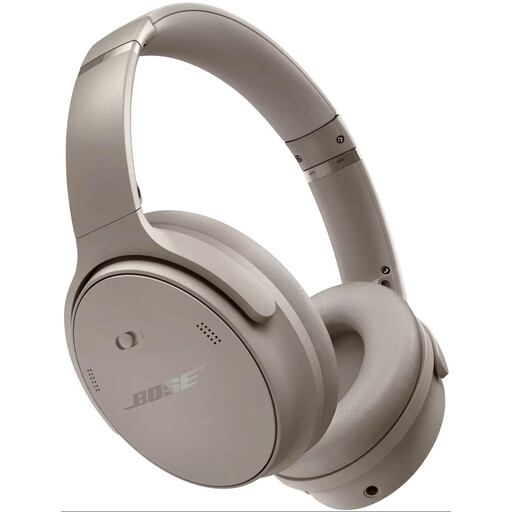
The product description lists Bluetooth 5.2 and a USB-C cable.
 No image available
Check whether these Bluetooth headphones are suitable for the monitoring setup you use for your mix.
The product description lists Bluetooth and active noise cancelling.
 No image available
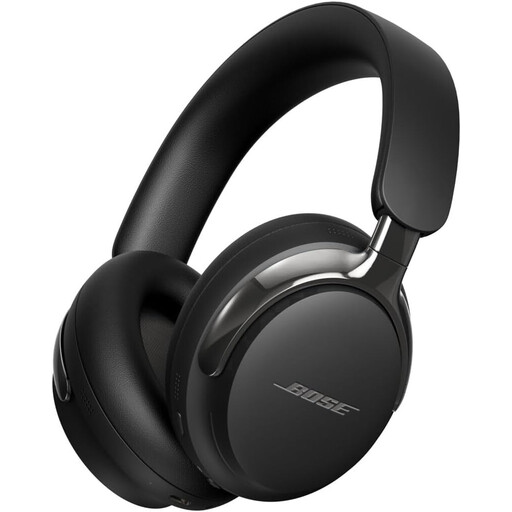
The detachable cable with a 3.5 mm connection may be useful for wired monitoring; check that the connection you choose matches your equipment.
The product description also lists USB-C and Bluetooth 5.4.
No, not just because you’re using two screens. Check which headphone output your audio project uses and whether the plug and cable are compatible. Also test a cue against the picture in the software you’re using. Avid describes synchronisation as part of the audio-visual workflow, not a feature of the headphones.
If the project is being delivered in Dolby Atmos, Dolby recommends checking both speaker playback and binaural headphone playback while mixing. This doesn’t automatically apply to a standard stereo soundtrack.
Keep the volume down and take regular breaks. The World Health Organization identifies both sound level and listening time as factors, and gives a maximum of 40 hours per week at 80 dB as an example of safe listening. The volume setting on your computer doesn’t, by itself, reliably measure the sound level at your ear.
For work-related exposure, requirements depend on the measured daily noise dose. Arboportaal states that employers must provide hearing protection when exposure exceeds 80 dB(A), and that employees must wear it when exposure exceeds 85 dB(A). Without details about the working situation and exposure, these thresholds can’t be applied to an individual listening session.
For a distance purchase by a consumer, ACM ConsuWijzer says there is generally a 14-day cooling-off period after delivery, subject to applicable exceptions. You also have a legal right to a product that meets what you could reasonably expect under normal use; this isn’t simply a fixed two-year warranty period. If you’re buying on behalf of a business, check separately which terms apply.