
Streamer who speaks into a microphone
You want to hear your voice, game audio or notifications without unnecessary sound leaking into the microphone. Closed-back headphones and a carefully set up audio route are important considerations.


If you speak into a microphone while streaming, start with closed-back, wired studio headphones to reduce the risk of sound leaking into the mic. beyerdynamic recommends closed-back headphones when using a microphone. Having two monitors doesn’t in itself call for a special model: choose your audio source and monitoring device in your software, and consider open-back headphones only if you’re listening in a quiet room and leakage isn’t an issue.
You want to hear your voice, game audio or notifications without unnecessary sound leaking into the microphone. Closed-back headphones and a carefully set up audio route are important considerations.
You want to hear your own voice with minimal delay, and need to check whether monitoring through the interface also lets you hear the other audio sources you want. Focusrite describes direct monitoring as a way to listen to a connected input with virtually no delay.
You want to listen critically in a quiet room, but with open-back headphones you’ll need to consider whether sound could be picked up by an active microphone.
When you’re using a microphone alongside your headphones, reducing sound leakage is a good place to start. The audio route and fit also determine whether your set-up works comfortably. OBS lets you choose a monitoring device and warns that recording the same source twice can cause an echo.
Choose these if: you speak into a microphone while streaming and want to minimise sound leaking from your headphones.
Bear in mind: the fit and feel, and the possibility that loud sound could still be picked up by a microphone.
Consider these if: you’re checking a mix in a quiet room and sound leaking into an active microphone isn’t an issue.
Bear in mind: an open-back design blocks less ambient noise and can let sound escape.
| What to consider | What to check before buying | Who should pay particular attention? |
|---|---|---|
| Sound leakage | Check the closed-back design and fit; make a test recording with your own microphone position and listening volume. | If I want to hear game audio while speaking, I want to prevent my microphone from picking it up again. Around 36% of consumers prioritise reducing sound leakage. |
| Audio route and connection | Check that the plug fits your computer, interface or microphone. Select the right monitoring device in OBS and test that you can hear all the sources you want. | If I want to hear my voice and other streaming sources, I need to know which output and software setting I’ll need. Around 29% of consumers prioritise the right audio route and connection. |
| Comfort and maintenance | Consider the fit and cable length; check whether the cable and ear pads are replaceable for the exact model. | If I stream for long sessions, I want my headphones to feel comfortable and work well at my desk. Around 21% of consumers put comfort and maintenance first. |
| Listening to a mix with a spacious sound | If you use a microphone while listening, test whether it picks up sound from your headphones before going live. | If I’m checking a mix in a quiet room, an open-back design may suit how I like to listen, as long as microphone leakage isn’t an issue. Around 14% of consumers prioritise critical mix checks. |
An extra monitor doesn’t determine what audio your headphones play. In OBS, you choose the monitoring device; recording the same source twice can cause an echo.
First, map out your microphone, computer output and streaming sources. Test the route with a short recording before buying extra equipment.
Replaceable parts vary by model, so don’t assume that spare cables or ear pads are available for every pair of headphones.
Check the cable length you need and whether parts are available for the exact model, especially if you use the headphones often.
The ATH-M40x is a closed-back, wired option to compare if you’re considering sound leakage and connectivity.
The closed-back DT 770 PRO and open-back DT 900 PRO X are designed for different listening conditions.
The wired MDR-7506 is a studio model to consider if its cable set-up works for your regular workspace.
The closed-back HD 280 PRO is an option if sound isolation and replaceable ear pads are priorities.
The K72 is a closed-back studio model to consider if you want to reduce sound leakage into a microphone.
This Joybuy selection features over-ear headphones with wired listening options. Check that the connection listed and your monitoring route suit your streaming set-up.
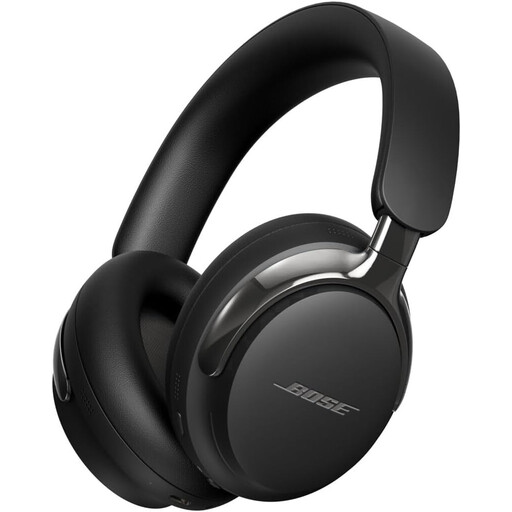 No image available
The closed-back design described suits those looking to reduce sound leakage towards a microphone; test the results with your own set-up.
The product description lists a detachable cable with USB-C and 3.5mm connections. Check which connection works with your headphone output.
 No image available
The closed-back design described suits anyone looking for closed-back over-ear headphones for streaming; fit and microphone leakage depend on your own set-up.
The product description lists USB-C and 3.5mm cables as included. Check which cable and output your equipment needs.
No, not just because of the number of monitors. Choose which audio sources you want to hear, select your monitoring device in OBS and make a test recording to check what ends up in your stream.
If your audio interface supports direct monitoring, you can hear the connected microphone input through the headphone output with virtually no delay. Focusrite describes this feature for the input signal; check separately whether you can also hear game audio, notifications and the final programme mix.
First, check whether the same source is being recorded both through OBS’s general audio settings and again in a scene. OBS warns that recording a source twice can cause an echo; listen to another test recording after making a change.
Check this for the exact model before buying. Manufacturer information, for example, lists replaceable ear pads for the beyerdynamic DT 770 PRO and Sennheiser HD 280 PRO, and a detachable cable for the Audio-Technica ATH-M40x. Don’t assume other models have the same parts.
Keep the volume down and take breaks. The Consumentenbond points out that the risk of hearing damage depends on both volume and the length of exposure.