
Editor working at a shared desk
Edits a live session while conversations and other office sounds are audible, and wants to avoid disturbing colleagues with sound leaking from their headphones.


If you work at a shared desk and want to limit both office noise and sound leakage, start with a well-fitting pair of closed-back studio headphones. Compare their sound using familiar material, try them on for more than a few minutes, and check the cable, plug and headphone output. Open-back headphones are better suited to critical listening in a separate, quiet room.
Edits a live session while conversations and other office sounds are audible, and wants to avoid disturbing colleagues with sound leaking from their headphones.
Checks the details and balance of recordings, and weighs up how closed-back headphones compare with listening in a quiet room.
Wears headphones for extended periods and considers pressure, ear pads and compatibility with their own equipment, as well as sound isolation.
A good fit if: you want to hear quiet details at a shared desk while limiting distractions and sound leakage. Shure recommends closed-back headphones for recording situations.
Keep in mind: a closed-back design doesn’t guarantee that every model will sound neutral or form a good seal on your head.
A good fit if: you mix critically in a separate, quiet room where sound isolation isn’t a priority.
Keep in mind: an open-back design lets more sound escape and offers less isolation. Shure describes it as a different listening option from a closed-back design.
| Consideration | What should you check? | Who is this important for? |
|---|---|---|
| Background noise and sound leakage | Try a closed-back, over-ear model with your usual glasses and listening volume. Check what you can still hear and what someone sitting next to you can hear. | If I work at a shared desk, I want fewer distractions and don’t want to disturb colleagues with sound leakage. Around 36% of consumers give isolation top priority. |
| Hearing editing details | Compare familiar clips from the same source at a comfortable level. Check important mix decisions on another listening system too. | When I assess differences between sections and tracks, I don’t want to rely on a general promise of studio sound. Around 29% of consumers put editing details first. |
| Comfort during long sessions | Try the headphones for an extended period and pay attention to pressure around your ears and glasses arms. Check whether the ear pads are replaceable. | If I edit for long stretches, I want the fit to remain comfortable and the pads to be replaceable. Around 21% of consumers give long-term wearing comfort top priority. |
| Connection and maintenance | Check the output on your interface or computer, the plug and adaptor, cable length, and the parts available for the exact version. Beyerdynamic distinguishes between the 32, 80 and 250 ohm versions of the DT 770 PRO according to the source. | When I connect headphones to my own workstation, I want to know whether the cable and output are compatible and which parts can be replaced. Around 14% of consumers put connection and maintenance first. |
With an open-back design, sound can escape and noise from the workspace can get in more easily. This can be distracting while editing and disturb colleagues.
Assess open-back models in a separate, quiet listening space. For a shared desk, try a closed-back model first and check the fit.
An independent review of the Audio-Technica ATH-M50x by Sound On Sound in May 2014 described its distinctive tonal balance, with emphasis on the bass and upper mid and high frequencies.
Compare familiar live tracks and check important mix decisions on another listening system too.
Beyerdynamic distinguishes between the 32, 80 and 250 ohm versions according to the source used. A specification for one version therefore doesn’t automatically apply to another.
Check the full model name and test your chosen version with the output you’ll actually be using.
The World Health Organization warns that the risk to your hearing increases as sound gets louder and exposure lasts longer.
First try to improve the fit and isolation, keep the volume down and take listening breaks.
The closed-back DT 770 PRO and open-back DT 900 PRO X are different options for a shared desk and a quieter listening space respectively.
The closed-back MDR-7506 and MDR-M1 are studio-focused models, while the open-back MDR-MV1 is better suited to mixing in a suitable quiet room.
The closed-back HD 280 PRO is worth considering if isolation, foldability and replaceable ear pads matter to you.
The closed-back ATH-M50x is an option if a detachable cable and a good seal are important to you.
According to Shure, the closed-back SRH440A combines an over-ear design with a detachable cable.
This selection includes wireless over-ear headphones and office headsets. Being convenient for office use isn’t the same as offering neutral studio sound, so judge for yourself whether the sound is suitable for making mix decisions.
 No image available
Wireless over-ear headphones for anyone looking for a pair they can also use beyond wired listening; check whether the tonal balance suits your editing work.
 No image available
Bluetooth headphones for anyone who values wireless listening; assess the sound separately before basing mix decisions on it.
 No image available
A headset for anyone looking for a model for office work; check whether its sound meets the needs of your live-session editing work.
 No image available
This USB-A MS Teams version is aimed at anyone looking for this particular configuration; check that the connection and sound reproduction suit your editing setup.
 No image available
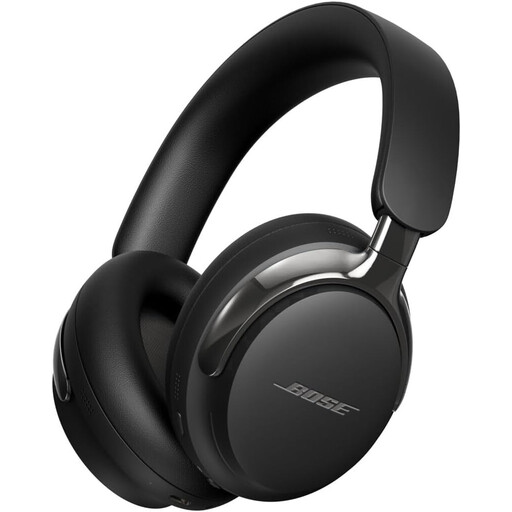
Over-ear headphones for anyone considering this second generation; listen for yourself to see whether the sound is suitable for precise editing.
Start with a well-fitting closed-back pair if isolation and sound leakage are major concerns. Keep open-back headphones for critical listening in a separate, quiet space, and compare their sound using familiar material.
First, check the plug, adaptor and headphone output. If you want to hear your input signal during recording without noticeable software delay, check whether your audio interface supports direct monitoring and how it’s configured. The headphones alone won’t solve delay in the signal path.
Check which parts are replaceable and available for the exact version. The HD 280 PRO lists replaceable ear pads; for the MDR-M1, Sony lists replaceable ear pads and detachable cables. If a product develops a fault after normal use, the retailer is the point of contact for a consumer in the Netherlands making a claim under the statutory guarantee; this is separate from any manufacturer’s warranty.
Arboportaal information states that, for employees, a daily exposure level above 80 dB(A) is the threshold at which the employer must make hearing protection available. This isn’t a headphone specification that tells you the sound level reaching your ears. The World Health Organization also recommends keeping listening volumes down and taking breaks.