
Editor at a shared desk
Edits recordings while colleagues are working nearby and wants to take account of both office noise and sound leaking out.


In a shared office, start with a well-fitting pair of closed-back studio headphones if you want to limit background noise and sound leakage to colleagues. Then compare the sound with familiar recordings, assess comfort during a longer session, and check that the plug, cable and impedance suit your audio output. An open-back model may be an option in a quiet, separate room, but its design does not provide the same isolation.
Edits recordings while colleagues are working nearby and wants to take account of both office noise and sound leaking out.
Assesses the differences between rehearsal takes and doesn’t want to base editing decisions solely on claims about a design or its sound.
Works with headphones on for extended periods and takes fit, the cable and replaceable parts into account.
Start with the level of isolation your workspace requires. Then compare sound, comfort, connectivity and maintenance in relation to your own equipment and how you use it.
| What to consider | What should you check? | Who is this important for? |
|---|---|---|
| Isolation and sound leakage | Check the fit and how much sound is audible to people beside you; a closed-back design does not guarantee complete isolation. | I want to edit at a shared desk without disturbing colleagues unnecessarily. Around 33% of consumers give isolation and sound leakage the highest priority. |
| Sound when comparing takes | Listen to familiar recordings and, if possible, check important decisions on a second listening setup too. | I want to assess small differences between rehearsal takes, not just hear a pleasant sound. Around 27% of consumers put sound assessment first. |
| Comfort during long sessions | Assess pressure, warmth and fit during a realistic listening session; check whether the ear pads are replaceable on the exact version. | If I’m editing for extended periods, the ear pads and headband need to feel comfortable. Around 20% of consumers make comfort their top priority. |
| Connecting to your workspace | Check the output, plug and any adapter required. If there are different impedance versions, make sure they suit your source device too. | I want to connect the headphones directly to my computer, recorder or audio interface. Around 13% of consumers prioritise connectivity. |
| Maintenance and parts | Check the model generation and part number before assuming that the ear pads or cables are replaceable. | With frequent use, I want to know whether compatible parts are available for my model. Around 7% of consumers prioritise maintenance and replaceability. |
The spacious sound of an open-back model doesn’t change the need for isolation when you’re working beside colleagues.
First decide whether you’ll mainly be listening at a shared desk or in a quiet, separate room.
beyerdynamic describes different uses for the impedance versions of the DT 770 PRO. A version that doesn’t suit your output may mean you need a different source device.
Before buying, check the full model version and the headphone output you’ll be using.
Choosing the right connection can therefore affect which equipment you need.
Isolation depends partly on fit. A specification can’t tell you how much sound your particular combination of head shape, glasses and working environment will actually block.
Assess the fit and sound leakage using a familiar recording at a moderate listening level.
Sennheiser specifies a version requirement for some replacement ear pads for the HD 280 PRO.
Compare the full model and part numbers before ordering replacement parts.
The closed-back DT 770 PRO is a wired option; choose the 32-, 80- or 250-ohm version to suit your source device.
The closed-back ATH-M50x is worth comparing if you’re looking for passive isolation and a detachable cable.
The closed-back HD 280 PRO, item 506845, is a wired option for recording, monitoring and editing.
The closed-back, foldable MDR-7506 is one model to include when comparing wired studio headphones.
The closed-back K371 is a foldable, over-ear model worth comparing.
This selection includes headphones and headsets with stated wired listening options. Check that the connection suits your editing equipment; a cable option alone says nothing about sound neutrality or leakage.
 No image available
Could be a good fit if you’re looking for wireless use as well as a wired listening option; assess the sound separately before making editing decisions.
The product name specifies wireless over-ear headphones, 60-hour battery life and 4 microphones.
 No image available
Consider this model if you’re looking for headphones for listening in an office environment; check for yourself whether the sound is suitable for assessing rehearsal takes.
The product information specifies a closed-back design and active noise cancellation; these details alone don’t prove studio-neutral sound reproduction or a particular level of sound isolation.
 No image available
Could suit office listening needs; being labelled a headset doesn’t tell you whether its sound is suitable for studio editing.
Check that the stated USB-C cable and wired connection are compatible with the output on your editing equipment.
 No image available
This wired headset could suit you if you need a 3.5mm connection; assess its sound separately before basing editing decisions on it.
The product name specifies a wired gaming headset with 7.1 sound.
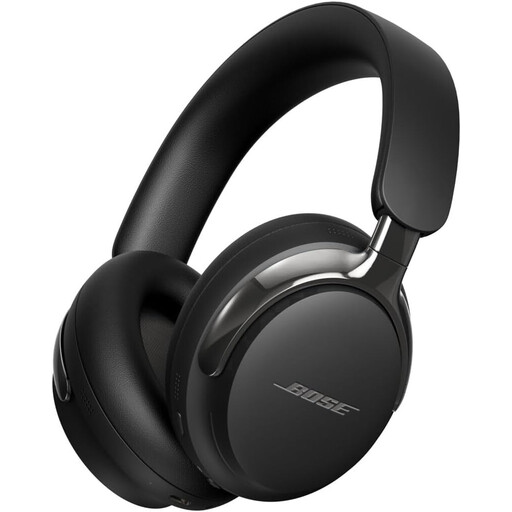 No image available
Could be worth considering if you’re looking for foldable headphones with a wired listening option; check the sound and connection with your editing setup.
The product information lists active noise cancellation and a detachable cable. This isn’t a measurement of sound leakage or proof of neutral studio sound reproduction.
You can if sound leaking to colleagues and office noise aren’t a concern in your situation. Shure and Audio-Technica describe closed-back models as an option when isolation matters; you could try an open-back model in a quiet, separate room instead.
First check whether your computer, recorder or audio interface has a suitable headphone output and what plug or adapter you’ll need. beyerdynamic lists different uses for the 32-, 80- and 250-ohm versions of the DT 770 PRO, so check the source device for the exact version.
Follow the care instructions for the exact model and check whether compatible replacement ear pads and cables are available. Sennheiser lists parts for the HD 280 PRO, item 506845; a version requirement applies to certain ear pads.
ACM ConsuWijzer states that online purchases generally come with a statutory 14-day cooling-off period after delivery; check whether an exception applies before unpacking the product. If a product doesn’t meet what you could reasonably expect under normal use, you also have statutory rights through the retailer. This doesn’t mean that every pair of headphones has a fixed warranty period.
No, check the fit and isolation first. VeiligheidNL recommends well-fitting headphones, so you’re less likely to feel the need to drown out background noise by turning up the volume.