
Mixing next to colleagues
You share a desk with colleagues sitting close by and want to minimise distractions and audible sound leakage. A closed-back design is a sensible starting point, but it won’t guarantee complete silence.


If colleagues are sitting nearby or you want to keep sound from leaking out, closed-back headphones are the obvious choice. Just check that your audio source can drive the version you choose. In a quiet space where some sound leakage is acceptable, you could also consider an open or semi-open model. However, check your mix on other playback systems and pay attention to the connection and fit.
You share a desk with colleagues sitting close by and want to minimise distractions and audible sound leakage. A closed-back design is a sensible starting point, but it won’t guarantee complete silence.
You can tolerate some sound leakage and want to assess stereo positioning and mix details critically. In that case, compare open and semi-open models.
You switch between using a laptop and an audio interface. So check the connection, cable and how easy the specific version is to drive.
Choose this when: colleagues are sitting nearby or you want to minimise sound leakage.
Bear in mind: a closed-back design doesn’t prove that a model will reproduce your mix neutrally.
Choose this when: you want to listen critically and sound can leak out to others.
Bear in mind: open models can be audible to colleagues and won’t fully block out surrounding noise.
Choose this when: you want to try a semi-open design for mixing and some sound leakage is acceptable.
Bear in mind: the name doesn’t tell you how much sound your colleagues will hear in your workspace.
Start by asking how much sound you can let leak out to colleagues. Then compare the sound of your mix, connection and fit of models suited to that situation.
| What to consider | What should you look for? | Who is this important for? |
|---|---|---|
| Sound leakage | Check whether the design is open, semi-open or closed-back, and assess how well it seals at your usual listening volume. | If colleagues are sitting nearby, you’ll want to avoid disturbing them with the sound you’re playing. Around 33% of consumers give minimising sound leakage top priority. |
| Mix details | Compare familiar passages at a consistent, moderate volume and check your mix on another playback system too. | If you mainly want to assess stereo positioning and detail, an open design may be worth considering, as long as sound leakage is acceptable. Around 27% of consumers prioritise mix details. |
| Connection and drive | Check the output on your laptop or interface, the plug size and the full model specification, including impedance where relevant. | If you switch between audio sources, you’ll want to know whether the version you choose will work with them. Around 20% of consumers prioritise source compatibility. |
| Fit and maintenance | Try the headphones during a typical listening session and check whether the pads or cable can be replaced on the exact model. | If you mix for long periods, fit, maintenance and a moderate listening volume are important factors in your choice. Around 20% of consumers give long-term use and comfort top priority. |
Open headphones can let sound escape. What works in a quiet room may be distracting at a shared desk.
Decide in advance whether sound leakage is acceptable. If it isn’t, compare closed-back models and check your final mix on other playback systems too.
beyerdynamic lists the 32, 80 and 250 ohm versions of the DT 770 PRO for different types of audio source.
Before buying, check the full model specification and the output on your laptop or audio interface.
A version that isn’t well suited to your source may mean you need a different audio source or a headphone amplifier.
A frequency range on its own isn’t a comparative measure of how accurately headphones reproduce your mix.
Compare familiar reference tracks at a moderate volume and check important mix decisions on other playback systems.
The closed-back DT 770 PRO and open DT 900 PRO X offer different designs for studio and mixing use.
The closed-back ATH-M50x is a wired option if a detachable cable and passive isolation are important to your choice.
Sennheiser describes the open HD 400 PRO as designed for mixing and critical listening when sound leakage is acceptable.
AKG describes the semi-open K240 Studio and the closed-back, foldable K371 as models with different designs.
Sony presents the MDR-7506 for recording and studio use.
These Joybuy product picks offer wired listening options, but the available product information doesn’t establish how suitable they are for studio monitoring and mixing. Check the connections and features for your needs, and don’t treat them as proven neutral studio references.
 No image available
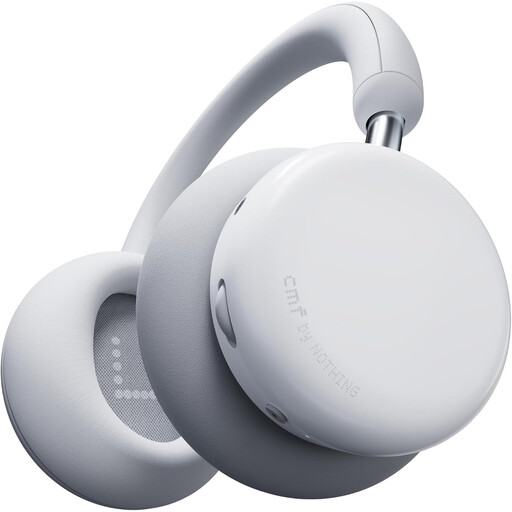
Worth considering if you want to listen both wired and wirelessly; the product description mentions both options.
The product description lists 40mm drivers, replaceable pads, hybrid ANC and an Energy Slider for adjusting the bass and treble.
The stated weight is 283 g. The product information describes them as comfortable for longer listening sessions, but fit is a personal matter.
 No image available
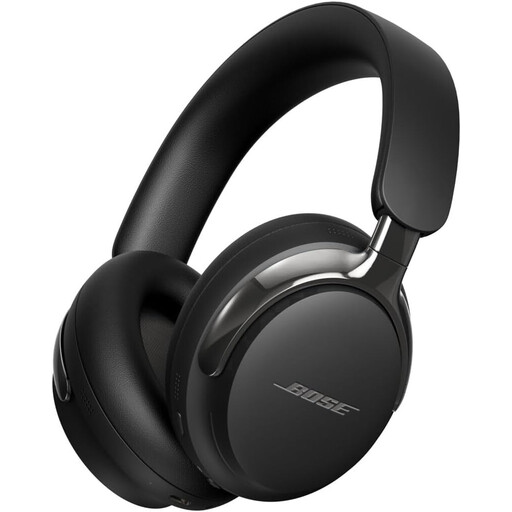
A wired listening option to compare if you want to check the connection with your own audio source.
The product description mentions active noise cancellation, spatial audio and a detachable cable with USB-C and 3.5mm connections.
The available product information doesn’t establish whether the sound is suitable as a neutral mix reference.
Yes, if the sound leakage is acceptable to them. beyerdynamic states that sound escapes from the open DT 990 PRO; assess how disruptive it may be at your usual listening volume.
Don’t assume it will just because the plug fits. beyerdynamic positions the 250-ohm version for stationary, amplified sources and also lists the 32-ohm version for computer sources. Check the output on your laptop or interface before choosing.
Keep the volume moderate, take listening breaks and pay attention to both the level and duration. The World Health Organization gives 80 dB for up to 40 hours per week as an example of safe listening. This doesn’t mean that a particular volume setting on your device will produce exactly 80 dB.
According to ACM ConsuWijzer, for a standard online consumer purchase you generally have a statutory cooling-off period of up to 14 days after delivery; check the applicable exceptions and returns policy. According to the Dutch government, there’s no fixed statutory warranty period: if a product is faulty, the seller must provide a solution.