At a shared desk, wired, closed-back over-ear headphones are usually a practical starting point. RTINGS and Sound On Sound explain that open-back models can sound more spacious, but leak more sound and do little to block out ambient noise. An open-back model may make more sense for judging spatial elements in a mix if sound leakage and background noise aren’t a concern where you listen. Also consider fit, connectivity and replaceable parts.
Who are studio headphones at a shared desk suitable for?
Mix reviewer working alongside colleagues
You want to listen to a mix without making others listen in unnecessarily, and without constantly turning up the volume to drown out desk noise. RTINGS and Sound On Sound describe the trade-off between sound leakage and isolation in open-back and closed-back models.
Critical listener during quiet hours
You can sometimes listen alone or in a quiet room, and then prioritise spatial detail in your mix over isolation. RTINGS describes the features and limitations of open-back models; beyerdynamic lists the DT 900 PRO X as an open-back model for critical listening and mixing.
User with a changing workspace
You take your headphones between your desk and other listening spaces, so comfort, connectivity, the cable and replaceable parts all matter. AKG, Audio-Technica and Sennheiser provide model-specific information about things such as cables and ear pads.
What should you look for when checking a mix at a shared desk?
Closed-back, wired over-ear
Choose this when: colleagues are sitting nearby or background noise is affecting your judgement.
Trade-off: a closed-back design doesn’t mean the headphones are soundproof; fit and actual sound leakage still matter.
Open-back, wired over-ear
Choose this when: you want to assess spatial detail in a mix during a quiet listening session.
Trade-off: sound can leak out and background noise can get in, so this isn’t automatically a good fit for a shared desk.
| What to consider |
What to look for |
Who this matters to |
| Sound leakage and isolation |
Check whether the headphones are open-back or closed-back, how the ear pads fit and how much sound leaks at a moderate volume. |
When I mix alongside colleagues, I don’t want others listening in unnecessarily or subtle details getting lost in desk noise. Around 31% of consumers prioritise isolation and reduced sound leakage. |
| How clearly you can hear mix details |
Compare with familiar reference tracks and, where possible, check important decisions on a second listening system. |
When I assess balance and spatial detail, I don’t want to mistake the character of the headphones for a flaw in the mix. Around 25% of consumers give mix detail top priority. |
| Comfort during longer sessions |
Try the headphones on, with your usual glasses if necessary, and consider pressure, warmth and the space around your ears. |
For longer mix checks, I want a fit that stays comfortable; I’ll need to judge that for myself. Around 19% of consumers prioritise comfort. |
| Connection and cable |
Check your device’s output, whether you need a 3.5mm or 6.35mm connection, and which cable is included. |
When I switch between a computer and audio equipment, I want the plug and cable to suit my set-up. Around 13% of consumers start by checking the connection and cable arrangement. |
| Maintenance and lifespan |
Check which parts, such as ear pads or cables, can be replaced on the exact model you’re considering. |
I want to know which parts I can replace when they wear out, rather than assume without checking. Around 12% of consumers prioritise ease of maintenance. |
Which buying mistakes should you avoid?
-
Choosing open-back headphones for mixing without considering your colleagues
An open-back design can let sound out and does little to block background noise. A spacious sound therefore doesn’t automatically make these headphones suitable for a shared desk.
Decide whether you can genuinely listen in peace without disturbing others. If not, compare closed-back models and assess their fit and sound leakage in your own workspace.
-
Treating a frequency range or manufacturer claim as proof of neutral sound for mixing
A specification or product description alone can’t tell you how the headphones will sound on your head or how mix decisions will translate to other listening systems.
Use familiar reference tracks and, if possible, check important decisions on a second system too. Treat claims about sound as the manufacturer’s statements, not a guarantee of how your mix will sound.
-
Assuming all DT 770 PRO versions are the same model
The listed specifications for the DT 770 PRO 80 ohm apply to that version; they don’t automatically apply to other variants.
Check the full model name, impedance, connection and included cable for the version you’re considering.
Which studio headphone brands are worth considering?
AKG
The K371 is a closed-back, foldable model for anyone who needs to move between listening spaces as well as use a shared desk.
- According to AKG, the K371 comes with three detachable cables and replaceable ear pads.
- AKG’s claims about neutrality and isolation are the manufacturer’s own. Try the fit for yourself and check important mix decisions on another listening source too.
Audio-Technica
The ATH-M50x is a closed-back model supplied with several cables for different desk set-ups.
- Audio-Technica lists passive isolation, three detachable cables and an adapter for the ATH-M50x.
- Descriptions of its clarity and bass response come from the manufacturer and don’t prove that this is the most neutral choice for every mix.
beyerdynamic
The DT 770 PRO 80 ohm is closed-back; the open-back DT 900 PRO X is better suited to a quiet, individual listening session.
- The manufacturer lists spare parts for the DT 770 PRO 80 ohm and a detachable cable for the DT 900 PRO X.
- The open-back DT 900 PRO X won’t solve sound leakage at a busy shared desk. These features apply to the models named, not automatically to the entire brand.
Sennheiser
The closed-back HD 280 PRO is an option if isolation and replaceable ear pads are important to you.
- Sennheiser specifies a wired connection, foldable design and replaceable ear pads for the HD 280 PRO.
- The stated ambient-noise attenuation is a manufacturer specification, not a guarantee of the attenuation you’ll get with every fit or frequency.
Joybuy headphones related to this topic
Consider these Joybuy headphones as potential options, not as studio monitors that are automatically suitable for mixing. Before making mix decisions with them, check the connection, fit and sound leakage of each model in your workspace.
 No image available
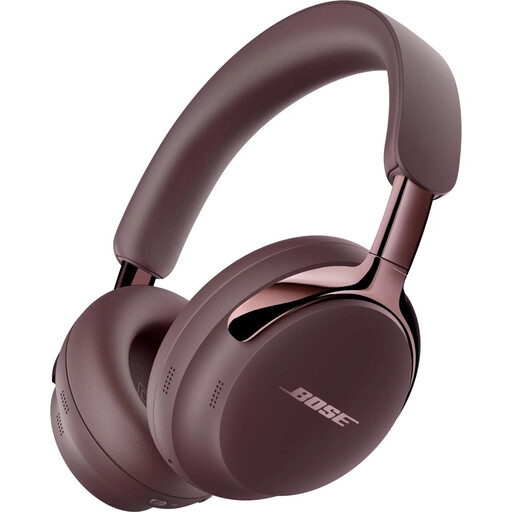
Bose QuietComfort Ultra Headphones (2nd Gen) Cherry Chocolate
For checking mixes, these are only a potential option if the connection and fit suit your set-up; check both for this exact version.
View at Joybuy
 No image available
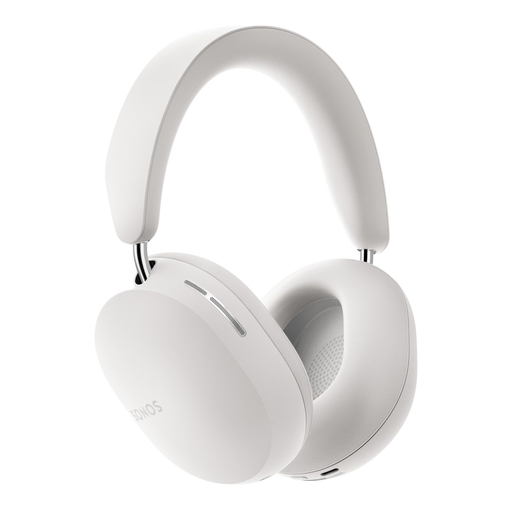
Sonos ACE Over-Ear Bluetooth Headset White
If you’re also looking for Bluetooth headphones, check separately whether the wired connection on this version suits your audio device and mixing workflow.
The product name identifies an over-ear Bluetooth headset.
View at Joybuy
 No image available
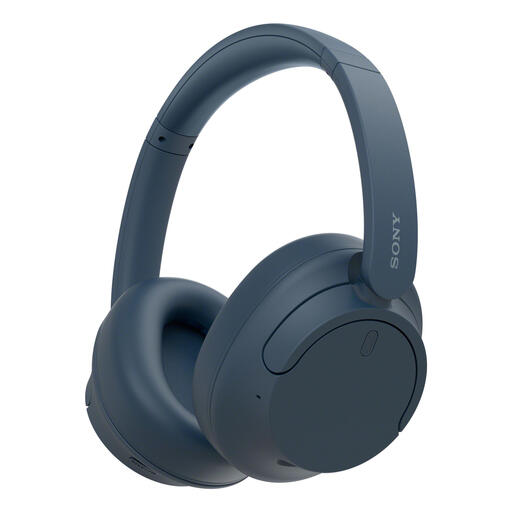
Sony WH-CH720N Noise Cancelling Wireless Bluetooth Headphones Blue
If wireless listening is also on your wish list, check whether this exact version works with your wired mixing set-up.
The product name specifies Bluetooth, wireless listening and noise cancelling.
View at Joybuy
 No image available
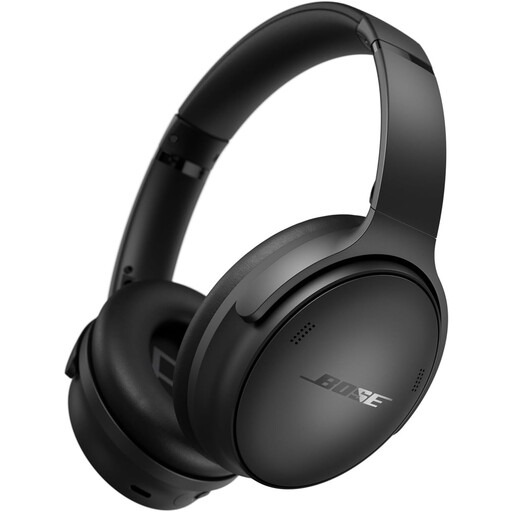
Bose QuietComfort SC Headphones Black
For checking mixes at a shared desk, make sure the connection and performance suit your listening source.
The product name identifies the QuietComfort SC headphones in black.
View at Joybuy
 No image available
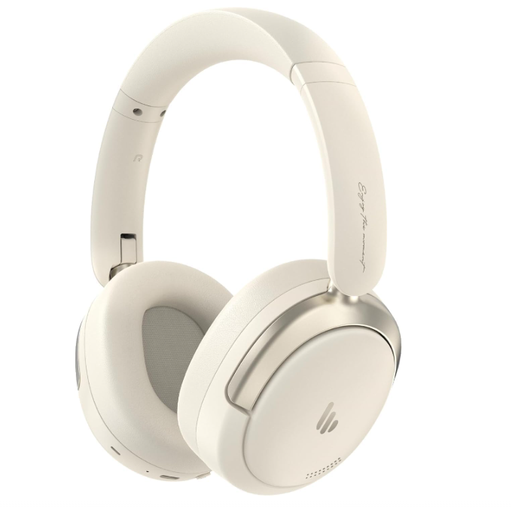
Edifier Atom Max Foldable Over-Ear Headset White
If you’re looking for a foldable model, also check whether the connection and fit work for checking mixes at your desk.
The product name identifies a foldable over-ear headset.
View at Joybuy
Frequently asked questions
Are open-back or closed-back headphones better at a shared desk?
Start with a closed-back model if colleagues are sitting nearby. RTINGS and Sound On Sound explain that open-back models can sound more spacious, but leak sound and do little to block out background noise. Choose one only if the conditions are suitable.
Which connection should I check before buying?
Check the output on your computer or audio interface, and the plug and adapter supplied with the exact version. Audio-Technica says the ATH-M50x comes with three cables and a 6.3 mm adapter; also check that those connections suit your device.
How can I reduce the strain on my hearing during long mix checks?
Keep the volume moderate and limit how loud the sound is, how long you listen and how often you’re exposed to it. The World Health Organization identifies sound level, listening duration and repeated exposure as factors affecting hearing; don’t automatically turn up the volume to drown out desk noise.
What if the ear pads or headphones break?
First, check which parts of your model can be replaced. If you bought the product as a consumer in the Netherlands, the seller is also responsible for providing a solution if it doesn’t meet what you could reasonably expect under normal use. ACM ConsuWijzer explains this statutory guarantee.


