Who is this guide for?

Editor working alongside colleagues

You’re editing while others are working nearby, so isolation and limited sound leakage matter more than an open presentation. RTINGS.com and Shure explain the difference between closed-back and open-back headphones for these listening situations.

Editor checking details

You’re checking timing, unwanted noise and placement during a live session, and can move somewhere quiet for a second listen. RTINGS.com discusses open-back models for mixing and mastering; Sennheiser describes the open-back design of the HD 490 PRO.

Editor working long sessions

You may change workspaces or wear your headphones for extended periods, so fit, cable routing and replaceable ear pads are worth considering. Shure, Sennheiser and AKG describe relevant features of their studio headphones.

What should you look for when buying?

Closed-back headphones

Choose these when: you work at a shared desk, want to reduce background noise or are listening close to a live microphone.

Bear in mind: fit and listening volume; a closed-back design doesn’t guarantee complete silence or a neutral sound.

Open-back headphones

Choose these when: you want to make a second spatial check somewhere quiet, where sound leakage isn’t a concern.

Bear in mind: open-back ear cups let in more background noise and allow more sound to escape.

What to consider What should you check? Who should pay particular attention?
Isolation and sound leakage Check the closed-back over-ear design and how the ear cups fit around your ears. Also consider whether your usual listening volume can be heard at the next workstation. If I’m editing alongside colleagues or have a microphone switched on, I want to hear less background noise and disturb others less. Around 36% of consumers give isolation their highest priority.
Checking details by listening back Consider whether you have a quiet place for a second listen, and, where possible, compare edits using another familiar playback system too. If I’m checking timing, unwanted noise and spatial details, I don’t want to base my judgement on just one pair of headphones. Around 29% of consumers prioritise checking details.
Fit and maintenance Try on the headphones, with your usual glasses if applicable, and check whether the cable and ear pads are replaceable for the exact model. For long sessions, I want a comfortable fit and cable arrangement for my workspace, with parts I can replace if needed. Around 21% of consumers give long-term fit and maintenance their highest priority.
Connecting to your workspace Check the output on your laptop or audio interface, whether you need a 3,5mm or 6,3mm connection, whether an adapter is required and the exact impedance variant. If I want to use my existing audio output, the connection needs to match the version I choose. Around 14% of consumers prioritise compatibility with their audio source.

Common pitfalls

  • Assuming an open-back model is automatically more suitable

    Open-back headphones let more sound reach your colleagues and do less to block out background noise. This can be disruptive at a shared desk.

    Choose according to your workspace: closed-back for working alongside others, and open-back for a second check somewhere sound leakage isn’t a concern.

  • Treating every DT 770 PRO version as the same model

    beyerdynamic lists versions with different impedance ratings and uses. The right choice also depends on the headphone output you’re using.

    Before buying, compare the full version name with the output on your laptop or audio interface.

    You may need a different source or to adjust your listening set-up if the version isn’t compatible with your equipment.

  • Trying to drown out background noise by turning up the volume

    Turning up the volume won’t solve the noise of a shared workspace and may lead you to listen at increasingly high levels.

    Check that the ear pads fit snugly and start at a manageable volume. VeiligheidNL recommends well-fitting headphones to reduce the need to drown out background noise by turning up the volume.

Brands to compare

Sennheiser

The closed-back HD 480 PRO is suited to working alongside others; the open-back HD 490 PRO is an alternative for a quiet listening space.

  • Sennheiser says both models have a detachable cable that can be connected on either the left or right.
  • The open-back HD 490 PRO doesn’t offer the isolation that’s a priority at a shared desk. Manufacturer claims about sound and comfort aren’t independent tests of real-world use.

AKG

The closed-back, foldable K371 is designed for those who want isolation in a model that can be packed away.

  • AKG lists three detachable cables and replaceable ear pads for the K371.
  • The claims about isolation and neutral tuning come from AKG; assess the fit and sound in your own workspace.

Audio-Technica

The wired ATH-M50x is a closed-back option if a detachable cable and easy storage matter to you.

  • Audio-Technica lists a detachable cable and passive isolation from the over-ear ear cups.
  • The manufacturer’s claims about sound quality or comfort don’t prove that this model is the most accurate choice for every editor.

beyerdynamic

The closed-back DT 770 PRO and open-back DT 990 PRO illustrate the difference between isolated work and listening in a quiet room.

  • beyerdynamic lists 32, 80 and 250 ohm versions of the DT 770 PRO, along with replaceable ear pads.
  • Choose a version with your audio source in mind. The open-back DT 990 PRO won’t isolate you from a shared workspace, and specifications for one version don’t automatically apply to another.

Shure

The closed-back SRH840A is an option for monitoring if you want a replaceable cable.

  • Shure specifies a locking, detachable cable and a closed-back over-ear design.
  • The description of the tuning as balanced comes from the manufacturer and isn’t an independent comparison with the other models.

Joybuy products for wired listening

The Joybuy selection below includes over-ear headphones whose product information mentions a wired listening option. Only the Bose QuietComfort Wireless is also described here as having a closed-back design; always check the fit and connections of the exact model for your workspace.
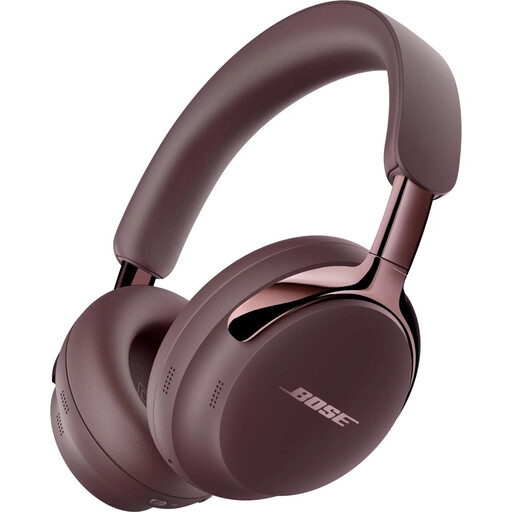
Bose QuietComfort Ultra Headphones (2nd Gen) Cherry Chocolate

Bose QuietComfort Ultra Headphones (2nd Gen) Cherry Chocolate

The over-ear design and listed detachable cable provide a wired listening option for your workspace.

The product information lists a detachable cable with USB-C and 3,5mm connections, active noise cancellation and Bluetooth 5.4.

Joybuy

Sennheiser MOMENTUM 4 Wireless

Sennheiser MOMENTUM 4 Wireless

This over-ear model may suit you if you’re looking for a wired listening option; the description says it can be used passively without a battery.

The product information lists an included 3,5mm cable and 42 mm transducer system. The description also mentions soft ear pads.

Joybuy
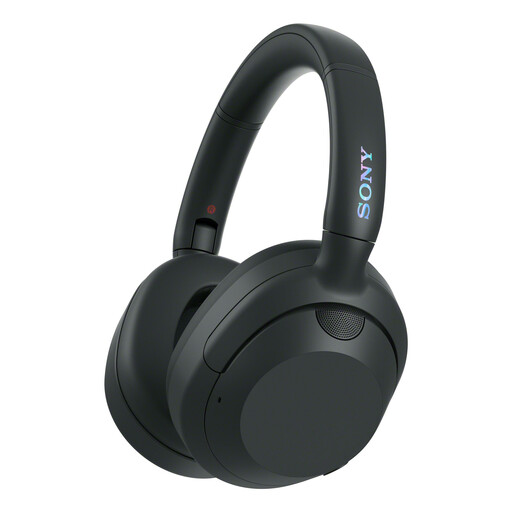
Sony WH-ULT900N ULT Wear Noise-Cancelling Over-Ear Headphones Black

Sony WH-ULT900N ULT Wear

The over-ear design and wired connection option described may suit anyone who wants the option of using a cable at their desk.

The product information lists a detachable cable with a 3,5mm connection and noise cancelling.

Joybuy

Skullcandy Slyr Pro Multi-Platform Gaming Wired Over-Ear Black Digi-Hype

Skullcandy Slyr Pro Multi-Platform Gaming Wired

This wired over-ear model may be worth considering if you also want to use the listed microphone and controls.

The product information lists USB-C and 3,5mm connections, a microphone, volume and mute controls, and memory foam ear pads.

Joybuy
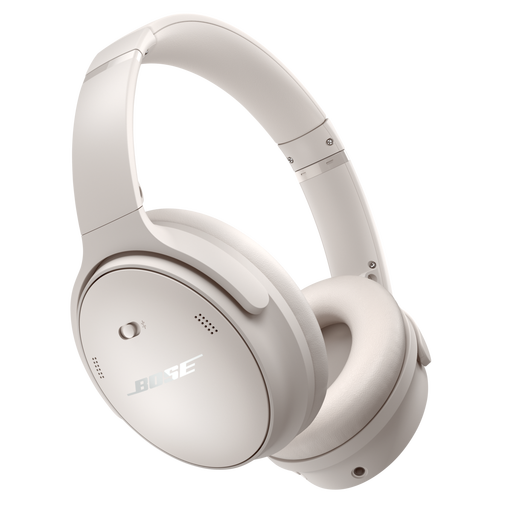
Bose QuietComfort Wireless Bluetooth Noise Cancelling Headphones White

Bose QuietComfort Wireless Bluetooth Noise Cancelling Headphones White

The listed closed-back over-ear design may suit anyone considering closed-back headphones for a shared desk; assess the fit and sound leakage in your own workspace.

The product information lists 3,5mm and 2,5mm connections and noise cancelling.

Joybuy

Frequently asked questions about studio headphones

Should I always choose closed-back headphones at a shared desk?

Not always. Closed-back headphones are usually the practical first choice if colleagues are working nearby or a microphone is switched on. Open-back headphones may suit a second spatial listening check in a quiet room where sound leakage isn’t a concern.

How do I connect studio headphones to my editing set-up?

Before buying, check the headphone output on your laptop or audio interface, as well as the plug and adapter for the exact version. The beyerdynamic DT 770 PRO, for example, comes in different impedance variants; don’t treat them as the same product.

How can I keep the listening volume manageable during a long session?

Check that the ear pads fit well and start at a manageable volume. VeiligheidNL recommends well-fitting headphones, so you’re less likely to try to drown out background noise by turning up the volume; this doesn’t guarantee a safe setting for every device.

What if the cable or ear pads wear out?

Check which parts are replaceable for your exact model and on what terms they’re available. The Dutch government says that a manufacturer’s warranty doesn’t replace your statutory rights in the Netherlands; if a product is faulty, contact the retailer.

What rules apply when buying online in the Netherlands?

If you buy online from a business as a consumer, the Dutch government says you’ll often have a 14-day cooling-off period. If a product is faulty, you have statutory rights, with no fixed Dutch warranty period; the appropriate remedy depends on the problem and the circumstances.
