What should you look for?
First decide whether you’ll mainly be editing at a shared desk or also mixing separately in a quiet room. Then compare the fit, cable and connection of the exact model you’re considering.
| What to consider |
What should you check? |
Who is this important for? |
| Isolation and sound leakage |
Check whether the model is closed-back and try the seal on your own head. The design label isn’t a measured isolation rating. |
If I’m editing alongside colleagues, I want to hear less background noise and disturb them as little as possible. Around 29% of consumers say isolation is their top priority. |
| Editing details and mix checks |
Decide whether you’ll work only at a shared desk or also have a quiet space for separate checks. Treat claims about accuracy as manufacturer claims, not independent test results. |
If you mainly want to listen back to editing details and the balance between parts, you may want to consider having a separate listening space. Around 23% of consumers prioritise listening detail. |
| Comfort |
Try the headband and ear pads during a realistic listening session, including with glasses if you wear them. |
If I’m editing for long stretches, I want the fit to stay comfortable throughout a lengthy session. Around 18% of consumers put comfort first. |
| Connection and cable management |
Compare your computer or audio interface output with the cable and adapter supplied with the exact model. Also check that the cable is practical for your workspace. |
If I switch between desks or audio outputs, I want a suitable connection and a cable that’s easy to manage. Around 18% of consumers say connection and cable are their main concerns. |
| Maintenance and parts |
Check which cables and ear pads can be replaced, and what’s included with the exact model. |
If I use my headphones often, I want to know which parts I can replace separately. Around 12% of consumers prioritise ease of maintenance. |
Headphones at Joybuy
This Joybuy selection includes general headphones and headsets, with a range of connections and designs. Check each model to see whether its cable, seal and fit are suitable for editing rehearsal recordings at a shared desk.
 No image available
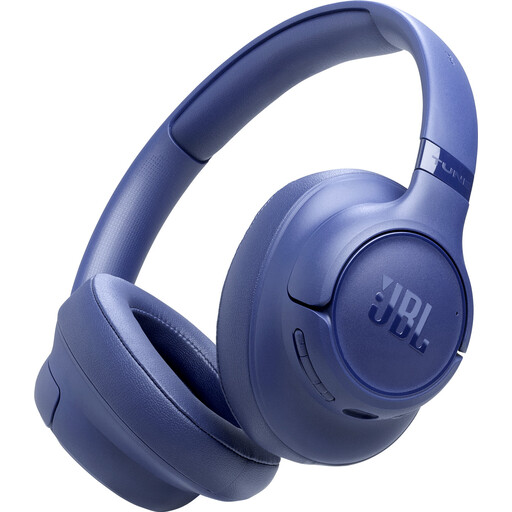
JBL Tune 730BT - Blue
The product name specifies Bluetooth; check whether wireless playback suits your editing setup.
The product description lists Bluetooth 6.0, multipoint, 40mm drivers and EQ presets.
Joybuy
 No image available
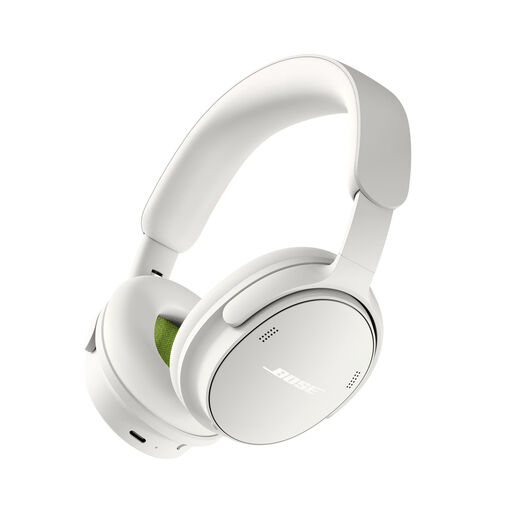
Bose QuietComfort Headphones (2nd Gen) White
If you want to use wired audio, the product description lists USB audio and a USB-C to 3.5mm audio cable; check which connection your equipment needs.
Several listening modes and an adjustable headband are also listed.
Joybuy
 No image available
Skullcandy Slyr Pro Multi-Platform Gaming Wired Over-Ear, Black Digi-Hype, Black/Red
This is a wired, over-ear gaming headset; check that the listed connections are compatible with your computer or audio interface.
USB-C and 3.5mm audio connections, volume control and a mute control are listed. The description also mentions memory foam ear cushions.
Joybuy
 No image available
Bose QuietComfort Ultra Bluetooth Headphones - Black
The product description mentions a closed-back design and an audio cable supplied in the box; check whether the cable suits your audio output.
The product name specifies Bluetooth. Consider whether you need a wired or wireless connection for your editing setup.
Joybuy
 No image available
Sonos ACE Over-Ear Bluetooth Headset Black
The product description lists a closed-back, over-ear design; try it on to see whether it seals well enough on your head.
USB-C and 3.5mm cables are listed. Compare these connections with the equipment you use for editing.
Joybuy
Frequently asked questions
Should I choose open-back or closed-back headphones for editing at a shared desk?
Start with a closed-back model if isolation and minimal sound leakage matter. Open-back headphones may suit separate mix checks in a quiet room, where sound escaping and reduced isolation aren’t a concern.
What should I check when connecting my headphones?
Compare your computer or audio interface output with the plug, adapter and cable supplied with the exact model. Audio-Technica lists three detachable cables and a 6.3mm adapter with the ATH-M50x; this doesn’t necessarily apply to other models.
How can I make sure headphones are suitable for long sessions?
If possible, try them on before buying and check whether the cable and ear pads on your model can be replaced. Sennheiser lists replaceable ear pads for the HD 490 PRO, while Audio-Technica lists detachable cables for the ATH-M50x.
Do closed-back studio headphones replace hearing protection in a noisy workplace?
No. Don’t assume they do just because they’re labelled ‘closed-back’ or ‘studio’. According to the Dutch Arboportaal, employers must provide hearing protection if the daily noise dose exceeds 80 dB(A); above 85 dB(A), employees must wear it. This depends on actual exposure and isn’t a product specification for every shared desk.
How can I avoid turning the volume up to drown out background noise?
Keep the volume low and use a volume limiter if your playback device has one. Thuisarts recommends this when listening to music, television or games; it isn’t a performance claim about any particular headphones.


