What should you look for when buying?
First, decide whether you need to block out background noise. Then compare comfort, connectivity and cable routing with your workspace and equipment.
| What to consider |
What should you check? |
Who is this important for? |
| Background noise |
Compare a closed-back and an open-back design, and assess the fit using a speech recording you know well. |
If I’m editing in a shared space, I want fewer distractions from the sounds around me. For around 33% of consumers, reducing background noise is the top buying priority. |
| Comfort during long editing sessions |
Pay attention to pressure from the headband and ear pads, and check whether replacement pads are available. |
For long editing sessions, I want a fit I can comfortably wear without constantly turning up the volume. For around 25% of consumers, comfort during extended listening comes first. |
| Assessing speech |
Compare the same familiar recording; don’t base your choice solely on a stated frequency range or manufacturer description. |
When I listen critically to edits and speech, I want to judge for myself what I hear in my room. Around 25% of consumers prioritise this when choosing. |
| Connection and cable |
Measure the cable route at both desk heights and compare the plug with the output on your computer or audio interface. |
I want the cable to move freely when I’m sitting or standing, and to connect to my equipment. For around 17% of consumers, connectivity and cable reach are the main buying criteria. |
Headphones at Joybuy
This Joybuy selection includes headphones with a closed-back design, noise cancellation or a stated wired option. Check each version to make sure its connection and features suit podcast editing at a sit-stand desk.
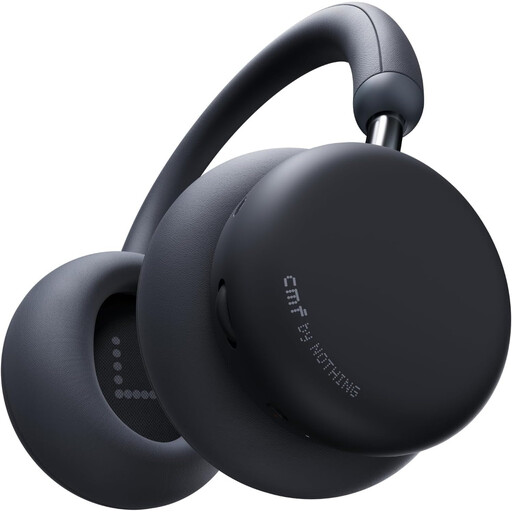 Image unavailable
CMF by Nothing Headphone Pro – Dark Gray
The closed-back design and replaceable ear pads may appeal if you’re looking for closed-back headphones; check for yourself that the fit is comfortable.
The product description lists hybrid ANC, a weight of 283 g and replaceable ear pads.
Joybuy
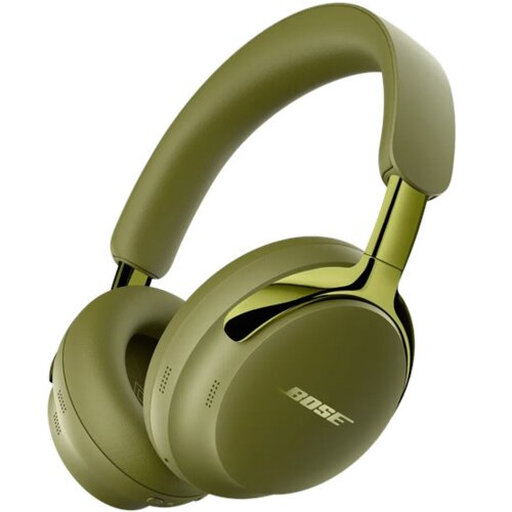 Image unavailable
Bose QuietComfort Ultra Headphones (2nd Gen) – Olive Green
The detachable cable gives you the option of wired listening; check that the connections work with your editing equipment.
The product description lists Bluetooth 5.4, active noise cancellation and a detachable cable with USB-C and 3.5mm connections.
Joybuy
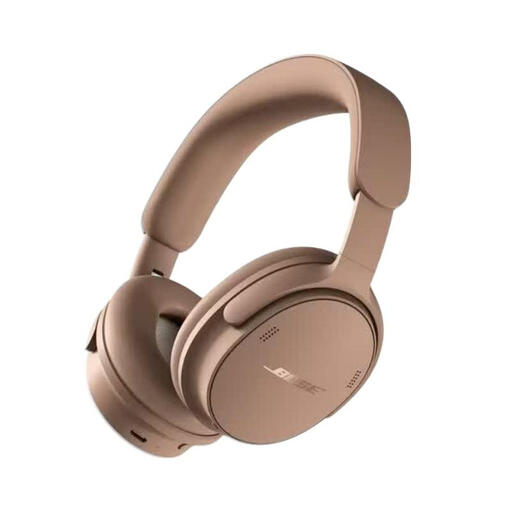 Image unavailable
Bose QuietComfort Headphones (2nd Gen) – Hazelnut Taupe
The stated wired connection may be useful if you don’t want to listen over Bluetooth alone while editing; check how the connection works with your equipment.
The product description lists several listening modes, Bluetooth, up to 24 hours of battery life with noise cancellation, and lossless audio via USB.
Joybuy
 Image unavailable
Bose QuietComfort Ultra Bluetooth Headphones – Black
The stated audio cable lets you listen over a wired connection; check that the cable supplied connects to your computer or audio interface.
The product description lists a closed-back design, active noise cancellation, Bluetooth 5.3 and an included audio cable.
Joybuy
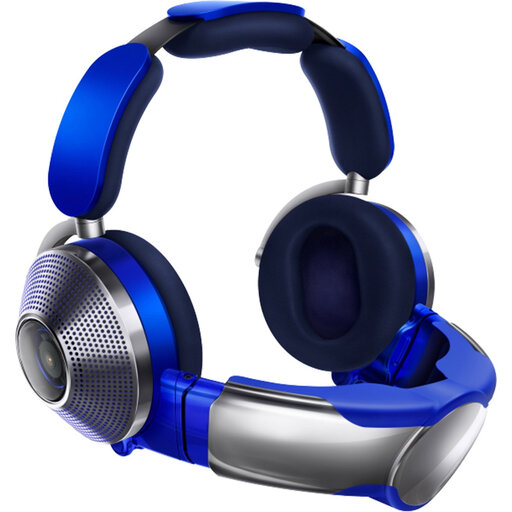 Image unavailable
Dyson Zone OE Headphones with Active Noise Cancelling – Ultra Blue/Prussian Blue
The closed-back design and detachable cable may be useful if you’re looking for a wired option; check the cable and connection for your workspace.
The product description lists Bluetooth, active noise cancellation, a 40mm driver, soft micro-suede ear pads and an adjustable headband.
Joybuy
Frequently asked questions
Which connection do I need for my editing computer or audio interface?
Check the headphone output on your device and the plug on the exact version you’re considering. The Shure SRH440A manual lists a 3.5mm plug with a 6.3mm adapter; don’t assume another version comes with the same adapter.
How should I route the cable around a sit-stand desk?
Check the full cable route with the desk at both its lowest and highest settings, so the cable doesn’t pull tight or run alongside moving parts. Shure specifies a 3 m detachable straight cable for the SRH440A; measure to see whether that length suits your workspace.
How should I look after studio headphones used every day?
Follow the care instructions for the specific model. For the SRH440A, Shure recommends using a soft, damp cloth and warns against solvents and moisture getting into the driver openings. The manual lists replacement ear pads for this model; beyerdynamic lists them for the DT 770 PRO too.
How can I avoid listening too loudly during long editing sessions?
Keep the volume low and take regular listening breaks. The World Health Organization gives the example that, at an average of 80 dB, up to 40 hours per week may be safe; this is general guidance, not a measurement of the sound level in your headphones.
What are my rights when buying online in the Netherlands?
According to the Dutch government, when you buy from a business remotely, you generally have a 14-day cooling-off period, with exceptions and conditions depending on the purchase. You also have statutory rights if a product is faulty: there is no fixed statutory guarantee period in the Netherlands, and the retailer is your point of contact if there’s a problem.


