For editing podcasts in a shared space or near a microphone, closed-back, wired headphones are a sensible starting point: SoundGuys says closed-back models are suitable for reducing sound leaking into a microphone. In a quiet room, open-back headphones may be an alternative; using two screens doesn’t in itself call for special headphones. Check that the connection and cable routing work for your setup, and that the fit remains comfortable during longer sessions.
Who is this relevant for?
Editor in a shared space
If you’re editing conversations with background noise or have a microphone nearby, a closed-back design is worth considering. SoundGuys recommends closed-back headphones for monitoring recordings where sound could leak into the microphone.
Speech editor in a quiet room
If isolation isn’t your main concern, you can compare closed-back monitoring with an open-back model for listening back to edits and checking clarity. Sennheiser and Audio-Technica position the HD 400 PRO and ATH-R30x for studio work or critical listening.
Creator working on long editing sessions
If you switch between your timeline and notes across two screens and listen for long periods, fit, cable management and replaceable parts are practical considerations. AKG, Sennheiser and Audio-Technica list replaceable ear pads for specific models.
What should you consider when choosing?
Closed-back, wired monitoring
When: if you work in a shared space or record near a microphone.
Trade-off: isolation and fit vary by model and person; check the cable and connection too.
Open-back, wired reference listening
When: if you edit in a quiet space and don’t need isolation.
Trade-off: an open design lets sound through, making it less suitable near an active microphone or in a noisy space.
Start by considering your space and how you use a microphone. Then check that the headphones are electrically and practically suited to your setup.
| Factor |
What should you check? |
Who should pay extra attention? |
| Background noise and sound leakage |
Compare closed-back and open-back designs in your own space; consider the seal and fit, not just the product description. |
If I edit in a shared space or record near a microphone, I want to limit sound leakage. Around 33% of consumers in this decision-making context prioritise isolation. |
| Speech and editing decisions |
If possible, listen to familiar speech recordings through your own playback setup. Claims of a neutral or accurate sound don’t predict how every model will sound to you. |
When I assess speech clarity and edits, I want to be able to listen back to speech clearly. Around 27% of consumers in this decision-making context prioritise speech monitoring. |
| Comfort and maintenance |
Try the clamping force and the space around your ears; check whether the ear pads are replaceable on the exact model you’re considering. |
For long editing sessions, I want a comfortable fit that lasts and to know which parts can be replaced. Around 20% of consumers give comfort and maintenance the highest priority. |
| Connection and cable routing |
Check the headphone output, plug, any adapter and cable length. Focusrite notes that higher impedance generally requires more power from the output. |
If I work with two screens, I want the plug and cable routing to suit my computer or interface. Around 20% of consumers in this decision-making context prioritise the connection. |
Common pitfalls
-
Choosing an open-back model when you also monitor near a microphone
An open design lets sound through, making it less suitable if you want to reduce sound leakage into an active microphone.
Choose according to your working situation: editing in a quiet space calls for different considerations from recording in a shared space.
If you also work in that recording situation, you may need a second, closed-back pair of headphones.
-
Assuming every DT 770 has the same cable
beyerdynamic lists a detachable cable for the DT 770 PRO X; the classic DT 770 PRO 80 Ohms is a separate version with a fixed cable.
Check the full model name and version before choosing your headphones.
The right cable can affect how easily you use the headphones at your desk or replace a damaged cable.
-
Looking only at the plug
The right connection also depends on the output on your computer or interface; impedance alone doesn’t determine whether the volume will be usable.
Check your output’s manual, as well as the plug, adapter and cable routing. Test the volume at a safe listening level.
Depending on the output, you may need a suitable adapter or cable.
Brands to consider
AKG
The K371 is a closed-back, foldable studio model that AKG also targets at podcasters and editors.
- According to AKG’s Dutch product page, the K371 comes with three detachable cables and replaceable ear pads.
- AKG’s claims about neutral sound and comfort are manufacturer claims; a closed-back design doesn’t guarantee a comfortable fit for everyone.
beyerdynamic
The DT 770 PRO X is a closed-back monitoring option with a detachable cable; the classic DT 770 PRO 80 Ohms is a different version.
- beyerdynamic specifies 48 ohms and a detachable mini-XLR cable for the PRO X.
- According to the manufacturer, the classic 80-ohm version has a fixed cable, so check the full model name.
Sennheiser
The open-back HD 400 PRO is a reference option for editing in a quiet space.
- Sennheiser lists replaceable ear pads, a detachable cable and an impedance of 120 ohms for the HD 400 PRO.
- The open-back design offers less isolation, making it less suitable if you want to limit sound near a microphone. Claims about sound accuracy come from the manufacturer.
Audio-Technica
The open-back ATH-R30x is designed for home studios and detailed listening; the closed-back ATH-M50x is another option for monitoring.
- Audio-Technica lists replaceable velour ear pads for the ATH-R30x and three detachable cables for the ATH-M50x.
- These features belong to different models; don’t expect the open-back model to offer the same isolation as a closed-back design.
Sony
The MDR-7506 is Sony’s professional headphone for recording and studio use.
- Sony lists a 3 m cable and a weight of 230 g for the MDR-7506.
- Check that the cable length and connection suit your desk; Sony’s description of comfort isn’t an independent fit test.
Headphones at Joybuy
These headphones may suit an editing setup; check for each model that the connection and intended use meet your wired monitoring needs.
 No image available
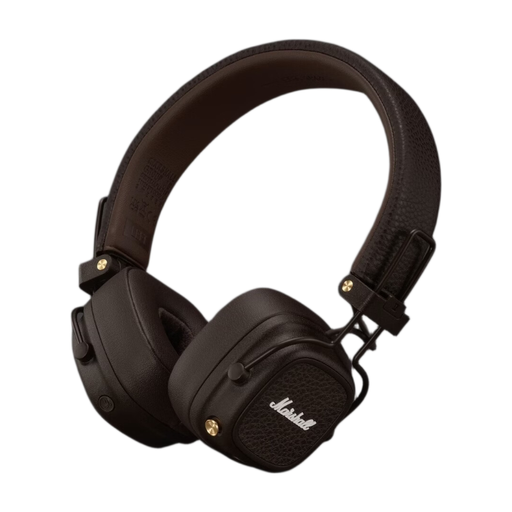
Marshall Major V wireless on-ear Bluetooth headphones, brown
An option if you also want to listen via the included audio cable while editing.
Foldable design; the description lists an included 3.5mm cable.
View at Joybuy
 No image available
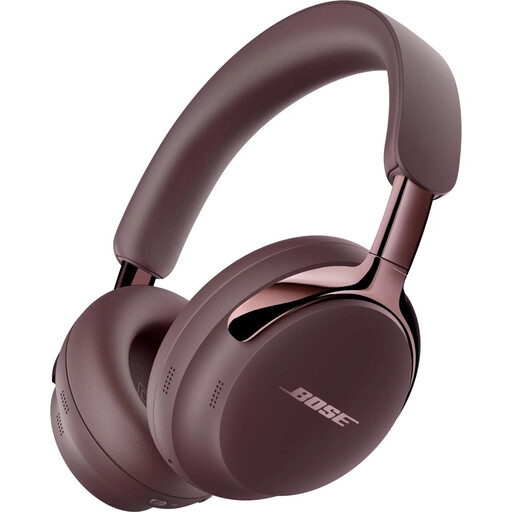
Bose QuietComfort Ultra Headphones (2nd Gen), Cherry Chocolate
An option to compare if you want a detachable cable with USB-C and 3.5mm connections for your editing setup.
The product description lists active noise cancelling and a detachable cable with USB-C and 3.5mm connections.
View at Joybuy
 No image available
Bose QuietComfort Ultra Bluetooth headphones, black
An option to compare if you’re looking for a closed-back design for a shared workspace.
The product specifications list a closed-back design and 2.5 mm and 3.5 mm connections.
View at Joybuy
 No image available
Sonos ACE over-ear Bluetooth headphones, black
An option if you want to explore a closed-back model with wired connection options.
The product information lists USB-C and 3.5mm cables, a closed-back design and memory foam ear pads.
View at Joybuy
 No image available
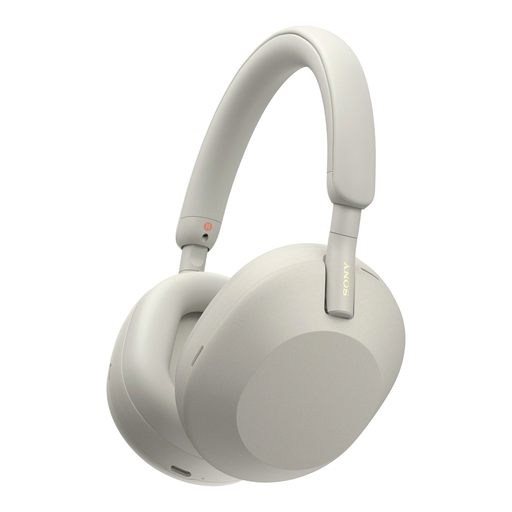
Sony WH-1000XM5 wireless headphones with noise cancelling, silver
An option if wireless listening and pairing with multiple devices are important to you; check separately whether the connections suit the way you monitor.
The product description lists Bluetooth 5.2, pairing with two devices and up to 30 hours of battery life with noise cancelling switched on.
View at Joybuy
Frequently asked questions
Do I need special headphones or two audio connections for two screens?
No. Your screen setup doesn’t determine which headphone output you use; that depends on your computer or audio interface. Check the plug and cable routing. For example, Focusrite specifies a 6.35mm TRS plug for the fourth-generation Scarlett 4i4; you’ll need an adapter for a smaller plug.
Can I use higher-impedance headphones with any interface?
Check the combination of headphones and output before assuming the volume will be usable. Focusrite explains that higher impedance generally requires more power from the output; its guidance for Focusrite interfaces doesn’t automatically apply to every laptop or interface.
How can I reduce the risk to my hearing during long editing sessions?
Keep the volume low, limit listening time and take regular breaks, advises the World Health Organization (WHO). The WHO gives an average of 80 dB for up to 40 hours a week as an example; this doesn’t guarantee that a particular volume setting on your computer is safe.
What are your rights in the Netherlands if headphones bought online are faulty?
For a consumer purchase, the Dutch government says you’re entitled to a product that works properly, and you should contact the seller to find a solution. There is no fixed statutory warranty period in the Netherlands; normal wear and tear or damage caused by you doesn’t automatically entitle you to a free repair. For eligible online purchases from a business, you generally have a 14-day cooling-off period, with some exceptions.


