What should you look for?
Start with your editing needs: decide whether you’ll be recording at the same time or mostly working in a quiet room, then compare speech reproduction, comfort and connectivity.
| What to consider |
What should you check? |
Who should prioritise this? |
| Speech and editing decisions |
Compare how voices and subtle transitions sound at the same listening volume; check the details for the exact version. |
I want to assess speech clearly before making editing decisions. Around 31% of consumers rank speech assessment as their top priority. |
| Isolation and sound leakage |
Check whether the model is closed-back and try the fit in your recording or editing environment. |
If I’m working with a microphone at the same time or find background noise distracting, I want to consider sound leakage and isolation. Around 25% of consumers prioritise this need. |
| Comfort during long sessions |
If possible, try the headphones with your own glasses and wear them for a representative session. |
I listen for long stretches, so I want to know how the headband and ear pads feel to me. Around 25% of consumers prioritise comfort over extended wear. |
| Connectivity and maintenance |
Compare the plug with the output on your computer or audio interface, and check adapters and parts for the full model number. |
I want the headphones to connect to my equipment and need to know which parts are replaceable. Around 19% of consumers rank connectivity or maintenance as their top priority. |
Joybuy products
These Joybuy models are headphone options to compare. For each version, check that the connection, fit and features suit your monitoring needs; don’t assume a product is suitable for podcast editing based on its name alone.
 No image available
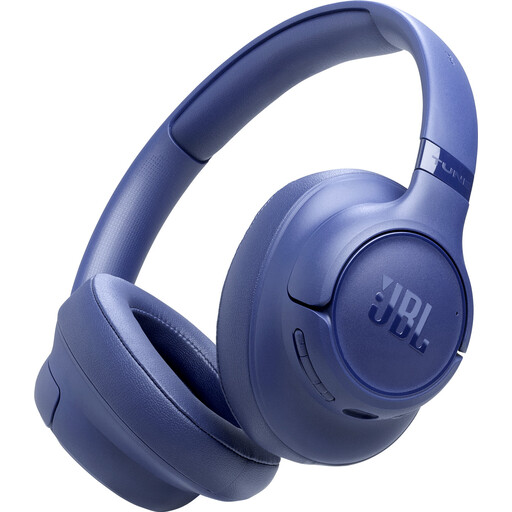
JBL Tune 730BT - Blue
If speech reproduction is important for your editing, check whether the Vocal-EQ setting mentioned in the JBL Headphones app suits your workflow.
The product name identifies these as wireless headphones; check whether the connection is suitable for your monitoring needs. RTINGS notes that Bluetooth can add latency.
View at Joybuy
 No image available
Sennheiser MOMENTUM 4 Wireless - Black
If you’d also like to listen over a wired connection while editing, the product information lists a supplied 3,5mm cable and use without a battery; check the details for this version.
The product name describes this model as wireless. Compare this feature with your need for monitoring without noticeable latency.
View at Joybuy
 No image available
Bose QuietComfort Ultra Bluetooth Headphones - Black
The product information describes a closed-back over-ear design and a supplied audio cable; check that the connection is compatible with your computer or audio interface.
The product name mentions Bluetooth. When monitoring, bear in mind that Bluetooth can add latency, according to RTINGS.
View at Joybuy
 No image available
Sonos ACE - Black
If you want a wired connection, the product information lists USB-C and 3,5mm audio connections; check which one is compatible with your source.
The information describes a closed-back over-ear model. Try the fit for yourself and separately assess whether the headphones are suitable for use with a microphone at the same time.
View at Joybuy
 No image available
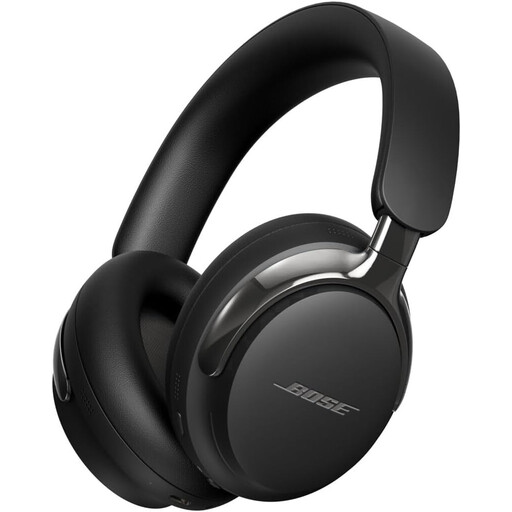
Bose QuietComfort Ultra Headphones (2nd Gen) - Black
The product information lists a detachable cable for wired listening; check which connections this version has before connecting it to your equipment.
According to the product information, the model is supplied without a charger, doesn’t support PD fast charging and requires a charger with an output of 1,8–2,5 W.
View at Joybuy
Frequently asked questions
Will different headphones solve reflections from the window?
No, headphones won’t change the light falling on your screen. Arboportaal advises, among other things, positioning your line of sight parallel to the window and using suitable window coverings.
What should I check before connecting wired headphones?
Compare the plug and any supplied adapter for the exact version with the output on your computer or audio interface. For example, Sennheiser lists a 3,5mm plug with a 6,3mm adapter for the HD 280 PRO; don’t assume other models come with the same parts.
Who can help if a product develops a fault after purchase in the Netherlands?
According to the Dutch government, the retailer must provide a solution if a product is faulty. There is no fixed statutory guarantee period for all products in the Netherlands; what you can expect depends, among other things, on the product and normal use. A manufacturer’s guarantee is in addition to your statutory rights.
Is it sensible to listen at a high volume for a long time?
The World Health Organization advises considering both volume and listening time: the louder the sound, the shorter your listening time should be. The WHO gives 80 dB for up to 40 hours per week as an example for adults; this is not a measured volume or an automatically safe setting for any of these headphones.
Where can you take unwanted headphones in the Netherlands?
For used electrical appliances, the Dutch government lists options including a collection point, your local council recycling centre, and the shop or online service where you buy a similar new appliance. Check which collection point accepts your device.


