Start with wired headphones that suit the output on your existing computer or audio interface. That way, you won’t need to charge the headphones themselves. Choose an open-back model for critical listening in a quiet room, or a closed-back model if background noise is a problem or you also record with a microphone. Check the plug, cable routing and exact impedance version; wired headphones don’t remove any power requirements your interface may have.
Who is this choice relevant to?
Percussion editor with limited plug sockets
You edit hits and compare takes using an existing computer or audio interface. Choosing a suitable wired listening setup means you won’t need to charge the headphones themselves. Also check that your interface receives enough power.
Editor who also records percussion
You use the same workspace for recording and editing. A suitable closed-back design may be worth considering if you want to limit playback sound reaching a nearby microphone.
Critical listener in a quiet room
You assess existing percussion recordings and don’t need sound isolation. In a quiet space, you can also compare an open-back wired model.
What should you look for?
Open-back and wired
Best for: assessing existing percussion recordings in a quiet room, without a microphone nearby.
Bear in mind: background noise can get in and sound can leak out. This is less suitable next to a microphone or in a noisy room.
Closed-back and wired
Best for: editing in a shared or noticeably noisy space, or listening while you record.
Bear in mind: how much sound is blocked depends partly on the fit. A closed-back design doesn’t guarantee complete isolation.
Wireless
Best for: when freedom to move matters more than a straightforward, directly connected editing setup.
Bear in mind: Bluetooth can introduce latency, and wireless headphones need charging. Audio-Technica explains that latency depends partly on the transmitter and codec.
| Consideration |
What to check before buying |
Who is this most important for? |
| Direct connection |
Check the output, 3.5 or 6.35 mm plug, any adapter required and the exact impedance version. |
If I have few spare plug sockets, I want to connect my headphones directly to my existing equipment. Around 33% of consumers make direct connection their top priority. |
| Sound isolation |
Compare open-back and closed-back designs, and pay attention to the fit; complete isolation shouldn’t be taken for granted. |
If I’m also recording or working in a noisy room, I want background noise and sound leakage to disrupt my work as little as possible. Around 27% of consumers put sound isolation first. |
| Assessing percussion detail |
Listen to familiar recordings of your own and check whether the room is quiet enough for an open-back model. |
In a quiet room, I want to assess the hits, decay and positioning in my existing takes. Around 20% of consumers make critical listening in a quiet space their top priority. |
| Comfort and extended use |
Check the fit and cable length at your desk; make sure replacement cables or ear pads are compatible with the exact model. |
For long editing sessions, I want headphones that feel comfortable and a cable that doesn’t get in the way at my workspace. Around 20% of consumers prioritise suitability for extended use. |
Avoid common buying mistakes
-
Choosing an open-back model when recording next to a microphone
An open-back design lets background noise in and can let playback sound leak out. This can be inconvenient if you’re recording at the same time.
First, work out whether you’re only editing existing takes or also monitoring through a microphone. If you’re doing the latter, compare a closed-back model and check the fit.
-
Assuming different DT 770 PRO versions are all the same
beyerdynamic offers the DT 770 PRO in 32, 80 and 250 Ω versions. The right choice depends partly on your source and headphone output.
Check the full version details and compare them with the specifications of the output you’ll actually use.
-
Assuming a cable or Bluetooth solves every power issue
Wired headphones don’t need charging, but an audio interface may have separate power requirements. Bluetooth needs to be charged and can introduce latency.
Check the whole chain, from your computer or interface to your headphones, including power, plugs and any charging step.
-
Relying only on frequency range or a comfort claim
A stated frequency range or the manufacturer’s description won’t tell you how the headphones fit your head or how your own percussion recordings sound.
Listen to familiar recordings at a moderate volume, and check the fit and cable routing. Check the returns policy separately before ordering.
Brands to compare
beyerdynamic
Compare the closed-back DT 770 PRO and open-back DT 900 PRO X based on your listening space and output.
- The manufacturer lists the DT 770 PRO in 32, 80 and 250 Ω versions. beyerdynamic describes the DT 900 PRO X as open-back, wired and 48 Ω, with a detachable cable.
- An open-back model isn’t designed to block playback sound from reaching a microphone. For the DT 770 PRO, check which impedance version suits your equipment.
Sennheiser
The open-back, wired HD 490 PRO is an option to compare for listening back and mixing in a quiet room.
- Sennheiser lists interchangeable ear pads for producing and mixing, as well as a detachable cable.
- An open-back design lets background noise in and sound out. Check which parts are included with the exact version.
Sony
The wired MDR-7506 is a studio option to try with your existing headphone output.
- Sony Netherlands lists a 3 m cable and a weight of 230 g for the MDR7506.EU.
- A long cable can get in the way at a small desk. The stated specifications don’t tell you how comfortable the model will feel.
Audio-Technica
The closed-back ATH-M50x is worth comparing if you’re looking for wired headphones supplied with a choice of cables.
- Audio-Technica lists three detachable cables and a 6.3 mm adapter for this model.
- The manufacturer describes the bass response and isolation; try them with your own recordings to judge the sound and fit for yourself.
Shure
The closed-back SRH440A is an option to compare if you also record and a replaceable cable is important to you.
- Shure lists an over-ear design, a detachable 3 m cable and replacement ear pads for the SRH440A.
- These features apply to the SRH440A and not automatically to other Shure headphones. The stated sound accuracy is a manufacturer claim.
Joybuy products
This selection from Joybuy includes wireless headphones and computer headsets with different wired listening options. For each model, check that the connection and any battery or Bluetooth requirements suit percussion editing.
 Image unavailable
Sennheiser MOMENTUM 4 Wireless, black
For listening both wirelessly and over a cable: the product description lists a supplied 3.5 mm audio cable and passive wired use without battery power.
The product name states a 60-hour battery life. Check the cable routing, and use the wired connection for percussion editing if you want to avoid Bluetooth latency.
Joybuy
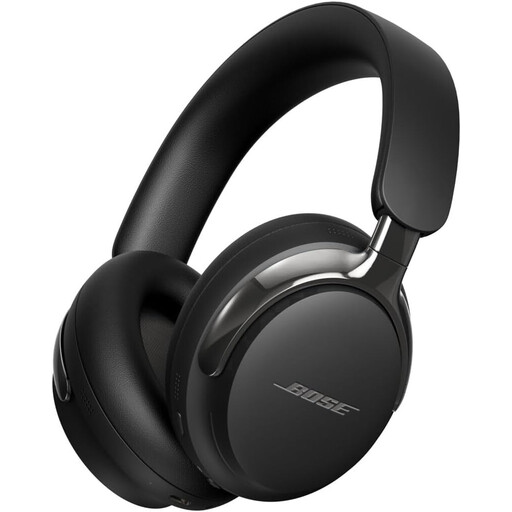 Image unavailable
Bose QuietComfort Ultra Headphones (2nd Gen), black
If you want a wired listening option alongside Bluetooth, the product description mentions a detachable cable with a 3.5 mm connection.
The product description recommends fully charging the battery for best results. Check the fit and connection with your own equipment.
Joybuy
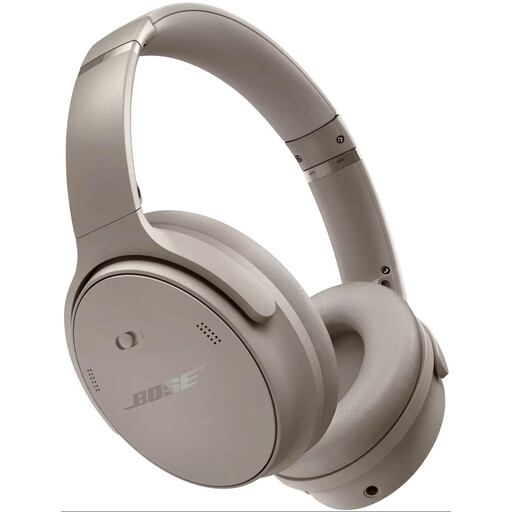 Image unavailable
Bose QuietComfort Headphones, Sandstone
This Bluetooth model is an option if you want to listen wirelessly; the product description mentions Bluetooth and active noise cancellation.
The battery needs charging when it’s running low. Audio-Technica explains that Bluetooth can introduce latency, so check your entire playback chain before relying on it for percussion editing.
Joybuy
 Image unavailable
EPOS | SENNHEISER IMPACT SC 230 USB MS II
For connecting to a computer, the product description lists a wired USB headset that plugs directly into a USB port.
According to the product description, the headset is single-sided, which limits its suitability for assessing stereo positioning in percussion recordings.
Joybuy
 Image unavailable
Jabra Evolve2 75
If you want both wireless and wired connectivity, the product description lists Bluetooth and a wired connection via USB-C.
According to the product description, the headset is single-sided, which limits its suitability for assessing stereo positioning. The description mentions charging via a desk stand.
Joybuy
Frequently asked questions
If I use wired headphones, will I still need a spare plug socket for my audio interface?
Not necessarily: the headphones themselves don’t need charging, but the interface may need a separate power supply. Focusrite states that a fourth-generation Scarlett 2i2 is usually powered via the computer’s USB connection, and has an optional power connection if the computer doesn’t supply enough power. Check your interface manual.
Can I plug 250 Ω headphones directly into my laptop?
Don’t assume the output will deliver the result you want without checking. beyerdynamic describes the 250 Ω DT 770 PRO as suited to stationary sources, including headphone amplifiers, while the 32 Ω version is also suited to portable sources. Check your device’s output and the listening volume you want; impedance alone doesn’t determine suitability.
Are open-back or closed-back headphones better if I also record percussion?
A suitable closed-back model is generally the most relevant option to compare if you listen through headphones while recording with a microphone. Open-back models let background noise in and can let sound leak out; the fit also affects how much isolation you get.
Can I use Bluetooth to edit percussion?
You can, but check the latency in your own playback chain before relying on it for precise timing. Audio-Technica explains that Bluetooth latency depends partly on the transmitter and codec. A wired connection avoids the Bluetooth route, provided the headphones and output are compatible.
What rights apply to an online purchase or a faulty product in the Netherlands?
For many eligible online consumer purchases, the Dutch government states that you have a 14-day cooling-off period, subject to exceptions and conditions that depend on the purchase. If a product is faulty, the seller is responsible for providing a product that meets legal requirements; according to the Dutch government, the Netherlands has no fixed statutory guarantee period. This is separate from any manufacturer’s warranty.


