
Mixing alongside colleagues
You mix in a shared workspace and want to assess quiet string passages without disturbing colleagues with your monitoring. Start by comparing closed-back models and pay attention to the fit.


If you work alongside colleagues and conversations or office noise affect your judgement of quiet string passages, start with a well-fitting pair of closed-back, wired studio headphones. RTINGS.com describes open-back headphones as an alternative for assessing stereo placement in a quiet room, but this design lets ambient noise in and sound out. With either type, check the fit and connection, and listen to your mix on another playback system too.
You mix in a shared workspace and want to assess quiet string passages without disturbing colleagues with your monitoring. Start by comparing closed-back models and pay attention to the fit.
You can regularly work in silence and want to assess the placement of instrument groups and the stereo image. An open-back model could be a second option.
You wear headphones for long periods and may switch between a laptop and an audio interface. Fit, cable, plug and replaceable ear pads all matter to you.
Choose this option when: colleagues work nearby or background noise masks quiet passages.
Trade-off: the fit affects how much noise is blocked in practice; a closed-back design does not automatically offer the same spacious presentation as an open-back model.
Choose this option when: you can work in a quiet space and mainly want to assess the placement and balance of string sections.
Trade-off: ambient noise gets in more easily and sound leaks out, making these less suitable when working alongside colleagues.
RTINGS.com describes open-back designs as an option for spatial mixing and closed-back designs as offering more isolation. Your fit and working environment also help determine what works best in practice.
| What to consider | What should you check? | Who is this important for? |
|---|---|---|
| Noise isolation and sound leakage | Check that the closed-back ear cups and pads fit around your ears; listen at a normal volume in the intended workspace. | If I want to hear quiet passages without turning up the volume to overcome office noise, while disturbing colleagues as little as possible, isolation comes first. Around 33% of consumers rank isolation as their top priority. |
| String balance and stereo placement | Compare familiar passages featuring several string sections, and check the mix later on another playback system too. | If I want to assess instrument balance and placement accurately, I want to be able to use a quiet room when needed. Around 27% of consumers give sound and stereo imaging top priority. |
| Comfort during long sessions | Try the headband and ear pads during a representative session, and check whether replacement pads are available for the exact model. | If I mix for long stretches, I want to know whether the fit will stay comfortable; replaceable pads may also be a factor. Around 20% of consumers put comfort first. |
| Connection, cable and maintenance | Compare your device’s output with the plug and any adapter; check the cable type, impedance variant and spare parts. | If I switch between a laptop and an audio interface, I want a connection and cable that suit my equipment and desk. Around 20% of consumers say connection and maintenance are their top priority. |
Open-back ear cups let ambient noise in and sound out. RTINGS.com describes this as an important trade-off when working alongside colleagues.
Compare open-back models when you can work in a quiet space; otherwise, try a well-fitting closed-back model first.
Headphones present stereo differently from speakers, so your mix may sound different elsewhere. iZotope explains this difference when mixing on headphones.
When possible, check familiar string passages on another playback system too.
The beyerdynamic DT 770 PRO 80 Ω and the separate DT 770 PRO X 48 Ω have different specifications. Check the full model name and version, not just the series name.
Before buying, compare the impedance variant, cable version and output of your equipment. The plug alone does not tell you whether the combination will suit your headphone output.
Depending on the combination, you may need an additional amplifier to reach your preferred monitoring volume.
Compare the closed-back DT 700 PRO X or DT 770 PRO 80 Ω with the open-back DT 900 PRO X when weighing up isolation against mixing in a quiet space.
According to Sennheiser, the open-back HD 490 PRO is designed for mixing and mastering. The closed-back HD 280 PRO is a separate monitoring option if isolation is more important.
The closed-back, foldable ATH-M50x is an option if you want to take wired headphones between workspaces.
The closed-back K371 is an option to compare if you’re looking for a foldable model with a detachable cable for production and monitoring.
The wired MDR-7506 is an option to compare if you’re looking for a studio headphone with a long cable.
This Joybuy selection focuses on headphones with noise-cancelling or features for listening in shared spaces; it is not a direct comparison of open-back and closed-back studio headphones. Check that each model’s wired connection and sound suit your mixing workflow.
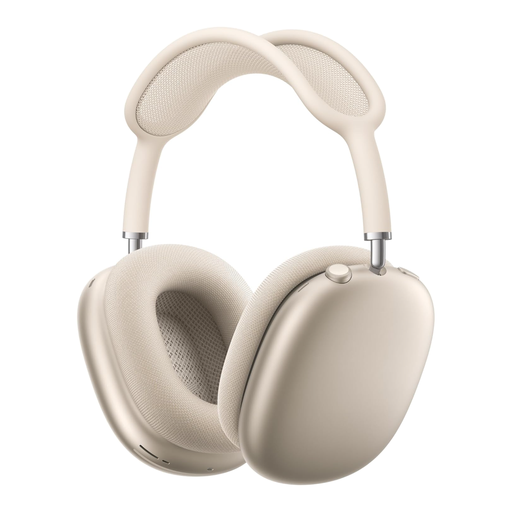 No image available
An option to compare if listening in a shared space and ambient sound features are important to you.
The product description lists active noise cancellation, Transparency, Conversation Awareness and spatial audio. It also mentions a mesh headband and memory foam ear cushions.
 No image available
A good fit for anyone who wants to compare a foldable, wireless model for listening between workspaces.
The product description lists noise cancellation, multipoint Bluetooth for two devices, soft ear cushions and EQ presets through the JBL Headphones app.
 No image available
An option to compare if you want wired listening as well as wireless.
The product description lists Adaptive Noise Cancellation, an included 3.5 mm audio cable and a 42 mm transducer system. Soft padding is also mentioned.
 No image available
An option for anyone looking to compare closed-back headphones with wired listening capability.
The product information lists active noise cancellation, Bluetooth 5.3 and an audio cable for use without a battery. Ear cushions and minimal clamping force are also mentioned.
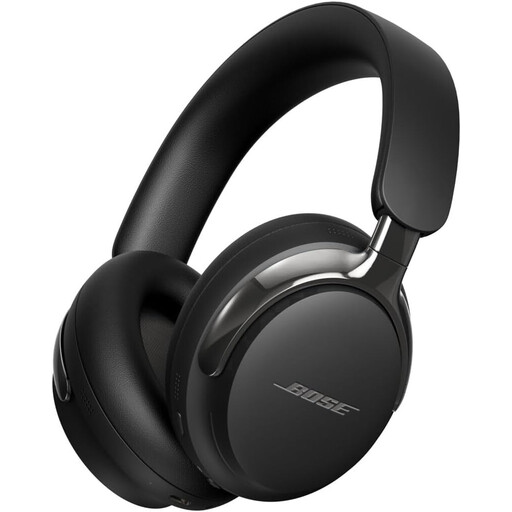 No image available
An option to compare if you want a foldable model with a detachable wired connection.
The product description lists Bluetooth 5.4, active noise cancellation and a detachable cable with USB-C and 3.5 mm connections.
You can if the ambient noise and sound leakage are acceptable in that space. RTINGS.com describes open-back models as offering little isolation; test the setup at a normal listening volume, or choose a closed-back model or a quieter workspace.
Check the physical headphone output and the specifications of the exact model version. For example, the beyerdynamic DT 770 PRO 80 Ω is specified with a 3.5 mm plug and a 6.35 mm adapter; also check that the output is suitable for the headphones you’ve chosen.
Yes, it’s worth checking on another playback system because headphones present stereo differently from speakers. iZotope discusses this difference when mixing on headphones.
Check which replacement parts are available for the exact model. beyerdynamic lists replaceable pads for the DT 770 PRO 80 Ω, and Sennheiser does the same for the HD 280 PRO.
First, check the fit and, if possible, find a quieter place rather than turning up the volume to drown out office noise. The World Health Organization gives 80 dB for up to 40 hours a week as an example in its safe listening advice; this is listening guidance, not a headphone specification.