What should you look for when choosing?
Start by choosing for your room and recording needs, then check that the fit, plug and cable routing work with your interface and desk.
| What to consider |
What should you check? |
Who is this important for? |
| String layers and stereo positioning |
Compare familiar passages and check important positioning decisions on another playback system too. Open-back designs let sound through. |
When assessing the balance and positioning of string layers, I don’t want to base my mix on just one listening setup. Around 33% of consumers prioritise stereo positioning. |
| Isolation and sound leakage |
Try a closed-back model on your own head and in your workspace. Check the fit, especially if you also record with a microphone. |
If you work in a shared space or record parts, you’ll want to consider background noise and sound leakage. This is the top priority for around 27% of consumers. |
| Comfort |
When trying them on, look out for pressure and heat, and check whether the ear pads can be replaced. Don’t rely on a general comfort claim alone. |
During long sessions switching between sheet music and a DAW, I want a fit that feels comfortable to me. Comfort is the main concern for around 20% of consumers. |
| Connection and cable routing |
Check your interface’s output, the plug or adaptor you need, and the cable length. Don’t assume that nominal impedance alone tells you what output volume you’ll get. |
When working across two screens, I want the cable to stay out of the way and the connection to work with my interface. Around 20% of consumers prioritise how the headphones connect to their setup and how the cable is routed. |
Joybuy products
These Joybuy products are wireless headphones and a headset for desk use. Consider them as possible listening options; the product information doesn’t establish that they’re reference headphones for assessing mix balance.
 No image available
Sennheiser MOMENTUM 4 Wireless, Black
If you’re looking for a wired option as well as wireless listening, the product information lists an included 3.5 mm cable and passive use without a battery.
The product information also mentions Bluetooth and active noise cancelling. Check that the connection and sound work for your interface and mixing needs.
Joybuy
 No image available
Jabra Evolve2 75 headset
The product description positions this headset for office and call centre use, making it an option to consider if you also need headphones for those tasks.
The product information mentions Bluetooth, active noise cancelling and connection to two devices. Check that the connection works with your interface; connecting to two devices says nothing about the number of screens.
Joybuy
 No image available
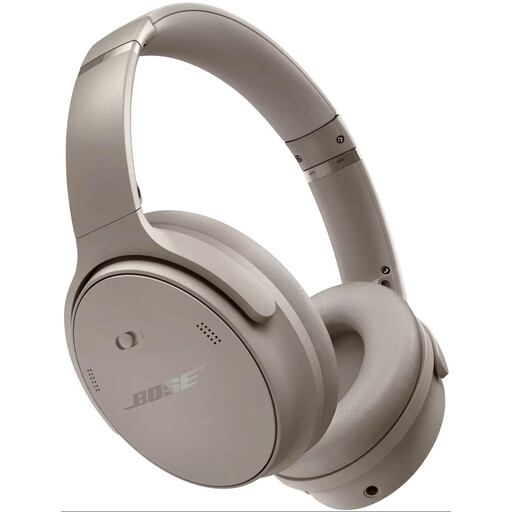
Bose QuietComfort Headphones, Sandstone
If you’re considering wireless noise-cancelling headphones for a workspace with background noise, the product information lists Bluetooth and active noise cancelling.
These features don’t establish how suitable the headphones are for assessing the balance of a string mix. Check the connection and compare your mix on another playback system.
Joybuy
 No image available
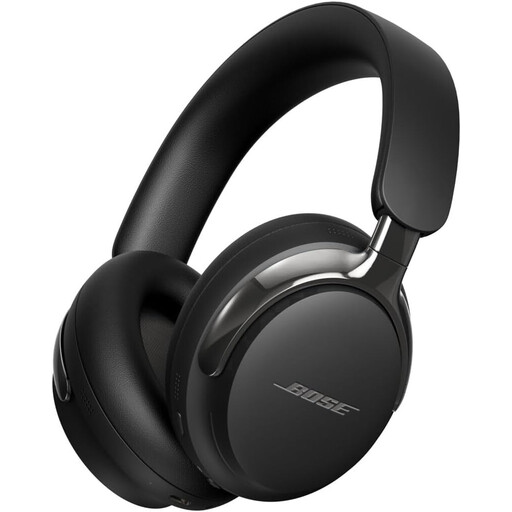
Bose QuietComfort Ultra Headphones (2nd Gen), Black
If you want to compare a wireless model with a detachable cable, the product information lists Bluetooth 5.4, active noise cancelling and a detachable cable. Check the type of connection on the cable before connecting it to an interface.
According to the product description, this model is supplied without a charger; it recommends a suitable 1.8–2.5 W charger and says that PD fast charging isn’t supported.
Joybuy
Frequently asked questions
Do I need special headphones for a two-screen setup?
No, the number of screens doesn’t determine which headphone plug you need. Check the audio output on your computer or interface, and make sure the cable can be routed conveniently around your workspace. Focusrite warns that a TRRS headset plug connected to a TRS headphone output can cause a mismatch and unusual stereo sound with some headsets.
Can I finalise a string mix using headphones alone?
Use headphones to check the detail, but check important positioning decisions on another playback system too, if one is available. iZotope explains that speakers and headphones sound different because of crossfeed; this isn’t a test result for the models mentioned here.
How can I reduce the risk to my hearing during long mixing sessions?
Keep the volume low and take breaks. The World Health Organization gives 80 dB for up to 40 hours per week as an example of safe listening, and notes that safe listening time decreases at higher levels. A volume setting on your interface doesn’t, by itself, measure the sound level at your ear.
What if my headphones break too soon under normal use?
For a consumer purchase in the Netherlands, statutory consumer rights may apply alongside any manufacturer’s warranty. According to ACM ConsuWijzer, if a product doesn’t meet what you could reasonably expect under normal use, the seller must put it right at no cost, for example by repairing or replacing it. There isn’t one fixed statutory warranty period for every pair of headphones.
Can I try on headphones bought online and return them?
According to ACM ConsuWijzer, online consumer purchases usually come with a statutory cooling-off period that ends 14 days after delivery. The ACM explains the conditions and exceptions for unboxing, trying out and returning products; check what applies to your specific purchase. This answer doesn’t necessarily apply to a business purchase.


