If you work in a shared or noisy space, start with a well-fitting closed-back pair of headphones. In a quiet room, you can also compare open-back or semi-open models for critical listening while mixing. Check that the output, plug and cable are compatible with your computer or audio interface, and that the cable can run between your two screens. Manufacturer specifications describe the design and connections, but they can’t prove that a model will feel comfortable on your head or sound best with your equipment.
Who is this for?
Loop editor in a shared space
If the sounds around you affect your concentration or listening volume while you repeat short clips, a closed-back model may be worth comparing. beyerdynamic and Audio-Technica describe closed-back designs for their DT 770 PRO 80 Ohm and ATH-M50x; how well they fit will also affect how much background noise they actually block out.
Mixing listener in a quiet room
If you’re assessing instruments and their placement, and sound leakage isn’t an issue, you could also try an open-back or semi-open design. Sennheiser and AKG describe these designs for the HD 490 PRO and K240 Studio respectively, but that doesn’t automatically make them a better choice for every mix.
Long-session editor with two screens
If you regularly switch between the timeline and other windows, consider comfort, replaceable parts and how the cable will run across your desk. Having two screens doesn’t, in itself, determine which headphone model is right for you.
What should you look for?
Closed-back design
When: If background noise disrupts your loop editing, or you’re recording with a microphone.
Trade-off: The seal also depends on the fit; check that the cable runs comfortably around your screens.
Open-back design
When: If you work in a quiet room and want to try an open-back design for assessing your mix.
Trade-off: An open-back model isn’t an obvious first choice if you need isolation.
Semi-open design
When: If you want to compare a semi-open alternative for mixing and playback in a quiet room.
Trade-off: Don’t assume a semi-open design blocks out as much sound as a closed-back one; check the cable connection too.
For anyone editing instrumental loops across two screens, the main choice depends largely on the workspace and what you’re listening for.
| What to consider |
What should you check? |
Who is this important for? |
| Background noise |
Check the design and fit; assess the seal at your usual safe listening volume. |
If I’m repeating loops in a shared space, I don’t want to keep turning up the volume to drown out background noise. Around 33% of consumers put isolation first when choosing what to buy. |
| Assessing a mix |
Compare the same familiar loop at a similar, safe volume; don’t treat claims about accuracy as independent listening tests. |
If I’m assessing the balance and placement of instruments in a quiet room, I want to choose a design that suits what I’m listening for. Around 27% of consumers prioritise critical listening for mixing. |
| Connection and cable |
Check the output on your computer or interface, the plug size you need, and whether the cable will cross your chair or controls. |
If my cable runs across the desk between two screens, I want the connection and cable route to suit my setup. Around 20% of consumers put connectivity and cable clearance at the top of their list. |
| Comfort and maintenance |
Try the clamping force and space around your ears; check whether replacement pads are available for the exact version. |
If I spend a long time editing, I want to judge for myself whether the fit stays comfortable and how to replace worn pads. Around 20% of consumers make comfort and maintenance their top priority. |
Common pitfalls
-
Choosing an open-back or semi-open model when isolation is your priority
A design you want to compare in a quiet room won’t automatically solve the problem of background noise. First, decide whether you usually work alone or around other people, then compare the models.
-
Checking only the plug size
A plug that fits doesn’t tell you whether the cable will run comfortably around your two screens or whether a replacement cable will work with the model. Check the output, plug, cable connection and route at your own desk.
Depending on the version, you may need a suitable adapter or a model-specific replacement cable; check before buying.
-
Confusing the manufacturer’s warranty with your statutory rights
According to the Dutch Government, there is no fixed statutory warranty period in the Netherlands. If a product is faulty, contact the seller; keep your proof of purchase and check what any additional warranty covers.
Brands to compare
beyerdynamic
The DT 770 PRO 80 Ohm is a closed-back option for a wired monitoring setup where isolation matters.
- beyerdynamic specifies 80 Ω, a 3.5 mm plug with a 6.35 mm adapter, and replaceable ear pads.
- Check the connection on your equipment and try the fit; the manufacturer’s description of the sound isn’t an independent performance test.
Audio-Technica
The ATH-M50x is a closed-back option to compare if you want a detachable cable.
- Audio-Technica describes the earcups as providing isolation and the cable as detachable.
- That description doesn’t tell you how much background noise they’ll block out on your head, or which cable route will work best at your desk.
Sennheiser
The open-back HD 490 PRO is a model to compare for producing and mixing in a quiet room.
- Sennheiser lists two sets of interchangeable ear pads and a detachable cable that can be connected on the left or right.
- An open-back design is less suited to situations where you need isolation; claims about sound and comfort are made by the manufacturer.
AKG
The semi-open K240 Studio is an alternative to compare in a quiet room.
- AKG specifies 55 Ω, a detachable cable with a mini-XLR connection, and replaceable ear pads.
- Check which cable is compatible with your version; semi-open doesn’t mean you’ll get the same isolation as with a closed-back model.
Sony
The MDR-7506 is a wired option if a fixed cable suits your workspace.
- Sony lists a 3 m cable and a weight of 230 g.
- Decide where the cable will run before you buy; the stated weight is no substitute for trying the fit.
Joybuy products
These Joybuy products are over-ear listening options for a workspace with background noise or for wired listening; the product information doesn’t provide an independent assessment of mix accuracy.
 Image unavailable
Sennheiser MOMENTUM 4 Wireless
An option to consider if you want to reduce background noise and listen with a cable too; active noise cancellation doesn’t prove that the sound is neutral enough for mixing.
The product name lists a 60-hour battery life, fast charging and four microphones.
View at Joybuy
 Image unavailable
Bose QuietComfort Ultra Bluetooth Headphones, black
An option to consider if you want to combine noise cancellation with wired listening; the product information doesn’t prove that they’re suitable as studio reference headphones.
The product information lists a closed-back design and an audio cable. Before buying, check that the cable option described is compatible with your computer or interface.
View at Joybuy
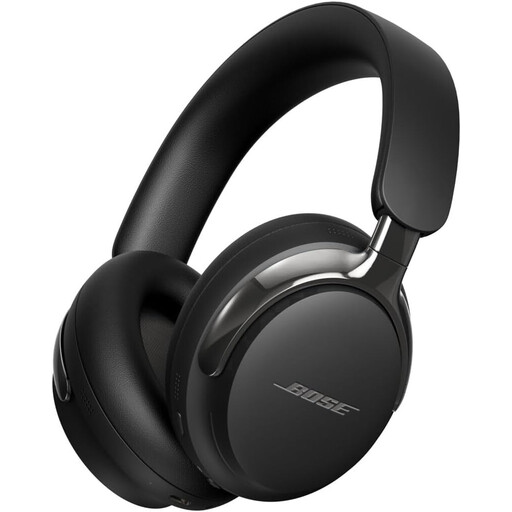 Image unavailable
Bose QuietComfort Ultra Headphones (2nd Gen), black
An option to consider if you want noise cancellation and a detachable cable; check that the connections are compatible with your audio source.
The product information lists 3.5 mm and 2.5 mm connections. Check which cable and connection apply to the exact version.
View at Joybuy
Frequently asked questions
Do I need special headphones because I have two screens?
No, having two screens doesn’t determine which headphone model you need. Check which computer or audio interface is providing the sound, where its output is, and how the cable will run around your screens and controls.
What should I do if the ear pads wear out?
Check the instructions and parts for the exact model. Manufacturers list replaceable ear pads for models including the DT 770 PRO 80 Ohm, HD 490 PRO and K240 Studio; choose parts made for your version.
How can I listen safely during long editing sessions?
Keep an eye on both volume and listening time. The World Health Organization gives 80 dB for a maximum of 40 hours a week as an example of safe listening; this isn’t a legal volume limit for every pair of studio headphones. A good seal can help you avoid turning up the volume to drown out background noise.
Is the statutory warranty in the Netherlands always exactly two years?
No. According to the Dutch Government, there is no fixed statutory warranty period in the Netherlands: you’re entitled to a product that meets what you can reasonably expect from it. If a product is faulty, contact the seller; normal wear and tear or damage caused by your own actions isn’t automatically covered by free repairs.


