
Loop editor in a quiet room
You mainly work on timing, transitions and instrument placement. Open-back headphones are worth considering if sound leaking in or out isn’t a problem.


For loop editing in a quiet room of your own, open-back studio headphones are a sensible choice. If you work near other people or record with a microphone, start by comparing closed-back models. A semi-open model may suit a quiet room when you’re not using a microphone, but don’t assume it will provide complete isolation. Whichever design you choose, check that the cable routing and connection work with your desk and audio source.
You mainly work on timing, transitions and instrument placement. Open-back headphones are worth considering if sound leaking in or out isn’t a problem.
You want to be less affected by background noise or avoid disturbing others. Compare closed-back models, and pay attention to fit and cable length too.
You move between your computer, audio interface and other equipment. Cable reach and routing, as well as a comfortable fit while you move, deserve extra attention.
Start with the room you work in and whether you’ll be recording with a microphone. Then check that the headphones work in practice with your available space and audio source.
Best for: editing and critical listening in a quiet room of your own.
Bear in mind: they offer little isolation and sound can leak out, which may be inconvenient around other people or when recording with a microphone. RTINGS explains this trade-off for studio headphones.
Best for: a shared or noisy room, or recording when you want to limit sound reaching the microphone.
Bear in mind: a closed-back design doesn’t guarantee complete silence, and it doesn’t replace checking your mix on other playback systems.
Best for: comparing options in a relatively quiet room, especially when you’re not recording with a microphone. AKG describes the K240 Studio as semi-open and suitable for tasks including mixing and playback.
Bear in mind: check how much background noise gets through in your own room; the label doesn’t guarantee a particular level of isolation.
| What to consider | What should you check? | Who is this most relevant to? |
|---|---|---|
| Editing and mixing details | Compare the design in your own workspace and, if possible, check your edits on another playback system too. | If I want to assess transitions and instrument placement, I look for a listening setup that suits my quiet workspace. Around 33% of consumers put editing and mixing details first. |
| Isolation and sound reaching others | Consider background noise, any microphone recordings and how the ear cushions fit. | If I work in a shared space or record, I want fewer distractions and less sound reaching other people or the microphone. Around 25% of consumers say isolation is their main consideration. |
| Freedom of movement and comfort | Measure the cable route with the desk at its highest working position, and check the fit while moving. | If I often get up or reach for my equipment, I want the cable to stay out of the way and the headphones to remain comfortable. Around 25% of consumers put freedom of movement and comfort first. |
| Connections and maintenance | Check the output, the exact model variant and which cables or replacement parts are available for the model. | If I want to know in advance whether my audio source and the parts suit the way I’ll use the headphones, I compare the specific version rather than just the model range. Around 17% of consumers prioritise connections and maintenance. |
Open-back models let sound through and block little background noise. This can be distracting in a shared space or when recording with a microphone.
First choose based on your workspace and whether you’ll be recording with a microphone. Then compare models with the design that suits your situation.
According to the manufacturer, Beyerdynamic offers the DT 770 PRO in 32, 80 and 250 ohm versions. The impedance rating alone doesn’t tell you how much output an unfamiliar headphone socket can provide.
Check the full variant name and compare the connection with the output on your laptop or audio interface.
The cable length you need and the route it takes around your desk may change when you stand up or reach for your interface.
Measure the route with the desk at its highest position, checking both the cable length and where it runs. Audio-Technica lists a straight cable and a coiled cable for the ATH-M40x; check which cable comes with the model you’re considering.
The open-back HD 490 PRO is worth considering for editing and mixing in a quiet room.
The closed-back DT 770 PRO and open-back DT 990 PRO have different designs; check the exact version of either model.
The closed-back ATH-M40x is worth comparing if isolation and a choice of cable types matter to you.
The closed-back K371 and semi-open K240 Studio are designed for different working conditions.
The MDR-7506 is worth including in your comparison if cable routing at your desk is important.
The product options below relate to some of the needs mentioned, such as wired listening, wireless connectivity or reducing background noise. Don’t use them to compare open-back, semi-open and closed-back studio headphones with one another, or as proof that they’re suitable for checking a mix.
 No image available
The product information mentions both wireless and wired listening. If you want to use the headphones for editing, check that the wired connection works with your audio source.
The title states a 60-hour battery life. The product information mentions Bluetooth, noise cancellation and an included 3.5mm cable.
 No image available
This headset may be worth considering if you want to connect a computer wirelessly or via USB-C; check which connection you need for loop editing.
The product information lists Bluetooth 5.2, pairing with two devices, active noise cancellation and connection via Bluetooth or USB-C cable.
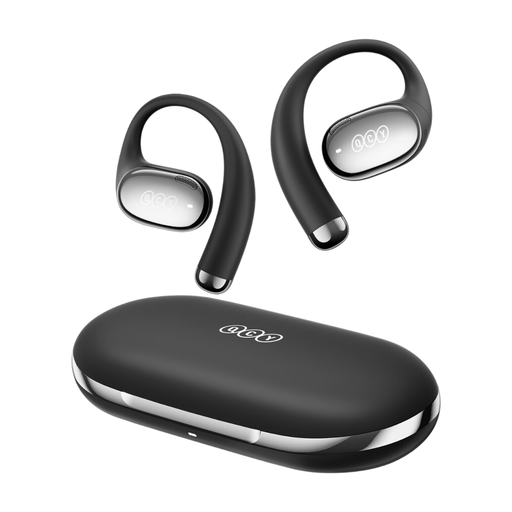 No image available
This model is only a possible option if you want to listen to music wirelessly; the information provided doesn’t in itself establish that it’s suitable for checking a mix.
The product information mentions wireless connectivity and music listening.
 No image available
The product information mentions Bluetooth and a detachable cable, so you can compare the stated connection options with your audio source. Before buying, check which connection comes with your version.
The product information lists Bluetooth 5.4 and active noise cancellation. No charger is included; the information specifies a suitable 1.8–2.5 W charger and says that PD fast charging is not supported. It also includes a warning about magnets for people with a medical implant.
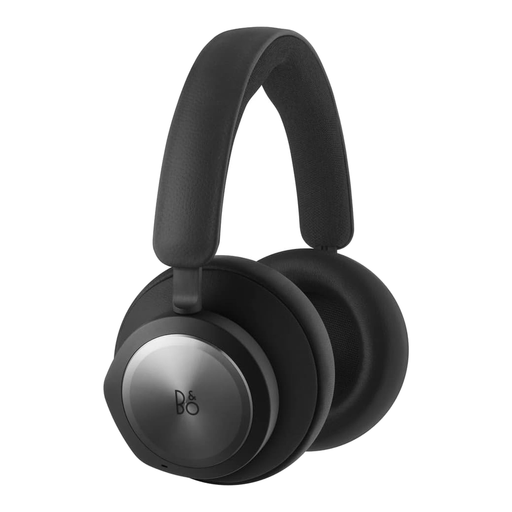 No image available
The product information mentions both Bluetooth and a 3.5mm connection; compare these options with the connection you want to use at your desk.
The listed specifications are Bluetooth 5.1, a 125 cm cable, a 3.5mm connection and active noise cancellation.
No, it depends on your workspace and whether you’re recording with a microphone. RTINGS describes open-back models as an option for critical listening in a quiet room. Compare closed-back models if background noise, people nearby or sound reaching the microphone are concerns.
With the desk at its highest position, measure the route from the connection to your head. Also check how the cable runs around the desk and whether the cable type supplied suits the way you move.
First check the connection and the exact model version; don’t assume you’ll get enough volume based on the impedance rating alone. For example, Beyerdynamic lists 32, 80 and 250 ohm versions of the DT 770 PRO. Compare the version with the output on your own equipment.
Before buying, check which parts are available for the exact model. beyerdynamic lists parts including cables and ear cushions for the DT 770 PRO; Sennheiser lists interchangeable ear cushions and a detachable cable for the HD 490 PRO.
ACM ConsuWijzer states that online purchases often come with a 14-day cooling-off period after delivery, subject to legal exceptions. This is separate from your rights if a product doesn’t meet what you could reasonably expect during normal use. Check the terms of the specific offer, and don’t assume that an opened package is always covered by an exception.