
Streamer with a separate microphone
You want to hear game, music or chat audio without it unnecessarily feeding back into your microphone. A closed-back design and a test recording with your own setup are important considerations.


If you stream with a microphone close to your desk or share your room, start with wired, closed-back studio headphones connected to your computer or audio interface. beyerdynamic recommends closed-back headphones when using a microphone; open-back headphones may work in a quiet room if a test recording confirms that sound doesn’t interfere with your microphone. Headphones won’t fix delayed or doubled monitoring on their own, so check your interface and OBS audio routing too.
You want to hear game, music or chat audio without it unnecessarily feeding back into your microphone. A closed-back design and a test recording with your own setup are important considerations.
If you hear a delay or your voice twice, check how your computer, streaming software and any audio interface route the monitoring signal. Focusrite describes direct monitoring through a compatible interface as a way to send the input signal to the headphone output with virtually no delay.
You want a comfortable fit that lasts and need to know whether the ear pads or cable can be replaced later. Specifications alone can’t predict how headphones will fit your head, so consider the clamping force and fit as well.
First, check the isolation and fit with your microphone setup, then the connection and monitoring route. Finally, consider comfort and maintenance for longer sessions.
| Concern | What to look for | Who is this important to? |
|---|---|---|
| Sound leakage | Compare closed-back and open-back earcups, fit and connection; make a test recording with your own microphone at your intended listening volume. | If I want to minimise playback audio from my headphones getting into my stream while I’m speaking, I check the isolation with my own setup. Around 31% of consumers give sound leakage the highest priority. |
| Connection and monitoring | Check that the plug fits the output and that your interface supports direct monitoring; also check which audio sources are active in OBS. | If I want to hear my microphone signal without an annoying delay, I check both the connection and the audio signal route. Around 25% of consumers prioritise connection and monitoring. |
| Comfort | Consider the earcup shape, cushion material and adjustability; if possible, try the headphones for a longer session. | For longer streams, I want a fit that doesn’t pinch and feels secure; personal clamping force is a key factor. Around 25% of consumers give long-wearing comfort the highest priority. |
| Maintenance | Check whether the cable is fixed or detachable and whether replacement parts are available; specifications can vary between models. | If I want to factor in maintenance, I look beyond the purchase price to the cable design and potential servicing needs. Around 19% of consumers prioritise the balance between purchase and maintenance. |
An open-back design can let playback audio escape more easily into the surrounding area. beyerdynamic recommends closed-back headphones when using a microphone.
Before choosing, make a test recording with your own microphone at your usual listening volume.
Direct monitoring is a feature of a compatible audio interface. OBS also warns that echo can occur when the same audio device is captured in multiple places.
Before buying different headphones, check your interface settings and active audio sources in OBS.
The classic beyerdynamic DT 770 PRO has a fixed cable; according to the manufacturer, the separate DT 770 PRO X has a detachable cable. For cable replacement on the classic DT 770 PRO, beyerdynamic recommends using a service centre or qualified professional.
Check the full model number and cable design if you want to be able to disconnect or replace the cable yourself.
The closed-back ATH-M20x is an entry-level wired option for monitoring.
The closed-back DT 770 PRO is available in an 80Ω version, among others. According to the manufacturer, the DT 770 PRO X has a detachable cable; the open-back DT 900 PRO X is designed for a different listening environment.
Sony positions the wired MDR-7506 for recording and studio use.
The K92 is a closed-back over-ear model with a 3.5mm plug and a self-adjusting headband.
The closed-back HD 280 PRO is a wired monitoring option.
This selection features wired gaming headsets with microphones for streamers who also want to monitor their voice. Check that the connection and style suit your equipment and preferences; a gaming headset isn’t automatically the same as studio headphones.
 No image available
A wired headset with a microphone for anyone who wants to speak while streaming.
The product description lists a 3.5mm audio cable, a detachable cardioid microphone and fabric ear cushions.
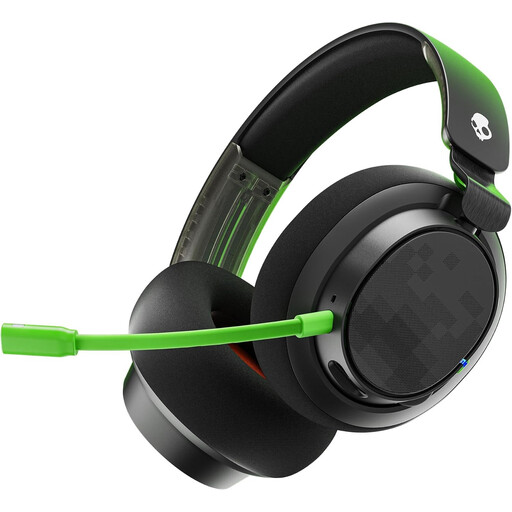 No image available
This wired headset has a detachable microphone for anyone who wants to speak as well as listen during a stream.
The description lists USB-C and 3.5mm connections, along with memory foam ear cushions. Check which connection suits your equipment.
 No image available
A wired headset option for anyone who wants to listen and speak via USB.
The product description lists stereo audio, a microphone, an adjustable padded headband and a 1.8 m cable.
 No image available
A wired headset with a microphone for anyone who wants to hear stream audio and speak themselves.
The description lists an analogue 3.5mm connection, a cardioid microphone, a mute button and memory foam ear cushions.
 No image available
This USB headset with a microphone may suit you if you want to listen and speak via USB; check whether its stated fit matches your preferences.
The product description lists on-ear earcups, stereo audio and an adjustable padded headband.
Not necessarily: according to Focusrite, a compatible audio interface with direct monitoring can send the input signal to the headphone output with virtually no delay. Also check that you aren’t hearing your voice back through software at the same time.
According to OBS, echo can occur if the same audio device is captured both in a scene and in the general audio settings. Check which sources are active and which device is set for monitoring; the solution depends on your audio routing.
VeiligheidNL recommends well-fitting over-ear headphones to block out ambient noise, so you’re less likely to turn up the volume. This advice doesn’t prove that a particular studio model is safe at every volume.
For an applicable online purchase from a business, the Dutch government states that you generally have a 14-day cooling-off period. If a product is faulty, contact the seller; the Netherlands has no fixed statutory guarantee period.