If you’re editing while microphones are still live, or sitting close to other people, closed-back headphones are the more suitable choice. In a quiet room with no active microphone, open-back headphones may be a good fit for assessing how sources are placed in the mix. Check the connection, cable and fit for your small desk, too. The stated use-case benefits are largely manufacturers’ descriptions, not the result of an independent performance comparison.
Who is this choice relevant to?
Editor working alongside a recording
If you’re editing or monitoring while microphones are still live, you’ll want to avoid headphone sound being picked up in the recording. Beyerdynamic describes the closed-back DT 770 PRO as suitable for recording and monitoring.
Editor in a quiet room
If you’re working on the mix after a live session, with no active microphone nearby, you can focus on the placement of sources. Sennheiser and beyerdynamic position specific open-back models for this kind of listening.
Editor with limited desk space
If you work at a small desk, a practical cable route and a suitable connection can make a difference. Audio-Technica and AKG mention features such as swivelling ear cups or different cable options on specific models.
What should you consider when choosing?
Closed-back headphones
A good fit when: you’re recording as well as editing, sitting close to a microphone or want to reduce background noise.
Bear in mind: check the fit and cable option; a closed-back design alone doesn’t prove that a model sounds neutral.
Open-back headphones
A good fit when: recording has finished, the room is quiet and you want to assess the placement of sources in the mix.
Bear in mind: open-back models let sound in and out, so don’t use them right next to an open microphone without considering the risk.
Semi-open headphones
A good fit when: you want to try a design between open-back and closed-back, and can assess sound leakage in your own space.
Bear in mind: the term ‘semi-open’ alone doesn’t tell you how much sound a specific model lets through.
| What to consider |
What should you look for? |
Who is this important for? |
| Sound leakage and isolation |
Compare open-back and closed-back models, and consider whether a microphone will be live while you’re listening. The fit also affects how closely the ear cups sit. |
If I’m still recording, I want to stop headphone sound reaching an open microphone. Around 33% of consumers give sound leakage and isolation top priority. |
| Assessing spatial placement |
An open-back model may suit editing in a quiet room with no active microphone nearby. A manufacturer’s description doesn’t prove that every model sounds more accurate. |
When I’m assessing source placement in the mix after recording, that matters more than isolation. Around 27% of consumers prioritise this kind of spatial assessment. |
| Cable and controls |
Check the cable length, the supplied connector or adapter, and the connection required by your own equipment. Also check whether the manufacturer says the cable or ear cups are detachable or swivelling. |
At a small desk, I want to route the cable around my workspace and connect my equipment. Around 20% of consumers put cable and controls at the top of their list. |
| Fit and maintenance |
Assess the fit for yourself and check which cables or ear pads can be replaced on the specific model. |
For regular, long editing sessions, I want a comfortable fit and parts that can be maintained. Around 20% of consumers pay most attention to comfort and maintenance. |
What to look out for when buying
-
Choosing an open-back model next to an open microphone
Open-back headphones let sound out into the room. That sound could reach an open microphone while the session is still being recorded.
First, work out whether you’ll be recording and editing at the same time. If there’s an open microphone nearby, consider whether a closed-back model is better suited to the situation.
Sound picked up in the recording could mean you have to record again or spend extra time editing afterwards.
-
Assuming the DT 770 PRO is a single version
beyerdynamic distinguishes between the 32, 80 and 250 ohm versions for different uses. So the model range name alone doesn’t tell you which version you’re choosing.
Check the full model details and make sure they suit the output of your audio equipment before you order.
-
Assuming the manufacturer’s warranty is your only right
According to the Dutch government, the Netherlands has no fixed statutory warranty period. If a product is faulty, the retailer is your point of contact; the expected lifespan depends on the product and the circumstances.
Read the terms of any additional manufacturer’s warranty and keep your proof of purchase.
Relevant brands to compare
beyerdynamic
The DT 770 PRO and DT 990 PRO are examples of closed-back and open-back options for recording and editing.
- beyerdynamic describes the closed-back DT 770 PRO as suitable for recording and monitoring.
- The DT 770 PRO is available in different impedance versions; check which one suits your equipment.
- The DT 990 PRO is open-back and lets sound through to the surrounding area.
Sennheiser
Sennheiser says the open-back HD 490 PRO is designed for editing and assessing mixes in a quiet room.
- Sennheiser lists two types of ear pad and a detachable cable.
- An open-back design may not be the right choice if you want to limit sound leakage to a nearby microphone.
Audio-Technica
The closed-back ATH-M50x is an option for monitoring and flexible use at a desk.
- Audio-Technica lists a detachable cable, a foldable design and 90° swivelling ear cups.
- The stated isolation is a manufacturer’s claim; you’ll need to assess the fit for yourself.
AKG
AKG says the closed-back K371 is designed for monitoring and comes with several cables.
- AKG lists a foldable design, swivelling ear cups and three detachable cables: straight cables of 3 m and 1.2 m, and a coiled cable of 1.2–3 m.
- Check the version on offer and assess the fit for yourself; descriptions of sound and comfort are manufacturer claims.
Shure
The closed-back SRH840A is a monitoring option if cable replacement and isolation are important to you.
- Shure lists a locking, detachable cable and a padded headband.
- Shure’s claims about long-lasting comfort and sound haven’t been established for every user.
Products on Joybuy
A selection of Joybuy products relevant to this topic. Check whether each model’s features suit the way you work and the equipment you use.
 No image available
Sennheiser MOMENTUM 4 Wireless, white
An option if you also want to listen via a wired connection at your desk.
The product description lists a 3.5mm audio cable in the box and passive use without a battery.
Shop on Joybuy
 No image available
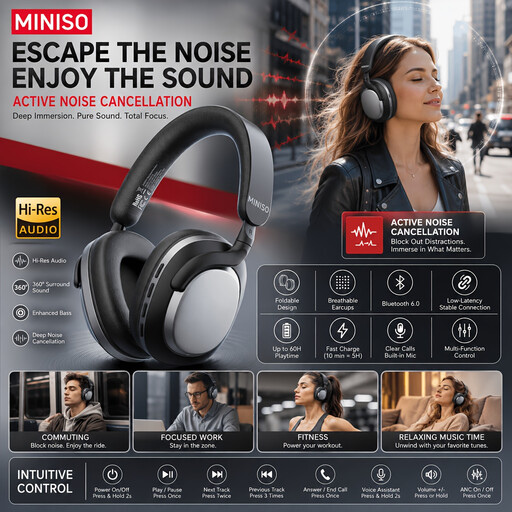
MINISO MG210, black
The product name mentions office use; check that the connection is compatible with your audio equipment.
The product name describes a wireless model with noise cancellation and 24 hours of battery life.
Shop on Joybuy
 No image available
Jabra Evolve2 30 SE
A wired headset option for a desk set-up; check which connection you want to use.
The product description lists a 0.95 m cable, a 3.5mm connection, a USB controller and an on-ear design.
Shop on Joybuy
 No image available
Bose QuietComfort Ultra Bluetooth, black
A closed-back model with an audio cable if you want to listen via a wired connection; check that it connects to your equipment.
The product details list active noise cancellation and 2.5 mm and 3.5 mm connections.
Shop on Joybuy
 No image available
Jabra Evolve2 75
A headset option if you want to listen wirelessly but also need a wired connection.
The product description lists Bluetooth and a USB-C cable for wired use.
Shop on Joybuy
Frequently asked questions
Can I use open-back headphones while the live session is still being recorded?
It depends on the microphone set-up. Open-back headphones let sound out into the room, so closed-back headphones are a better choice next to an open microphone. Once recording has finished, that particular concern no longer applies if you’re working in a quiet room.
Will any studio headphones connect directly to my audio interface?
Before buying, check the connection, the supplied adapter and the headphone output on your equipment. Also check the exact version: beyerdynamic, for example, offers the DT 770 PRO in different impedance versions.
How can I reduce the risks of listening for long periods while editing?
Keep the volume low and take listening breaks. The World Health Organization gives a maximum of 40 hours a week as an example at an average level of 80 dB; safe listening time decreases at higher levels. This doesn’t mean that setting the volume control to a particular level is guaranteed to be safe.
Do I automatically get a two-year statutory warranty in the Netherlands?
No. According to the Dutch government, the Netherlands has no fixed statutory warranty period: what you can reasonably expect in terms of a product’s lifespan depends on the product and the circumstances. If a product is faulty, the retailer is your point of contact; the manufacturer’s warranty is separate from your statutory rights.
Are there extra rules if I’m an employee monitoring a loud live session?
If daily workplace noise exposure exceeds 80 dB(A), the employer must make hearing protection available, according to Arboportaal. Standard studio headphones don’t automatically count as the required hearing protection.


