If you’re mixing existing recordings in a quiet room, start with open-back, wired studio headphones and consider comfort and how they connect to your audio source. If you also record with a microphone at the same workstation, or want to reduce sound leakage, a closed-back model is more practical. Check important mix decisions on another playback system too, as headphones and speakers reproduce sound differently.
Who is this choice relevant to?
Mixers in a quiet room
You mainly mix pre-recorded film music and want to assess stereo positioning and spatial detail. Sound leakage is less of an issue as long as no microphone is recording. RTINGS and Shure explain how open-back earcups let sound through, while Sound On Sound points out that listening on headphones differs from listening on speakers.
Composers who also record
You sometimes use a microphone at the same workstation and want to prevent playback sound from getting into the recording. Shure explains that sound can escape through open-back earcups, making a closed-back design a relevant option.
Creators with long mixing sessions
You listen for extended periods and want to consider fit, the cable and replaceable ear pads, not just descriptions of the sound. Check these details for the exact model. For example, Sennheiser lists two types of ear pads for the HD 490 PRO.
What should you consider when choosing?
Open-back studio headphones
Best for: Mixing existing recordings in a quiet room when you want to assess stereo positioning and spatial detail.
Bear in mind: Sound leaks out and the design offers little isolation. Checking your mix on speakers is still useful.
Closed-back studio headphones
Best for: Recording with a microphone at the same workstation when you want to reduce sound leakage.
Bear in mind: A closed-back design offers a different listening experience from an open-back model, and does not replace checking your mix on another playback system.
Semi-open studio headphones
Best for: Comparing a middle-ground option when you can assess the level of leakage and isolation at your recording space.
Bear in mind: The semi-open label does not guarantee that a microphone won’t pick up sound or that the headphones will sound like an open-back model.
| What to consider |
What to look for when buying |
Who is this most relevant to? |
| Stereo image and mix detail |
Listen with your own material and check important decisions on another playback system too. |
When I mix film music in a quiet room, I want to assess positioning and spatial detail, and check my mix elsewhere too. Around 42% of consumers prioritise stereo image and mix detail. |
| Sound leakage when recording |
Consider whether you record with a microphone while listening. If so, compare a closed-back model. |
When I record with a microphone at the same time, I want to prevent playback sound from getting into the recording. Around 25% of consumers prioritise reducing sound leakage. |
| Comfort and maintenance |
Try the headphones on if possible and check whether the ear pads and cables are replaceable on the exact model. |
During long mixing sessions, I want the fit and components to remain practical over time. Around 17% of consumers give comfort and maintenance top priority. |
| Connection and compatibility |
Check the output on your laptop or audio interface, as well as the plug and any adapter for the exact version. |
When I use my own laptop or audio interface, I want to know in advance whether they’re compatible and will provide a suitable listening level. For around 16% of consumers, source compatibility is the most important consideration. |
Common mistakes
-
Choosing an open-back model without considering microphone recording
Open-back earcups let sound escape. If a microphone is recording while you listen, it may pick up that sound.
Before buying, decide whether you’ll be recording at the same workstation while listening. If you will, consider comparing a closed-back model for the job.
-
Assuming a wide stated frequency range means a better mix
A frequency range alone won’t tell you how your mix decisions will translate to speakers. As Sound On Sound explains, headphones and speakers reproduce sound differently.
Listen with your own material and check important mix decisions on another playback system too.
-
Choosing an impedance version without checking your audio source
A model range may include several impedance versions. A plug that fits doesn’t necessarily mean your laptop or audio interface can drive the headphones properly.
Check the full model name, the adapter supplied and the headphone output on your own device.
Brands to consider
beyerdynamic
The range includes an open-back model for mixing and a closed-back model for monitoring. Suitability depends on the specific version.
- According to beyerdynamic, the DT 900 PRO X has a nominal impedance of 48 ohms and detachable cables.
- The closed-back DT 770 PRO is available in an 80-ohm version, among others. Check the exact version and whether your audio source can drive it.
Sennheiser
Sennheiser positions the open-back HD 490 PRO for production, mixing and mastering.
- Sennheiser lists two types of ear pads and a detachable connection for the HD 490 PRO.
- The open-back design lets sound leak out. Sennheiser gives this model an impedance of 130 ohms; check that it’s compatible with your audio source.
Audio-Technica
The open-back ATH-R70x is an option for mixing, while the closed-back ATH-M50x offers an alternative when isolation matters.
- Audio-Technica lists the ATH-R70x as weighing 210 g without the cable, with an impedance of 470 ohms. According to the manufacturer, the ATH-M50x comes with three interchangeable cables.
- The ATH-R70x may need careful consideration when it comes to amplification. The ATH-M50x’s closed-back design involves a different trade-off from the open-back R70x. Manufacturer claims about sound and comfort are not independent measurements.
Neumann
Neumann positions the open-back NDH 30 for editing, mixing and mastering.
- Neumann makes a manufacturer claim of precise stereo localisation for the NDH 30.
- That claim doesn’t prove that every user will have the same experience. If you’re recording while listening, bear in mind that the open-back design can leak sound.
Sony
Sony Netherlands describes the closed-back MDR-7506 as suitable for recording and studio use.
- For the Dutch product version, Sony lists a 3 m cable, which can be handy at a desk.
- A closed-back design doesn’t replace checking spatial mix decisions on another playback system.
Joybuy products
This Joybuy selection includes headphones and headsets with features such as wired listening or options for use at a workstation. They’re not all studio headphones, so check whether each model and version is suitable for mixing and assessing stereo positioning.
 No image available
Sennheiser MOMENTUM 4 Wireless, black
The product description mentions both wireless and wired listening. Check that the connection and version suit your mixing setup.
The description lists a 3.5 mm audio cable, listening via the cable without battery power, adjustable EQ and presets in the app, and a stated playback time of up to 60 hours.
View at Joybuy
 No image available
Jabra Evolve2 75 headset
This headset is described as offering both Bluetooth and a wired connection. Check the connection and sound reproduction for your mixing workflow.
The product description lists Bluetooth 5.2, up to 36 hours of battery life, an adjustable headband and soft earcups.
View at Joybuy
 No image available
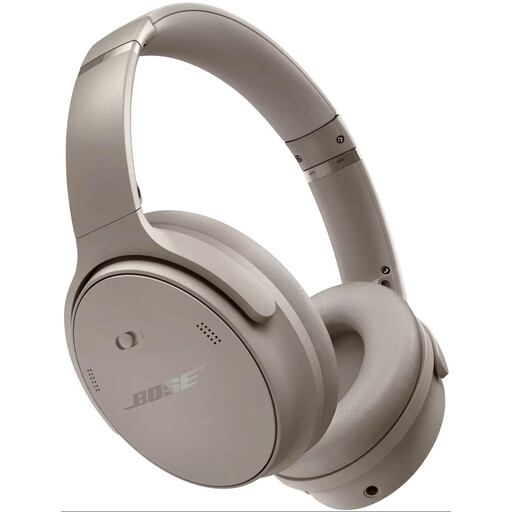
Bose QuietComfort Headphones, Sandstone
The product description mentions listening to music and active noise cancellation. Check separately whether this model meets your requirements for studio mixing.
The description lists Bluetooth, on-earcup controls and settings via the Bose Music app.
View at Joybuy
 No image available
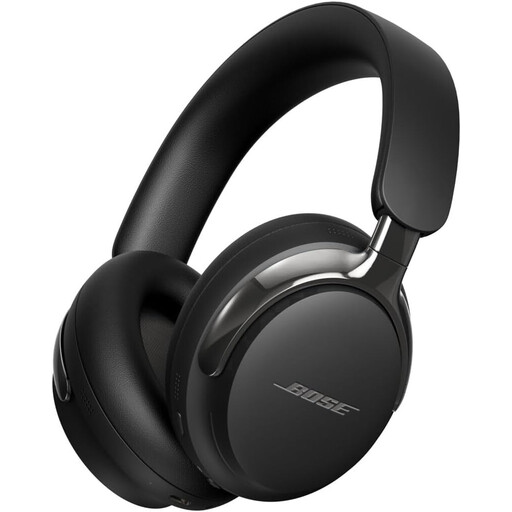
Bose QuietComfort Ultra Headphones (2nd Gen), black
The product description mentions a detachable cable as well as wireless listening. Check that the connection is suitable for your intended mixing setup.
The description also lists Bluetooth 5.4, active noise cancellation and Cinema Mode.
View at Joybuy
 No image available
EPOS | SENNHEISER IMPACT SC 230 USB MS II headset
The product description calls this a mono headset for contact centre and office use. That makes it less suitable if you want to assess stereo positioning.
The description lists a USB connection, a 2.9 m cable, an adjustable headband and extra ear pads.
View at Joybuy
Frequently asked questions
Can I use open-back headphones if I’m also recording with a microphone?
They can work for listening to existing tracks in a quiet room. For recording with a microphone at the same time, closed-back headphones are generally more practical. Shure explains that sound escapes through open-back earcups and can be picked up by a microphone.
Do I always need a separate amplifier for studio headphones?
No, using studio headphones doesn’t automatically mean you need one. Check the exact model version alongside the output on your laptop or audio interface. Impedance or a plug that fits won’t, on its own, determine whether every combination will work well.
Is mixing on headphones enough to assess my film music mix?
Use headphones to assess your mix, but check important decisions on another playback system too. Sound On Sound explains that headphones and speakers reproduce sound differently.
What should I consider during long mixing sessions?
Pay attention to the fit and pressure while wearing them, and check whether the ear pads and cables can be replaced on the exact model. A stated weight or replaceable component doesn’t guarantee a comfortable fit for you.


