What should you look for when buying?
Closed-back
Choose this if: you sit close to microphones while recording or want to reduce background noise.
Bear in mind: closed-back doesn’t mean completely silent or automatically neutral. RTINGS.com describes closed-back headphones as better suited to recording because they leak less sound.
Open-back
Choose this if: you mainly listen critically to existing recordings in a quiet room and sound leakage isn’t an issue.
Bear in mind: open-back models generally let more sound in and out. RTINGS.com describes them as better suited to mixing and mastering than recording.
Semi-open
Choose this if: you find a semi-open model comfortable for listening back and don’t need strong isolation.
Bear in mind: don’t assume a semi-open model is the same as closed-back recording headphones; check for sound leakage in your own setup.
When comparing headphones for drum editing, consider more than just the design. Check how they fit your head and connect to your equipment, too.
| What to consider |
What should you check? |
Who is this important for? |
| Details in drum takes |
Compare familiar drum clips and listen for timing and balance. Assess the model in a suitable listening environment. |
If I edit existing takes, I want to assess individual hits and balance clearly; around 29% of consumers say critical listening to drum details is their main buying priority. |
| Isolation and sound leakage |
Compare closed-back and open-back models for your recording or editing needs. Check how the ear pads fit; don’t expect complete sound isolation. |
If I also record near microphones, I want to limit sound leakage without expecting complete silence; around 23% of consumers prioritise isolation when recording. |
| Fit and desk space |
Check the pressure around your ears and head, and think about where you’ll put the headphones down. A foldable design alone says nothing about sound quality. |
When editing for long periods at a small desk, I want a portable, practical workspace; around 18% of consumers prioritise comfort and desk space. |
| Connection and cable |
Check the output on your own equipment and the cable or adapter supplied with the exact version. Also check whether the cable is detachable. |
If I connect my headphones to an audio interface, I want a suitable plug and cable routing that works with my desk; around 18% of consumers prioritise connectivity and cable management. |
| Maintenance |
Check which parts can be replaced on the exact model and which version you’re buying. |
If I want to use a model for longer, I look at replaceable parts and the practicalities of maintenance; around 12% of consumers put maintenance and running costs first. |
Joybuy products
The Joybuy selection below includes headphones. Check that each model’s connections and intended use suit your studio setup.
 No image available
Sennheiser MOMENTUM 4 Wireless, white
If you’re considering this model for drum editing, check that its connection options work with your audio interface.
The product name describes wireless over-ear headphones with noise cancelling, a 60-hour battery, fast charging and 4 microphones.
Joybuy
 No image available
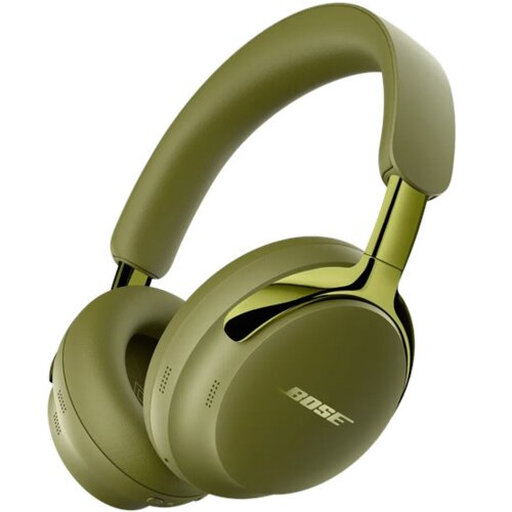
Bose QuietComfort Ultra Headphones (2nd Gen), olive green
When using these for drum editing, check how they connect to your own equipment; make sure the connections suit your setup.
The product name specifies the version (2nd Gen) in Olive Green.
Joybuy
 No image available
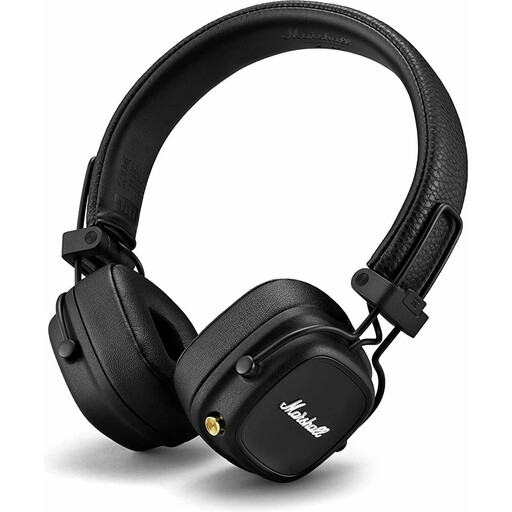
Marshall Major IV, wireless on-ear, black
If you need a wired connection while editing drums, check whether this version supports it.
The product name describes a wireless on-ear model in black.
Joybuy
 No image available
Jabra Evolve2 75, USB-A MS Teams, black
If you use an audio interface and computer, check that the USB-A version is compatible with your equipment and software.
The product name specifies USB-A, MS Teams and the colour black.
Joybuy
 No image available
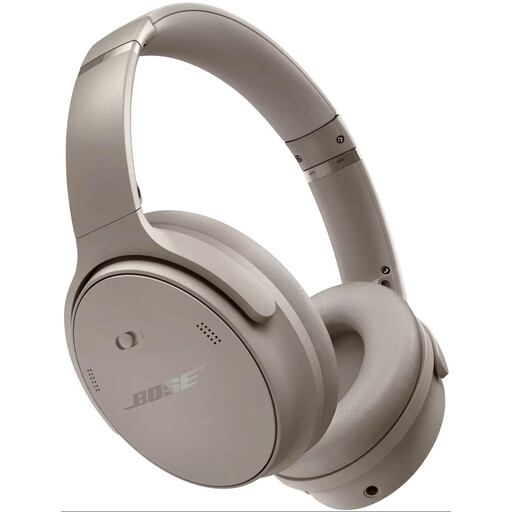
Bose QuietComfort Headphones, sandstone
If you want to use these headphones for drum editing, check that the connection is compatible with your audio interface.
The product name describes over-ear headphones in Sandstone.
Joybuy
Frequently asked questions
Can different headphones fix latency while recording?
Not necessarily. On supported Focusrite interfaces, direct monitoring sends the input signal straight to the headphone output, with virtually no monitoring latency. Check the monitoring route on your own interface and in your software.
How do I set up headphones at a small desk?
Check the output on your equipment, the plug or adapter supplied and the cable routing. beyerdynamic lists a detachable cable for the DT 900 PRO X; this doesn’t automatically apply to other models.
What can I do about worn ear pads?
Check whether replacement pads are available for your exact model. Sennheiser lists replaceable ear pads for the HD 490 PRO, and AKG does the same for the K240 Studio. Check the fit again after replacing them.
How can I avoid listening too loudly during long editing sessions?
Keep the volume low and pay attention to how long you listen, too. The World Health Organization gives an average of 80 dB for a maximum of 40 hours per week as an example of a safe listening dose; at higher volumes, that time is shorter. This is listening advice, not a fixed volume setting for your equipment.
Which Dutch rules are relevant when buying and using headphones?
ACM ConsuWijzer states that for ordinary online consumer purchases, you have a 14-day cooling-off period after delivery, with some exceptions. If a product breaks sooner during normal use, the seller is responsible for providing an appropriate solution under the statutory guarantee. Workplace noise rules are relevant if you work as an employee in those conditions; studio headphones don’t automatically replace prescribed hearing protection.


