
Recording takes with a microphone
You’re comparing new vocal, speech or instrument takes while a microphone is live. In that case, isolation and minimising sound leakage are important considerations, as RTINGS and beyerdynamic also explain.


When recording takes with a live microphone, closed-back headphones are the obvious choice, as sound from your headphones could otherwise bleed into the recording. In a quiet room with no live microphone, an open-back model may suit critical listening. Using two screens doesn’t in itself call for special headphones, but you will need a suitable audio output and a clear way to switch between takes.
You’re comparing new vocal, speech or instrument takes while a microphone is live. In that case, isolation and minimising sound leakage are important considerations, as RTINGS and beyerdynamic also explain.
You’re mainly listening for differences between recorded takes and want to assess stereo imaging, without microphone bleed affecting your workflow. An open-back model may be an option in a quiet environment; beyerdynamic describes this as a different listening setup from a closed-back design.
For example, you use both a computer output and an audio interface. Check which output you’re actually using and whether the headphones you choose are compatible with it. Sennheiser explains why impedance can matter with different audio equipment.
Choose this when: you’re recording with a live microphone or want to reduce ambient noise.
Consider: a closed-back model offers a different listening experience from an open-back design. Also check the exact impedance version and connection.
Choose this when: you’re listening to recorded takes in a quiet room and there’s no live microphone nearby.
Consider: an open-back design lets sound escape and offers very little isolation from ambient noise, as RTINGS and beyerdynamic point out.
| What to consider | What should you check? | Who should pay particular attention? |
|---|---|---|
| Isolation when recording | Check whether the model is closed-back and over-ear, and whether the fit suits the way you record. RTINGS describes closed-back headphones as one way to reduce sound leaking into a microphone. | If I’m recording with a microphone, I want to prevent headphone sound from getting into my take. Around 36% of consumers make isolation their top priority. |
| Differences between takes | Compare takes using the same listening chain and make sure playback levels match; Ableton describes the level-metering features available in its software. | When I’m listening to recorded takes side by side in a quiet room, I want to assess differences and stereo imaging. Around 29% of consumers prioritise critical comparison. |
| Connection and drive | Check your audio output, plug size, cable routing and the exact impedance version. beyerdynamic lists 32, 80 and 250 ohm versions of the DT 770 PRO; Sennheiser explains that impedance is one factor when choosing an output. | If I switch between my computer and audio interface, I want to make sure the headphones work with both connections. Around 21% of consumers make source compatibility their top priority. |
| Fit and maintenance | Check whether the cable and ear pads are replaceable for the exact model; features may vary between versions. | For long listening sessions, I want a fit that works for me and to know which parts I can replace. Around 14% of consumers prioritise comfort and maintenance. |
Your screen layout and the audio source for your headphones are separate parts of your setup.
Work out which computer, interface and output you use. Then check how to switch between takes in your software and compare playback levels.
Choosing the wrong connection may mean adjusting your audio setup or getting a suitable adapter.
Sound from open-back headphones can be picked up by the microphone during recording.
Choose a suitable closed-back model when using a live microphone. Consider an open-back model separately for listening in a quiet room with no live microphone nearby.
The beyerdynamic DT 770 PRO is available in 32, 80 and 250 ohm versions, so the model name alone won’t tell you which one is right for your output.
Note down the full version name and check it against the specifications for your headphone output before ordering.
Cables, ear pads and other included parts may vary between models.
Check what’s included and which parts can be replaced for the exact version you’re considering, and keep your proof of purchase.
Replacing a cable or ear pad may involve extra steps, so check which parts fit your chosen model first.
The DT 770 PRO is a closed-back model for monitoring, while the open-back DT 990 PRO is designed for a different listening role.
The closed-back ATH-M50x is a wired option worth comparing if isolation and cable choice matter to you.
The MDR-7506 is a wired monitoring model for recording and studio environments.
The open-back HD 490 PRO is designed for producing and mixing in a quiet listening environment.
The closed-back, foldable K371 is worth comparing if you use your headphones in different workspaces.
This Joybuy selection includes headphones and headsets for listening on a computer, with a range of connections and listening features. Check each model’s connection and stereo playback are suitable for comparing takes; a headset for general computer use isn’t automatically a studio headphone.
 No image available
Could suit you if you’re looking for over-ear headphones that can also play audio over a wired connection, provided the output and cable you use are compatible.
The product information specifies wired playback via a 3.5mm cable and passive use without a battery when connected with the audio cable.
The product name mentions noise cancellation; check that the listening setup and connection meet your needs.
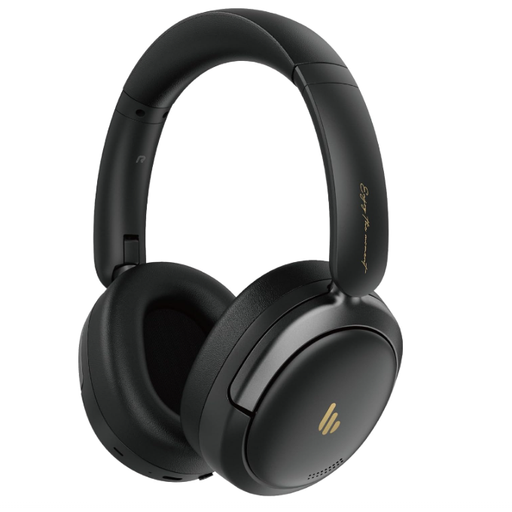 No image available
Could suit you if you want to switch between Bluetooth sources; check that your computer supports the Bluetooth audio output you need.
The product name specifies Bluetooth 5.4, hybrid active noise cancellation and 45 hours of playback.
The product description mentions connecting to two Bluetooth devices at once; this is a wireless option, not a wired studio model.
 No image available
Could suit you for listening on a computer via USB audio; check that your computer and software support this connection.
The product information specifies stereo sound, a USB connection and a 1.8 m cable.
The description mentions compatibility with Windows, Mac and Chromebooks, plus a flexible microphone boom.
 No image available
Could suit you for computer use via USB, but not if you want to assess stereo imaging between takes: this model has a single-sided design.
The product information specifies a 2.9 m cable, in-line volume control and additional ear pads.
No, the number of screens doesn’t determine which headphone connection you need. Check which audio output you use and how your software sends sound to it. Also compare playback levels between takes before assessing any differences.
A closed-back model is usually more suitable when a microphone could pick up headphone sound or ambient noise is distracting. An open-back model may suit critical listening in a quiet room with no live microphone nearby, but it lets sound escape and offers little isolation from your surroundings.
Don’t assume so. beyerdynamic offers the DT 770 PRO in several impedance versions; check your headphone output specifications and the exact model version before buying.
Keep the volume low and take regular breaks. The World Health Organization explains that safe listening time decreases as sound levels rise; a comfortable fit and good isolation don’t automatically make a volume level safe.
For both sources, check the headphone output you’ll use, the plug size and compatibility with your chosen impedance version. Then set your software to send the right source to your headphones and compare takes using the same listening chain.