
Transferring tapes with few spare sockets
You want to listen during playback without plugging another device into the mains. Also decide which output on your deck, interface or computer carries the signal you want to check.


Start with wired studio headphones that suit the output you want to listen to; the headphones themselves won’t need a separate mains socket. Closed-back earcups are generally better for a shared or noisy room, while a semi-open model is an option for quiet monitoring if sound leakage isn’t a concern. Check the correct monitoring output, plug size, drive requirements and fit before you choose.
You want to listen during playback without plugging another device into the mains. Also decide which output on your deck, interface or computer carries the signal you want to check.
You want to reduce distracting background noise, so you’re looking for closed-back earcups and a close-fitting design.
You compare transfers or monitor playback for longer periods. Fit, cable routing and whether parts can be replaced may all be worth considering.
First decide whether you want to hear the tape playback or the signal in the recording chain. Then check that the output, connection, cable and fit are suitable for your equipment and listening space.
| What matters | What to look for when buying | Who is this most relevant to? |
|---|---|---|
| Listening without an extra socket | Check your device’s headphone output and plug size; also consider the cable length. | I want to listen without adding another mains adapter to my setup. Around 33% of consumers prioritise avoiding an extra socket. |
| Hearing what is being recorded | Find out which output carries the recording signal and check the recording meters. | I want to know what the recording chain is actually receiving or capturing, not just how the tape sounds on the deck. Around 27% of consumers give checking the recording signal top priority. |
| Reducing background noise | Compare closed-back and semi-open earcups, and consider how the ear pads fit. | I listen in a shared or noisy space and want background noise to interfere as little as possible with monitoring. Around 20% of consumers prioritise blocking out background noise. |
| Comfort and maintenance | Assess the fit and check whether the cables or ear pads can be replaced on the exact model. | For repeated or extended monitoring, I want headphones that are comfortable to wear and have replaceable parts where needed. Around 20% of consumers give wearing comfort and maintenance top priority. |
The deck and the recording chain may play back different signals. For example, a recording can distort even when the tape playback sounds fine.
Check the recording meters and, if your equipment supports it, listen to the recorded signal too.
If something goes wrong in the recording chain, you may need to transfer the tape again.
A semi-open design can work well for quiet monitoring, but it blocks out less background noise than a well-fitting closed-back model.
Choose according to your space and take the fit into account; closed-back and semi-open designs are not interchangeable.
beyerdynamic describes differences in impedance and cable design between these models and variants.
Check the full model name and, for the standard DT 770 PRO, the impedance variant before ordering.
According to the Audacity Manual, residue on the playback head can weaken high frequencies and increase noise.
Check the playback chain and clean the head according to your equipment’s manual before transferring important tapes.
A problem spotted only after the transfer may cost you extra time, as you’ll need to do the transfer again.
The closed-back, wired ATH-M40x is an option if you’re looking for detachable cables.
The closed-back DT 770 PRO and DT 770 PRO X are different models for anyone comparing versions with different cables and impedance ratings.
The closed-back, wired HD 280 PRO may suit you if you’re looking for a coiled cable and replaceable ear pads.
The semi-open K240 Studio is an option for quiet monitoring if sound leakage isn’t a concern.
The wired MDR-7506 is a closed-back alternative to compare.
Joybuy product options for wired listening and audio connections. For each version, compare the connection listed with the output on your deck, interface or computer.
 No image available
The wired over-ear design may suit listening through an existing audio output. Check that the stated connections, 3.5 mm and USB-C audio, are compatible with your equipment.
 No image available
The wired, closed-back version is an option to compare for a shared listening space. Check that the stated 3.5mm connection, four-pole CTIA, is compatible with your source.
 No image available
This wired headset is worth comparing if you want to listen through an existing output. Check that the stated 3.5mm connection or USB DAC is compatible with the listening point you want to use.
 No image available
The wired version may be an option if your source has an analogue connection. Check that the stated 3.5mm connection matches your equipment’s output.
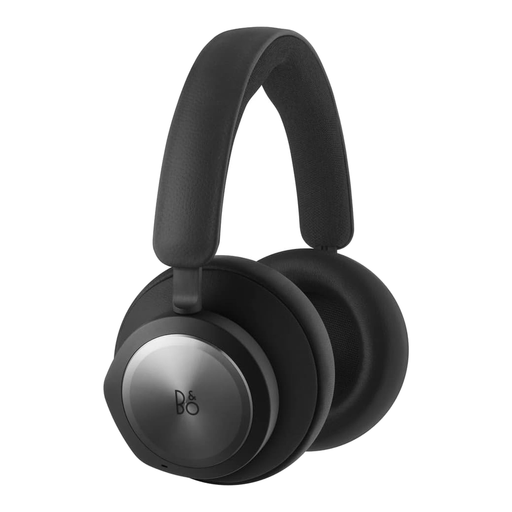 No image available
Before buying, check that the stated 3.5mm connection matches the output you want to use for the headphones.
Use the output from the point you want to check: the deck for tape playback, or the interface or computer for the recording signal if that output carries it. For recording, the Audacity Manual generally recommends connecting the deck’s line output to a line input; also check the recording levels.
That depends on your device’s output. Check it beforehand; manufacturers list a 3.5mm connection with a 6.3mm adapter for the ATH-M40x, HD 280 PRO and K240 Studio.
Check the playback head and the rest of the playback chain too. The Audacity Manual explains that residue on the head can weaken high frequencies and increase noise, and recommends cleaning the head regularly when copying tapes.
Keep the volume at a moderate level and take listening breaks; both the duration and volume matter. VeiligheidNL recommends well-fitting headphones, so background noise is less likely to make you turn the volume up. This does not set a fixed safe volume level for your equipment.
For an applicable distance purchase from a business, you generally have 14 days to change your mind, with some exceptions. According to the Dutch government, you are also entitled to a product that works properly; if there is a fault, contact the seller. The Netherlands does not have a fixed statutory guarantee period for every product.