For a film night with housemates, viewing distance and the viewing angle from every seat matter more than screen size alone. The Consumers’ Association (Consumentenbond) suggests around 2.4 times the screen diagonal as a comfortable starting point for viewing distance, not a fixed rule. Then compare reflections, the apps you want, connections and dialogue clarity within your shared budget. A more expensive screen technology isn’t automatically the better choice for every living room.
Who is this advice for?
Housemates sitting in different places
If you’ll be watching from the sofa and chairs off to the side, measure the viewing distances and compare the viewing angle of the specific TV. The Consumers’ Association notes that viewing angles can vary between models.
Housemates sharing a budget
Agree together on a budget and the features that matter. Then compare TVs by size, picture and sound rather than paying for features nobody uses. The Consumers’ Association notes that a higher price doesn’t automatically mean a TV is a better fit.
Housemates who stream films
Check that your preferred streaming apps are available on the exact TV model, and count the HDMI devices you want to connect. The Consumers’ Association notes that apps can vary between smart TVs.
What should you consider when choosing?
First measure the seating positions and the space available on your TV stand. Then compare viewing angles, reflections, apps, connections, sound and energy consumption. The European Commission’s energy labels for electronic displays range from A (most efficient) to G (least efficient).
| What to consider |
What should you check? |
Who is this for? |
| Screen size and viewing angle |
Measure the distance from each seat and the available width of your TV stand. Also compare the picture from chairs beside the sofa. |
If I want to watch from different places, I’ll check that the screen size and viewing angle work for those seats. Around 31% of consumers prioritise being able to see the screen from several seats. |
| Shared costs |
Agree on a shared budget and compare models of the same size based on the features you’ll actually use. |
If we’re paying together, I want to know in advance which features are worth the extra cost to everyone. Around 25% of consumers prioritise the cost of a shared purchase. |
| Films and connections |
Check that your preferred apps are available on the exact model, and count the HDMI ports you need for connected devices. |
If we watch films through apps or a separate player, I want to know whether the services and connections work with our devices. Around 19% of consumers give access to films and connections top priority. |
| Clear dialogue |
Compare the model’s sound rating and check the connections for any sound system you might use. |
If everyone needs to follow the dialogue clearly, I’ll consider the TV’s sound or whether we can connect our own speakers. Around 13% of consumers prioritise dialogue clarity. |
| Energy consumption |
Compare the EU energy labels of TVs that are a suitable size for your seating positions. |
If we’re sharing the TV, I want to consider its energy consumption alongside its size and features. Around 12% of consumers make energy consumption their top priority. |
Common pitfalls
-
Choosing a screen based on inches alone
A screen size that feels comfortable from the sofa may not work as well for someone sitting further away or at an angle.
Measure the viewing distances and the space on your TV stand, and compare the viewing angle of the specific model.
-
Assuming every smart TV has the film apps you want
Available apps vary by platform. A separate media player could be an alternative, but it means having an extra device and a spare HDMI port.
Check that your preferred apps are available on the exact model, and count how many HDMI devices will need to stay connected.
-
Treating screen technology as a complete measure of quality
Oled, qled and other LCD TVs vary by model. Reflections, viewing angle and sound also matter when you’re watching a film as a group.
Compare independent results for the specific model rather than judging it by its screen technology label alone.
TV brands to consider
Samsung
Samsung describes the UE43U8000HUXXN as a 43-inch 4K model for anyone comparing more compact options.
- Samsung lists a 43-inch screen, 4K and an F energy rating for this model.
- These specifications alone don’t tell you how it performs for viewing angle or sound, or whether it suits your living room.
Philips
Philips describes the 43PUS8500/12 as a 43-inch 4K QLED TV with Ambilight. This may be worth considering if your housemates want ambient lighting around the picture.
- Ambilight and Titan OS are features listed by Philips for this model.
- Check that your preferred apps are available on the exact model, and assess picture and sound separately. A description of the viewing experience isn’t the same as an independent test result.
LG
LG describes the 43QNED86B6B as a 43-inch 4K model with mini-led and webOS, which you can compare with other LCD and oled models.
- Mini-led and webOS are features listed by LG for this model.
- These features don’t tell you how the screen performs from every seat. Compare the specific model against the features that matter to you.
TVs for a film night
This selection includes 43- and 50-inch TVs. Measure your viewing distances and the space available on your TV stand before choosing between these sizes.
 No image available
Philips 43PUS8001/12 43-inch 4K TV
An option if you’re considering a 43-inch screen and want to measure your viewing distance and TV stand width first.
43 inches, 4K and energy rating F, according to the product name.
View at Joybuy
 No image available
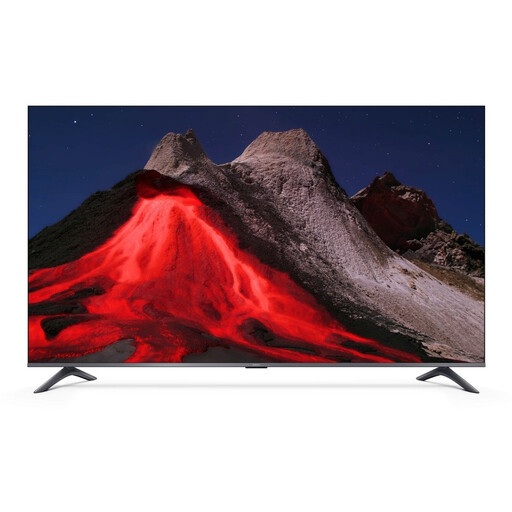
Xiaomi TV A Pro 2026 50-inch 4K QLED
An option if you’re considering 50 inches. Check that your viewing distance and available space suit this size.
4K, QLED and Google TV, according to the product name.
View at Joybuy
 No image available
Hisense 43E7S 43-inch 4K QLED TV
An option if you’re looking for a 43-inch TV and want to compare the stated screen size with your viewing distances.
4K, QLED and 120 Hz, according to the product name.
View at Joybuy
 No image available
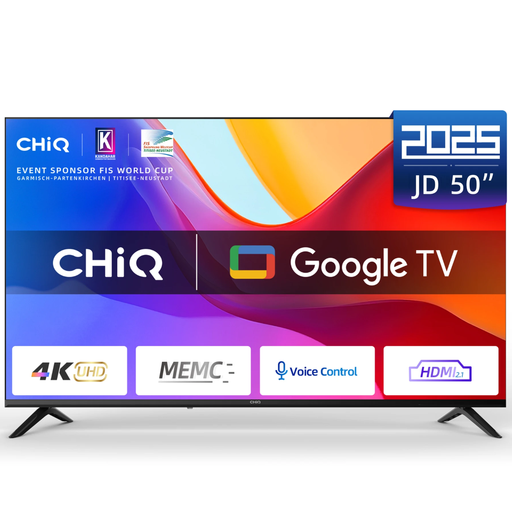
CHiQ U50JD 50-inch 4K QLED TV
An option if you’re comparing a 50-inch screen with your measured viewing distance and living room space.
4K, QLED and 60 Hz, according to the product name.
View at Joybuy
 No image available
CHiQ U43QM10E 43-inch 4K QLED TV
An option if you want to weigh a 43-inch screen against your viewing distance and available TV stand space.
Google TV, HDR10, VRR, ALLM and Dolby Audio, according to the product name.
View at Joybuy
Frequently asked questions
How do you decide on screen size if you don’t know the living room yet?
Measure the distance from viewers’ eyes to where the screen will go, and check the width of the TV stand too. The Consumers’ Association suggests around 2.4 times the screen diagonal as a comfortable starting point and recommends comparing nearby sizes as well. It isn’t a hard-and-fast rule.
Can you connect a media player or soundbar later?
Yes, as long as the TV and device have compatible connections. A media player usually connects via HDMI. A sound system can use HDMI-ARC/eARC, or an optical connection if both devices support it. Count the available ports in advance.
Does your statutory guarantee end when the manufacturer’s guarantee expires?
No. Your statutory guarantee is separate from any manufacturer’s or seller’s guarantee. According to the Netherlands Authority for Consumers and Markets’ ConsuWijzer service, your entitlement depends on what you could reasonably expect from the product under normal use. If a product is faulty, contact the seller.
Can you show a film to everyone in the student house without extra permission?
Not every screening in a student house automatically falls under the exception for a domestic circle. Auteursrecht.nl describes this as family, close friends or a similarly close-knit group. If the group is larger or made up differently, the organiser should check whether permission is needed. As the Dutch government advises, don’t use an illegal source for films either.


