What should you look for when choosing?
First, measure the space for the TV and the distance to the furthest seat. Then decide how you’ll play the film and check that the picture is easy to follow from the seats you plan to use.
| Consideration |
What should you check? |
Who is this important for? |
| Size and placement |
Measure the viewing distance and the TV’s overall dimensions, including the stand. The Consumentenbond suggests around 2.4 times the screen diagonal as a guide to a comfortable viewing distance. Use this as a starting point, not a strict limit. |
If the TV needs to fit on a small desk or unit, you’ll want a screen that suits the viewing distance without taking up more room than you have. Around 31% of consumers say that fitting the TV into their space is their main consideration. |
| Playing your film |
Check whether you can connect your laptop via HDMI. For USB playback, compare the video and audio codecs and storage format with the support offered by the exact TV model. Test your final export in advance. |
If you want to show your film without interruptions, you’ll want to know beforehand whether your file works with your chosen playback method. Around 25% of consumers say reliable playback is their top priority. |
| Visibility for the group |
Check the picture from the sides and from the furthest seats. Also see whether daylight falls on the screen. |
If viewers will be sitting in different places, you’ll want them to be able to follow the film from their seats. Around 25% of consumers put visibility for the group first. |
| Energy use |
Compare the specific model’s energy use per 1,000 hours on its energy label, and take your expected viewing hours into account. |
If you want to factor the TV’s energy use into your choice, compare the labels of models that are the right size for your space. Around 19% of consumers say energy use is their main consideration. |
TVs for a compact film set-up
These Joybuy products include compact 32-inch models and larger screens for showing a film to a group. Check the dimensions and playback options of the version you choose to make sure it suits your set-up.
 No image available
KOORUI K32Q1FFQ-T8 32-inch Full HD QLED Smart TV
The 32-inch size may be worth considering if space is limited. Check that its dimensions work with your unit and viewing distance.
32 inch; Full HD; QLED; Tizen OS.
View at Joybuy
 No image available
Hisense 43A6S 43-inch 4K UHD Smart TV
This larger screen may be an option if you have enough space and the viewing distance works for your group.
43 inch; 4K UHD; 60 Hz; VIDAA.
Check that it supports your final film file and test your playback method in advance.
View at Joybuy
 No image available
CHiQ L32QM10E 32-inch QLED Smart Google TV
The 32-inch size is worth comparing if you’re looking for a compact TV for a small room. Measure the space and check the viewing distance.
32 inch; QLED; Google TV.
Check the connections and file compatibility of this version for your export.
View at Joybuy
 No image available
METZ Lifestyle Portable TV 32MQE7100Z 32-inch HD Smart TV
This portable model may be useful if you want to move your screening set-up. Check that the power supply and placement work for your needs.
32 inch; HD; QLED+; USB-C power supply.
View at Joybuy
 No image available
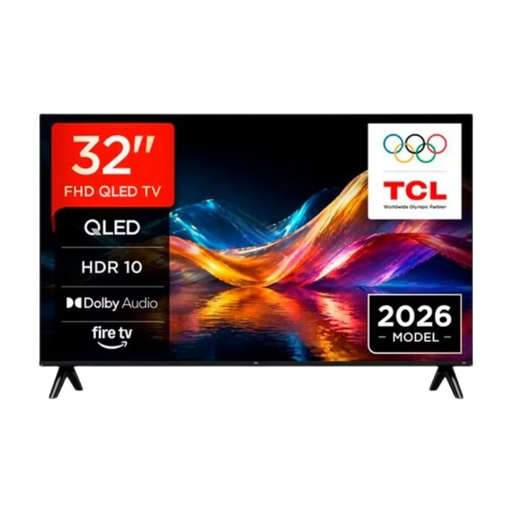
TCL 32V5D 32-inch QLED Smart TV
A 32-inch model to compare if you’re looking for a compact screen. Choose a size that suits your space and seating distance.
32 inch; QLED. Check the resolution of the specific version.
View at Joybuy
Frequently asked questions
How do you choose a screen size when not everyone is sitting at the same distance?
Measure the distance from the seats you plan to use, and check the picture from the sides too. The Consumentenbond suggests around 2.4 times the screen diagonal as a guide to a comfortable viewing distance, not a hard limit. Also check that the TV fits with its stand.
Can you show your project film from USB without a laptop?
It depends on the TV model and your final file, including its video and audio codecs and storage format. Compare these details with the specifications and test your export in advance. Alternatively, you could connect a laptop via HDMI.
How can you reduce reflections on the screen?
Check from the actual seats whether daylight falls on the screen. Milieu Centraal recommends positioning the TV somewhere that isn’t exposed to too much daylight, so you don’t need to turn up the brightness unnecessarily.
How do you compare the energy use of TVs?
Compare the energy use per 1,000 hours on the energy labels of the specific models. To estimate what this means for you, you’ll also need to know your expected viewing hours and electricity tariff.
When is a larger 4K TV a good fit for a student film?
A larger 4K model may be worth considering if you have enough space and the viewing distance is suitable. How much difference you can see also depends on the source resolution, so check your own film from the seats you plan to use.


