
Screening to an audience seated at the back
Measure the distance from the rearmost seat to the screen, then work out what image size will suit. Epson Netherlands recommends a viewing distance of up to eight times the screen height for video.


Start with the rearmost seat and the available screen height to work out what image size will be comfortable for your audience to watch. Then check whether the projector can produce that image size from its position, and whether its brightness, connections and sound are suitable for the room. A stated maximum image size alone does not guarantee a good screening.
Measure the distance from the rearmost seat to the screen, then work out what image size will suit. Epson Netherlands recommends a viewing distance of up to eight times the screen height for video.
If you cannot darken the room properly, consider the projector’s brightness alongside your preferred screen size and the ambient light.
Check in advance that you can connect your film source and easily adjust the image position and sound at each location.
| What to consider | What to check before buying | Who should pay particular attention? |
|---|---|---|
| Image visibility from the back | Measure the viewing distance, available screen height and distance from the projector lens to the screen separately. Epson Netherlands gives up to eight times the screen height as a guideline for video; this is not a guarantee for your film or venue. | If you want subtitles and image details to be easy to see from the back row, choose your screen size and projector position accordingly. Around 36% of consumers say visibility at the back is their top priority. |
| Visibility with the room lights on | Assess the amount of light in the room alongside your intended screen size. Only compare brightness figures when they are based on a suitable measurement standard. | If you cannot darken the room properly, you’ll want to know whether your chosen image size will work with the available light. Around 29% of consumers prioritise visibility in a bright room. |
| Playing film and sound | Test the actual file, connection and sound from the back row. Also check which cables, adapters or external audio equipment you’ll need. | If you want to connect a film source and make sure dialogue is clear at the back, check both the connection and the sound setup. Around 21% of consumers prioritise reliable playback and sound. |
| Setup and use | Check that the throw ratio suits the available space, and look at the light source and operating life for each mode on the exact model. | If you’ll be setting up the projector in different places regularly, find out what maintenance and additional equipment your use may involve. Around 14% of consumers put ease of setup and running costs first. |
Viewing distance helps you choose a suitable screen size, while the throw ratio determines what image the projector can produce from its position.
Before comparing models, measure the distance from the rearmost seat to the screen, the available screen height and the distance from the projector lens to the screen.
You may need a larger screen or a different projector position to achieve your chosen image size in the room.
Manufacturers use figures such as ANSI lumens, ISO lumens, and white and colour light output. Without a suitable measurement standard, these numbers are not a reliable basis for comparing models.
Note the measurement standard, assess the room lighting and, where possible, test your intended screen size in the room itself.
The stated speaker power alone does not tell you how clearly dialogue can be heard from the back row.
Test the sound with the final film and check in advance whether you’ll need an audio output, external sound equipment or an extra cable.
In a larger room, you may need to bring external sound equipment or a cable for the audio output.
Epson offers models for a range of setups, from home and classroom use to larger teaching spaces. The specifications of the exact model need to suit the room.
The TH585P is a Full HD lamp model worth considering if the projection distance suits the room and your chosen screen size.
The HORIZON offers an all-in-one approach, with automatic image correction and built-in speakers for flexible setups.
These Joybuy projectors offer a range of resolutions, brightness levels and setup features. Choose one to suit your viewing distance, projection position, room lighting and connection requirements.
 Image unavailable
This projector may suit you if you’re looking for native 4K UHD and some flexibility in image positioning. Check the distance to the screen in your venue.
The product details list 3,800 lumens, 1,3× manual optical zoom, two HDMI inputs and a built-in 15 W speaker. A projection screen and playback source are not included.
 Image unavailable
This projector may suit you if you want to adjust the image direction for different setup locations. Check that the listed features work for your space.
The product details list 4K UHD, 3,000 ANSI lumens, an adjustable gimbal, automatic calibration and a portable storage case.
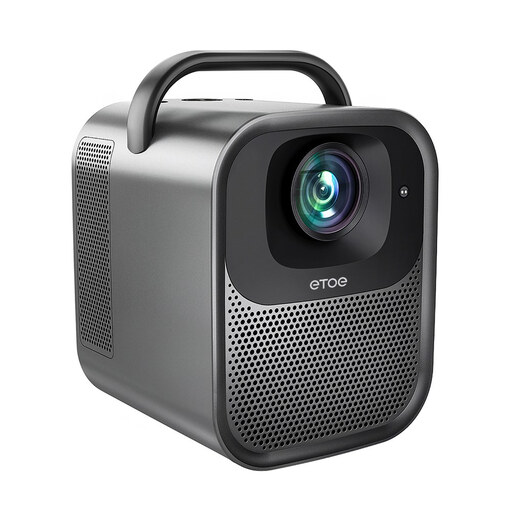 Image unavailable
This projector may suit you if you want to use a Full HD film source and factor in built-in speakers. Test the sound from the back row.
The product details list native 1080p, 1,300 ANSI lumens, autofocus, automatic keystone correction and two 10 W stereo speakers.
 Image unavailable
This projector may suit you if you’re considering 4K projection and built-in speakers. Assess the image size and sound in the context of your venue.
The product details list 2,450 ISO lumens, HDR10+, keystone correction and two built-in 12 W speakers.
 Image unavailable
This projector may suit you if native 1080p and an HDMI connection work with your film source. Check the image size and room lighting before you decide.
The product details list 900 ANSI lumens, a built-in 15 W speaker and automatic keystone correction.
No. Use the distance from the rearmost seat to the screen to assess your preferred image size, and measure the distance from the projector lens to the screen separately. Epson Netherlands provides guidelines for video based on screen height; also check that your chosen model can project the desired image size from the available position.
Play the final file from the intended source using the planned connection, then listen from the back row. BenQ lists HDMI and an audio output for the TH585P. Check that your computer has a suitable connection and that the sound is clear throughout the room.
Check the light source and stated operating life for each mode on the exact model. ACM ConsuWijzer distinguishes between the statutory guarantee and any manufacturer’s guarantee. For an online purchase by a consumer, the cooling-off period is generally 14 days after delivery; check which exceptions apply. Your statutory rights if a product does not meet your reasonable expectations are separate from any voluntary manufacturer’s guarantee.
The same rules do not apply to every type of content and screening. The Dutch Government says that, as a rule, you need permission from the creator to use copyright-protected films, photos and music. Auteursrechten.nl describes an exception for showing protected work for educational purposes as part of the curriculum, within an educational institution or during a digital lecture, provided there is no commercial purpose. Permission is needed for a student party unrelated to education. If you have made the film yourself, also check the rights to any contributions you have used.
The European Union explains that CE marking is mandatory for products covered by harmonised EU rules that require it; electrical and electronic equipment is among the product categories covered. Check the product information for the specific device. CE marking is not, by itself, an independent quality assessment.