
Showing a film without a laptop
You want to bring the film as a local file and play it directly on the projector. Check that the exact model has a media player, and test your own file beforehand. Philips lists a media player for the NeoPix 110.


If you want to play the film without a laptop, choose a projector whose built-in media player supports your video file. Philips lists this feature for the NeoPix 110, but doesn’t guarantee that every file will work. Connecting a laptop via HDMI is an alternative, for example if the room has more ambient light. Match the brightness, projection distance and audio setup to the venue. Test the final film in advance and check that you have permission to show the images and audio you’re using.
You want to bring the film as a local file and play it directly on the projector. Check that the exact model has a media player, and test your own file beforehand. Philips lists a media player for the NeoPix 110.
You can connect a laptop via HDMI and need the picture to remain visible in ambient light. Consider the brightness and the conditions the manufacturer recommends for the model. Epson lists 3,600 lumens of both white and colour light output for the EB-FH08.
You’ll be taking the projector with you, so you’ll need to check the distance, how much you can darken the room and the audio setup at each venue. BenQ recommends the GP100 for dim lighting. Portability alone doesn’t confirm that it can play a local file from USB.
Choose this option: if you want to show the film without a laptop and the exact model has a media player.
Bear in mind: a USB port doesn’t guarantee that your file will play with sound, so test it beforehand.
Choose this option: if you can play the film on a laptop and connect it via HDMI.
Bear in mind: you’ll also need to bring the laptop and a suitable cable. Check how you’ll play the audio for your audience.
Choose this option: if you’ll be moving between venues and can dim the room. BenQ recommends the GP100 for dim lighting.
Bear in mind: portability and autofocus don’t confirm that the model can play your file directly from USB, or that it’s suitable for a bright room.
| What to consider | What should you check? | Who is this important for? |
|---|---|---|
| Playing your file | Check whether the exact model has a media player, and test the whole film, including the sound and any subtitles. | If I want to play the film without a laptop, I need to know that my own file will work. Around 36% of consumers prioritise being able to play files directly. |
| Visibility in ambient light | Check the stated brightness and the conditions the manufacturer considers suitable for the model. Don’t compare figures without considering how they were measured. | If I’m projecting in a room that I can’t darken properly, the picture needs to be visible in that space. Around 29% of consumers give top priority to visibility in ambient light. |
| Projection distance | Measure the distance to the projection surface and check what image size the exact model can produce at that distance. | If space is limited, I need to know whether the projector can produce the picture size I want from the available distance. Around 21% of consumers base their choice mainly on the room and projection distance. |
| Portability and sound | Check the connections and built-in audio for each model. Listen to a test screening from the seats your audience will use. | If I’m showing the film in different places, I need to be able to position the projector and make sure the sound works for the audience. Around 14% of consumers place the most value on portability and a suitable audio setup. |
A connection alone doesn’t confirm that the projector can play video files by itself. Philips lists a built-in media player for the NeoPix 110; even then, test the final file with sound.
Look up the media player feature for the exact model and play the whole film in advance. If direct playback doesn’t work, you could use a laptop via HDMI instead.
If the projector can’t play the file by itself, you may need to bring a laptop, cable or separate media player.
BenQ recommends the GP100 for dim lighting, while Epson lists 3,600 lumens of both white and colour light output for the EB-FH08. These model-specific features make the conditions in your screening room important.
First, work out how much you can darken the room. Then compare the brightness and the manufacturer’s recommendations, without treating figures measured on different bases as equivalent.
Stated image sizes apply to specific models and setups. The maximum size alone doesn’t tell you what image you’ll get at the distance available in your room.
Measure the distance between the projector and the projection surface, then check the image size for the exact model at that distance.
You may need to change the projector’s position or screen size to suit the room.
The NeoPix 110 is one option for showing a film with its built-in media player in a small, dark room.
The EB-FH08 is an option if you want to show a local file from a laptop via HDMI.
The portable GP100 is an option for different venues where you can dim the lighting.
These product picks are mainly intended for showing a student film from a laptop via HDMI; one model also lists direct media playback from USB. Check the playback options for your own file and make sure the other features suit the room.
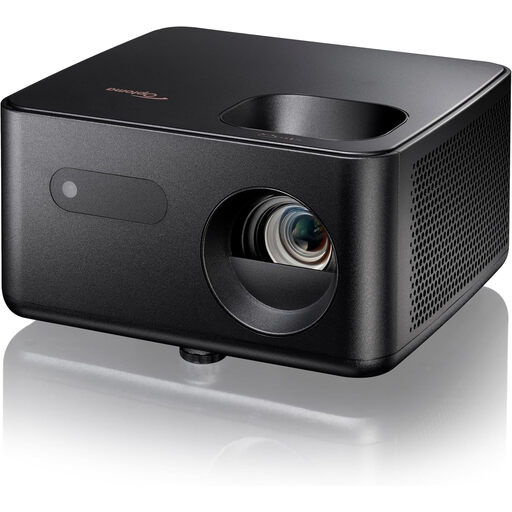 No image available
An HDMI option for showing a local film file from a connected laptop.
Full HD 1080p; 1,500 lumens; HDMI; 60–150-inch image size; automatic vertical keystone correction.
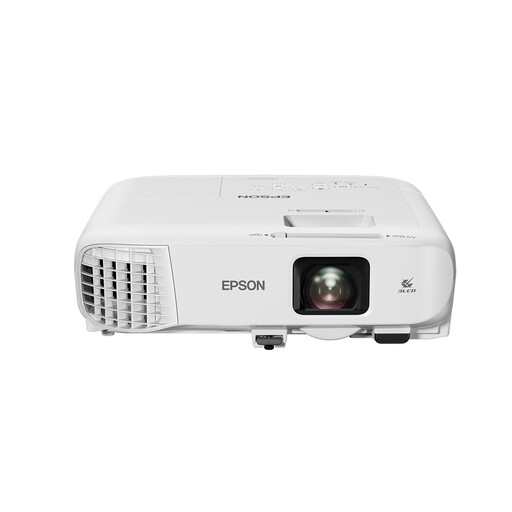 No image available
An HDMI option for a local file on a laptop; the product description recommends this model for bright rooms.
WXGA (1280 × 800); 4,200 ANSI lumens; 1.6× optical zoom; built-in 16 W speaker.
 No image available
An HDMI option for a film file on a laptop when you want to use the projector in different places.
WXGA (1280 × 800); 3,000 lumens of white and colour light output; lightweight design and carry case, according to the product description.
 No image available
An HDMI option for a local file on a laptop, with picture settings that can be adjusted automatically, according to the product description.
Native 1080p; 900 ANSI lumens; autofocus; automatic keystone correction; 1:1 projection ratio at 1.35 metres.
 No image available
An option for playing media directly from a USB stick, according to the product description. Test your own film and sound in advance.
Full HD 1080p; 500 ANSI lumens, according to the product description; 360° rotation; autofocus; built-in 5 W speakers.
Only if the specific model can play files from USB and supports your file. Philips lists a built-in media player for the NeoPix 110, but that doesn’t guarantee that every file will be compatible. Test the final video and sound in advance; if needed, use a laptop via HDMI.
Measure the projection distance and check whether the model can produce your desired image size from that distance. Also test the focus and sound from the audience’s seats. Philips lists an image size of up to 65 inches for the NeoPix 110, while BenQ lists 120 inches at 3.2 metres for the GP100. These figures apply to specific models and setups; they aren’t a guarantee for your room.
That depends on the rights to the material and the nature of the screening. According to the Dutch Government, you need permission from the creator to use copyright-protected films, photos and music. An educational exception may apply in certain circumstances, but it doesn’t grant blanket permission for a public screening.
If the product is faulty, your statutory rights under consumer law may apply; ACM ConsuWijzer distinguishes these from any manufacturer’s guarantee. Online purchases usually also come with a 14-day cancellation period from delivery, subject to applicable exceptions and conditions. The right to cancel a distance purchase is different from a remedy for a faulty product.