What should you look for?
Start by looking at the seating and playback options, then check whether the dialogue is easy to follow without extra equipment.
| What to consider |
What should you check? |
Who should give this more consideration? |
| Visibility for the group |
Measure the distance to the seats and check the picture from the seats at either end, with the lighting you’ll have during the event. |
If I want guests at the back and sides to follow the film, I prioritise screen size and viewing angle. Around 34% of consumers say group visibility is their main concern. |
| Playing the film |
Choose between a laptop connected via HDMI and direct USB playback; test the final film, including its sound. |
If I’m bringing my own exported file, I want to be sure it plays without any problems. Around 33% of consumers prioritise reliable playback. |
| Clear dialogue |
Listen to a scene with dialogue from different seats. If you’re using external audio, check that the TV and sound system have compatible connections; the Dutch Consumers’ Association lists HDMI-ARC or eARC as options for connecting sound systems. |
If conversation is important to the film, I want the voices to be clear even further away from the TV. Around 20% of consumers prioritise dialogue clarity. |
| Energy and set-up |
Compare the EU energy labels of the models you’re considering and check which connections your set-up requires. |
If I want to keep using the TV after the event, I consider its energy use and the set-up it requires. Around 13% of consumers say this is their main concern. |
TVs at Joybuy
These models offer a range of screen sizes and connection options to compare for a group screening. Check which playback option suits your film.
 No image available
Hisense 55A6S Smart TV 2026, 55 inch 4K UHD
The 55-inch screen gives you a specific diagonal measurement to compare with the distance to the seats.
55 inch (139 cm), 4K UHD, LED, energy class E. The product description lists three HDMI connections and Dolby Vision.
View at Joybuy
 No image available
METZ 55MNE8000Z, 55 inch QD-Mini LED Google TV
The 55-inch diagonal helps you match the screen size to the group’s viewing distance.
55 inch (140 cm), QD-Mini LED, 4K, 144Hz and HDMI 2.1. The product information also lists a 2.1.2 sound system and Dolby Vision.
View at Joybuy
 No image available
TCL 55T8C, 55 inch 4K QLED Smart TV
This 55-inch model gives you a screen diagonal to compare with the distance and spread of the seats.
4K QLED, 144Hz and HDMI 2.1.
View at Joybuy
 No image available
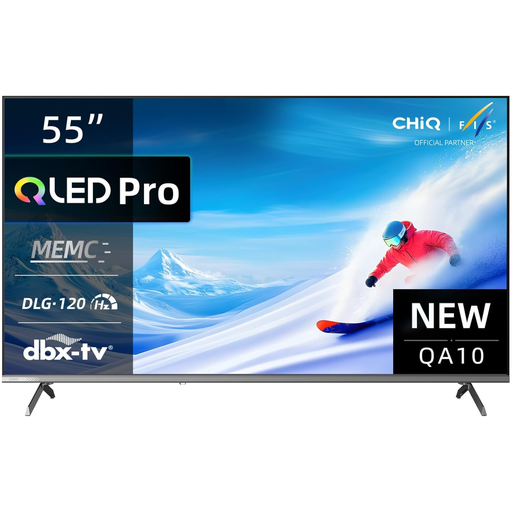
CHiQ U55QM10E, 55 inch 4K Ultra HD QLED
The 55-inch diagonal gives you a size to compare with your viewing distance and available space.
4K Ultra HD, QLED and HDR10.
View at Joybuy
 No image available
Hisense 75E8Q, 75 inch 4K Mini-LED Smart TV
A 75-inch screen is an option to compare once you’ve measured the viewing distance and available space.
4K Mini-LED, 144Hz and four HDMI inputs.
View at Joybuy
Frequently asked questions
How do I choose a screen size when guests will be sitting at different distances?
Measure the distance from each viewing position and check the available width of the furniture or wall too. The Dutch Consumers’ Association suggests around 2.4 times the screen diagonal as a starting point for comfortable viewing. For a group, check the picture from the seats at either end as well.
Can I play the film from a USB drive without using a laptop?
Only if the TV supports the storage format and the video and audio encoding of your file. Check the model specifications and test the final film before the event.
What should I check if I want to use external audio?
Check that the TV and sound system have compatible connections. For a soundbar, this could be HDMI-ARC or eARC. Listen to a dialogue scene to decide whether you need external audio for your room.
What warranty applies to a purchase in the Netherlands?
According to the Dutch government, you’re entitled to a product that works as it should, but there is no fixed statutory warranty period in the Netherlands. If a product is faulty, the seller must provide a solution; a manufacturer’s warranty is an addition to this right.
What happens to my old TV, and how can I compare energy use?
If you’re buying a similar new appliance as a private customer, the seller must take your old TV away free of charge, including when you buy online, according to the Dutch government. The EU energy label for a specific model helps you compare energy use.


