
Dedicated stereo listener
Listens from one spot and wants to hear the left and right channels of recordings separately. Has room for two compatible speakers.


If you mainly listen from one spot and want to hear the left and right channels separately, a stereo pair is the most direct choice, provided you can accommodate and buy two speakers. One speaker is more practical if you listen in different places or want to start with a single device; just check that you can play your recordings using your preferred playback method. Spatial audio from one speaker is not the same as two separately positioned stereo channels.
Listens from one spot and wants to hear the left and right channels of recordings separately. Has room for two compatible speakers.
Wants to enjoy music around a spacious living room, rather than only from one fixed seat, and is weighing up one speaker against two separate speaker positions.
Already has recordings, a music service or a preferred device, and wants to check in advance which app, AirPlay, Bluetooth or input can be used to play them.
First decide whether hearing separate stereo channels from one spot matters more to you than listening in different places with a single device. Then check that your existing recordings and playback device will work with your chosen method.
| What to consider | What should you check? | Who will this matter most to? |
|---|---|---|
| Separate stereo image | Check whether two speakers of your chosen model can form a stereo pair and whether you can position them around your listening spot. | If I’m listening to a recording from my usual spot, I want to hear the left and right channels separately. Around 36% of consumers give a separate stereo image top priority. |
| Listening in different places | Map out your listening spots and available space. Sonos recommends placing a Sonos stereo pair 2.5–3 metres apart, with 2.5–3.5 metres between the speakers and your favourite listening spot. | If you also listen from the other side of the living room, you won’t want to be limited to one fixed seat. Around 29% of consumers prioritise being able to listen from different places. |
| Playing your recordings | Make a note of where your music is stored and how you play it, then compare this with the services, AirPlay, Bluetooth or line-in options available on the exact model. | If you want to play existing recordings through a service you know or your own device, it’s worth checking the playback method in advance. Around 21% of consumers prioritise compatibility with their own source. |
| Simplicity and microphones | Compare what’s involved in setting up each option, and check whether the model has microphones, how they’re controlled and which accessories you’ll need. | If you want to start with one device or would rather not have a microphone in your speaker, setup and controls will be important. Around 14% of consumers give a simple or microphone-free option top priority. |
A spatial audio feature doesn’t mean that one speaker can replace two separately positioned speakers playing the left and right channels.
First decide whether you want to hear separate stereo channels from one spot, and whether you have room for two compatible speakers.
The Sonos Era 300 requires a separate adapter for its line-in connection, sold separately.
Denon describes the Home 150 NV as a version without built-in microphones or a voice assistant.
Check the full model name if built-in voice control, or the absence of microphones, is important to you.
The Era 300 is worth comparing if you’re looking for Wi-Fi, Bluetooth, a line-in connection via an adapter or the option to create a stereo pair.
The second-generation HomePod is worth considering if you use a compatible iPhone- or iPad-controlled system and might want to create a stereo pair.
The Home 150 NV is designed for anyone looking for a HEOS network speaker without built-in microphones. Make sure you’re looking at the NV version.
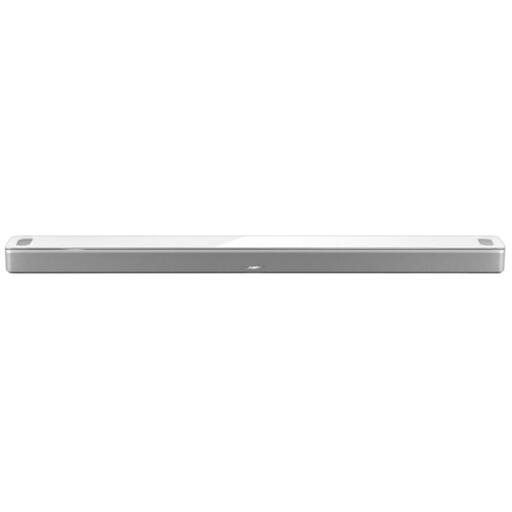
This Joybuy selection is about playing music wirelessly in your living room. The Bose Smart Ultra is a soundbar, so its shape is different from a standalone speaker; check that it suits your setup.
 No image available
If you’re looking for a standalone wireless speaker, you can compare this model with the playback methods you use at home.
The product name lists WLAN, Bluetooth, AirPlay 2, LDAC, USB, AUX and multiroom, as well as 60 W, Hi-Res Audio and 12 hours of battery life.
 No image available
If you’re considering a soundbar instead of a standalone speaker, check that its shape and intended position suit your living room.
For a HomePod stereo pair, Apple requires two speakers of the same model; Sonos also explains how to pair speakers of the same model. For Sonos, check the documented exceptions for related versions before pairing different variants.
Apple requires an iPhone or iPad for setup; a Mac on its own isn’t enough. The device you use for setup must be on the same Wi-Fi network as the HomePod.
Not as a direct USB-C audio connection: Sonos describes using the line-in connection with a Sonos Line-In Adapter or Combo Adapter, sold separately. Also check which audio output your CD player has.