
Documentary fans with specific services in mind
You’ll want to check in advance that both the documentary you’re after and its app are available. NPO Start offers documentaries, but availability and access can vary by title and subscription type.


First, check whether the documentary and its app are already available on your TV. If they are, you may not need an extra device. A streaming stick takes up very little space and may be a good fit if the Wi-Fi signal is strong enough where you plan to use it. A separate box makes more sense if, for example, you want built-in Ethernet and have room for the device and its cables. A 4K label doesn’t guarantee that the documentary, TV and service will all support 4K playback together.
You’ll want to check in advance that both the documentary you’re after and its app are available. NPO Start offers documentaries, but availability and access can vary by title and subscription type.
You want to keep your setup compact, and are comparing an app on your existing TV with a stick that connects via HDMI. Remember to allow room for the plug and power supply, too.
You want to be able to connect a network cable and may have room for a separate box and its cables. Check whether your chosen device has built-in Ethernet.
Choose this if: your TV supports the app for your documentary service and it works the way you want it to.
Bear in mind: apps and titles aren’t available on every TV or service.
Choose this if: you have little space beside your TV, a suitable HDMI port is available and the Wi-Fi signal is strong enough there.
Bear in mind: the stick needs power and uses Wi-Fi.
Choose this if: you have room beside your TV and built-in Ethernet or other connections are important to you.
Bear in mind: the box and its cables take up space.
| What to consider | What should you check? | Who should pay particular attention? |
|---|---|---|
| Access to documentaries | Search for the title you want on the provider’s service and check whether its app is available on your TV or intended streaming device. Also check what access or subscription is required. | I want to make sure the title and service are available before buying any equipment. Access is the main reason for around 42% of consumers. |
| Compact setup | Check the HDMI connection, the space behind your TV and where the power supply can go. Also consider whether you’d prefer to use a remote control or your phone. | If there’s little space around my TV, I want to know whether a stick will fit without the power supply getting in the way. Around 25% of consumers say a compact setup is their top priority. |
| Network connection | Check whether Ethernet is built in and whether there’s a network connection nearby, or see if the Wi-Fi signal is strong enough where your TV is. Netflix recommends a stable connection of at least 15 Mbps for its 4K streams; this isn’t a general requirement for other services. | I want to be able to use a network cable, so I need a device with built-in Ethernet. This feature is a top priority for around 17% of consumers. |
| Picture and sound formats | Compare what your TV and sound equipment support with the formats offered by the specific title and service. NPO lists HD for both free NPO Start and Plus. | If I want to use particular picture or sound formats, my TV, equipment and the content I watch all need to support them. Around 16% of consumers say compatibility is their top priority. |
Actual playback quality also depends on the title, TV and service. NPO lists HD for NPO Start and Plus; a 4K streaming device doesn’t change that.
Check the picture quality available for the specific title and what your TV supports. Netflix’s recommendation of at least 15 Mbps applies to Netflix streams in 4K, not to documentaries in general.
A stick connects via HDMI, but it also needs power. The space behind your TV can affect how easy it is to fit one.
Check the power requirements and accessories included with the exact version, and make sure there’s enough space around the HDMI port.
Specifications can vary between generations. For example, Apple lists different product specifications for the Apple TV 4K (4th generation) and the 2022 generation.
Compare the full model name and generation, and check the connections and box contents for the specific product.
The Google TV Streamer (4K) is a separate box for anyone looking for Google TV, casting and built-in Ethernet.
The TV Stick 4K (2nd Gen) is a compact Google TV stick for a setup without a separate box.
The LEAP-S3+V2 is a Google TV box for anyone looking for features such as Ethernet and a remote control with number buttons.
The Apple TV 4K (4th generation) is a box for anyone looking for Apple TV controls and built-in Ethernet.
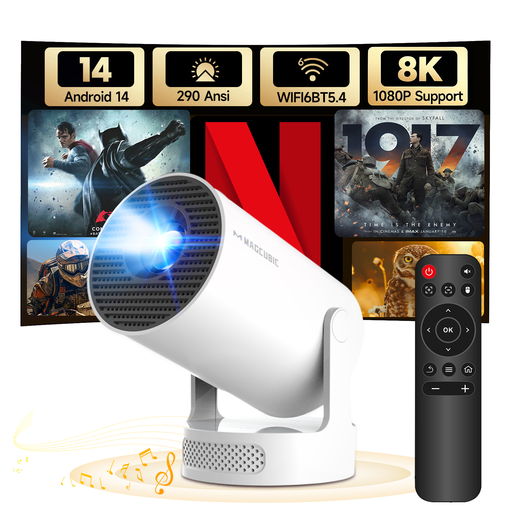
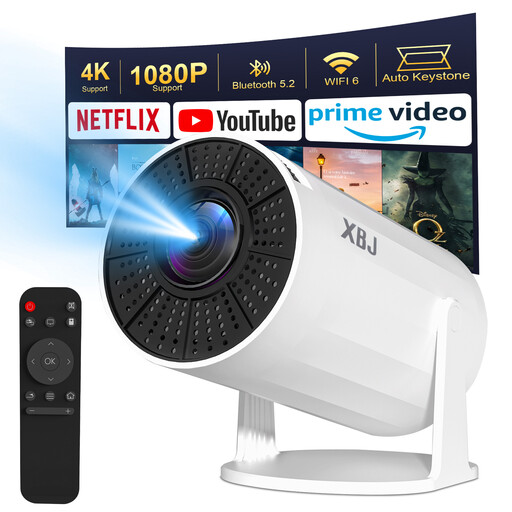
This selection features projectors with built-in Android streaming features, not separate streaming sticks or boxes. Check that the apps for your services are available; both models list a native resolution of 720P.
 No image available
Built-in Android 14 and Wi-Fi may be useful if you’re looking for streaming features in a projector. Check in advance that the apps for your services are available.
Native resolution: 720P. Support for higher content resolutions doesn’t change the native resolution.
The projector needs a mains socket. According to the product information, the rotating stand can be adjusted by 180°.
 No image available
The product information lists Android TV 11 and Wi-Fi for streaming via apps. Check that the services and documentaries you want are available.
Native resolution: 720P. The product name mentions support for higher content resolutions, but that doesn’t mean it has a higher native resolution.
The projector runs on mains power and has no battery. The product information lists a rotating setup and a screen size of 40 inches and above.
Not just for NPO Start: NPO lists HD for both the free version and Plus. For another service, check the specific title, your subscription and what your TV supports.
Check that you have a spare HDMI port and somewhere for the power supply and cables. Xiaomi lists a power supply and HDMI extension cable in the box with the TV Stick 4K (2nd Gen); Google says a suitable HDMI cable is required separately for the Google TV Streamer.
First, check that your phone and compatible streaming device are connected to the same Wi-Fi network. Netflix recommends this check when no devices are found; it won’t necessarily fix other problems.
According to the Dutch government, a 14-day cooling-off period applies to many distance purchases, with some exceptions. Before buying, check the seller’s information about the product and cooling-off period.
The Dutch Authority for Digital Infrastructure says wireless equipment must meet European requirements and carry a CE marking to be sold in Europe. This general rule doesn’t confirm that a specific listing complies.