First, check how your chosen opera service works on your TV: through a TV app, Google Cast, AirPlay or YouTube. A compact stick is a good fit where the Wi-Fi signal is strong. If you can connect a network cable, a device with Ethernet may be an option. Also check the HDMI connection, how it will connect to your audio equipment and any subscription costs.
Who is this relevant to?
Viewer with a regular opera service
You want to know in advance whether services such as medici.tv, Met Opera on Demand or OperaVision work through the controls you plan to use on your TV. OperaVision, the medici.tv Help Center and the Metropolitan Opera each describe their own ways to watch.
Viewer with an unreliable Wi-Fi connection
You want to watch a long performance without network interruptions, and you can check whether an Ethernet connection is possible where your TV is set up. The medici.tv Help Center specifies that Google Cast devices must use the same Wi-Fi network; Google and Apple list Ethernet on certain devices.
Viewer with limited space behind the TV
You’re looking for a compact set-up and want to check that the device, HDMI port and power supply will fit. Xiaomi and Strong describe compact streaming sticks; also check which apps work on the exact device you’re considering.
What should you look for when choosing?
| Buying concern |
What should you check? |
Who should consider this? |
| Access to the opera recordings you want |
Check that the service and the required app or casting method work on the exact device. |
If I want to control my regular opera service directly on the TV, that way of watching needs to be available. Around 36% of consumers say access to their preferred service is their top priority. |
| Connection during a long performance |
Check whether Wi-Fi works well where your TV is set up, or whether you can connect Ethernet. For Apple TV, check which model you’re looking at. |
If I’m watching a long performance, I want to know whether the connection where the TV is set up will work with my set-up. Around 29% of consumers put network connectivity first. |
| The right picture and sound |
Check the performance’s subtitles, your TV and sound system’s capabilities, and the device’s supported formats. |
If subtitles, picture and sound need to work well with my existing equipment, I look beyond the player’s output alone. Around 21% of consumers say picture and sound are their top priority. |
| Space and extra costs |
Check the space behind your TV, the accessories included and the cost of your chosen service. |
If space is limited and I want to avoid unnecessary device or service costs, I also compare the options available on my existing TV. Around 14% of consumers put space and cost first. |
Pitfalls to watch out for
-
Choosing based on 4K alone
4K output doesn’t automatically mean that your preferred opera service is available as a TV app, or that the recording and your TV support 4K.
First check how you can watch the service, then check whether the recording, TV and any audio equipment support the format you want.
-
Assuming AirPlay and Google Cast are interchangeable
medici.tv says that AirPlay can’t be started from its Android app. The right method therefore depends on both your sending device and the receiver.
Check which casting methods are supported by your phone or computer and your streaming device.
-
Comparing device prices alone
Some players need a separate HDMI cable. A subscription is required to access the Met Opera on Demand app on Fire TV.
Check what’s included in the box and the terms of your chosen opera service before choosing a device.
A separate HDMI cable or subscription may involve extra costs.
-
Assuming your favourite performance will always be available
OperaVision says that productions are available for a limited time, usually around six months.
If a particular performance is important to your choice, check how long that recording will be available.
Brands with relevant ways to watch
These brands are relevant because of the devices, apps or connection options they describe. This doesn’t mean every model or version offers the same way to watch.
Google
The Google TV Streamer (4K) is a standalone player for anyone looking for Google Cast and an Ethernet port in one device.
- Google Store Netherlands lists Android TV OS, Ethernet, up to 4K HDR and 32 GB of storage. medici.tv lists the Google TV Streamer as a Google Cast receiver.
- Google says a certified HDMI 2.1 cable is required separately.
Apple
Apple TV 4K is one option if you want to use the Apple TV app or AirPlay from an Apple device.
- Apple Netherlands lists 64 GB of storage for the Wi-Fi model and 128 GB plus Gigabit Ethernet for the Wi‑Fi + Ethernet model.
- The models listed require a separate HDMI cable. medici.tv says that AirPlay can’t be started from its Android app.
Xiaomi
The TV Stick 4K (2nd Gen) is a compact Google TV option for a TV set-up with a reliable wireless connection.
- Xiaomi Netherlands lists 4K output, 2 GB RAM, 8 GB of storage, and an included adapter and HDMI extension cable.
- Xiaomi says the stick needs a wireless connection. Check whether your preferred opera app is available on this exact model.
Strong
The LEAP-NOVA is a compact Google TV stick with Google Cast.
- Strong lists Android 14, 32 GB of storage and Wi-Fi 6 for this product range.
- Check whether your preferred opera app is available on the version you’re considering.
Amazon
Fire TV is worth considering if you want to use the documented Met Opera on Demand app on a Fire TV device.
- The Metropolitan Opera confirms that a Fire TV app is available. Amazon Netherlands lists 4K and 16 GB of storage, among other features, for the Fire TV Stick 4K Max.
- A Met Opera on Demand subscription is required to access the app. According to the Metropolitan Opera, rentals via its website aren’t available in the Fire TV app; support for this service doesn’t tell you whether other opera apps are available.
Joybuy product
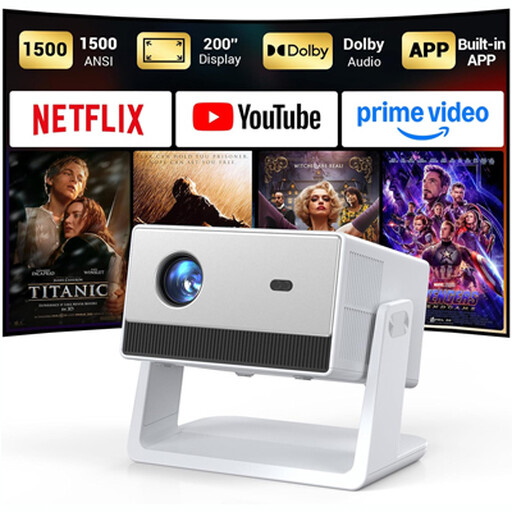
This product option is a projector with built-in streaming features, for watching OperaVision via YouTube. It offers a different set-up from a standalone streaming stick for an existing TV.
 No image available
Funfilx Smart Projector, native 1080P
An option if you want to watch OperaVision via YouTube and are looking for a projector rather than streaming on an existing TV. Check that this way of watching suits your living room.
The product name lists native 1080P, Wi-Fi, Bluetooth, built-in apps and autofocus. The product information also lists YouTube as a built-in streaming app.
View at Joybuy
Frequently asked questions
Do you need a new device for OperaVision?
Not necessarily: OperaVision lists the YouTube app on your TV as one way to watch. First check whether the app works on your existing TV or player. Productions are usually available for around six months.
How can you watch medici.tv without using a separate TV app?
medici.tv documents Google Cast and AirPlay. For Google Cast, the sending device and receiver must be compatible and connected to the same Wi-Fi network. According to medici.tv, AirPlay can’t be started from its Android app.
What should you check when setting up behind your TV?
Check that you have a spare HDMI port, enough room for the device and power supply, and know which cables are included. Xiaomi lists an adapter and HDMI extension cable with the TV Stick 4K (2nd Gen); Google and Apple say their respective players require a separate HDMI cable.
Does buying a streaming device also buy you access to opera recordings?
No. OperaVision describes YouTube as a way to watch its productions, while the Metropolitan Opera requires a Met Opera on Demand subscription to access the Fire TV app. Check the terms of the service you want to use.
What rights do you have in the Netherlands if a device bought online doesn’t work properly?
The Dutch government says that products come with a statutory guarantee and that the seller must provide a solution if a product is faulty. In many cases, online purchases are also covered by a 14-day cooling-off period; this is a separate right from the guarantee.


