Which option is right for you?

Watching a particular musical film

First, you want to know whether the film is available on a service that works on your TV or player. A musical category doesn’t automatically mean a particular title is available: Disney+ and Netflix each have their own selection.

Music lover who cares about sound

You want to know how vocals and music will sound through your TV or audio system. The audio available also depends on the title, service and connected equipment. Netflix, for example, explains what you need for Dolby Atmos playback.

Short on space around the TV

You’re looking for straightforward controls and minimal visible equipment, while also bearing in mind that an extra device needs an available HDMI port, power and cables.

What should you consider when choosing?

Using your smart TV’s apps

A good fit if: your TV’s app can actually play the service and musical film you want.

Keep in mind: your TV’s range of apps may be limited or change over time. Check the service and title on your device.

A streaming stick

A good fit if: your TV doesn’t have the app you need and you’d rather not have a visible box in a small living room.

Keep in mind: a stick also needs an available HDMI port and power.

A streaming box

A good fit if: you have space for a box and would like features such as a built-in Ethernet port.

Keep in mind: a box takes up space and may need a separate HDMI cable. Check what’s included with the version you choose.

What to consider What should you check? Who should pay particular attention?
Access to the film Check that the specific title is available on your preferred service and that the service works on your TV or player. If I mainly want to be sure that the particular musical film will play, I first check the title and service on my TV. Around 31% of consumers prioritise access to films.
Vocals and music Check the title’s audio format, what your subscription supports, and whether your TV and audio system are compatible. I want to assess vocals and music with my own audio setup, rather than relying only on a logo on the player. Around 31% of consumers put sound first.
Space and set-up Check that you have a free HDMI port and the required power supply, and find out which cables are included. In a small living room, I want as little equipment and as few cables on show as possible. Around 23% of consumers prioritise a compact set-up.
Picture and connection Check that the title, subscription and TV support the picture features you want. Also consider whether Ethernet or Wi-Fi suits your set-up. If picture features or the network connection are decisive for me, I compare the specifications with my TV and network. Around 15% of consumers prioritise picture or connectivity.

Buying pitfalls

  • Assuming a 4K or Atmos logo guarantees it for every musical film

    The title, streaming service, subscription and the rest of your picture or audio set-up all help determine what you can actually play. Netflix says Dolby Atmos requires, among other things, a suitable service and compatible equipment.

    Before treating a format as a deal-breaker, check the specific title and what your current TV and audio set-up can support.

  • Choosing a box without checking the cable and space requirements

    Even in a small living room, a box needs to be connected and powered. Google and Apple state that the HDMI cable for the boxes mentioned is sold separately; Xiaomi lists an HDMI cable as included with the TV Box S (3rd Gen).

    Before ordering, check the available space for connections and what’s included with the exact version you’re considering.

    You’ll need to buy an HDMI cable separately for the Google and Apple boxes mentioned.

  • Assuming similar Fire TV names mean the same version

    Similar product names don’t prove that the model and features are the same.

    Before buying, compare the full model name and specifications of the version you’re considering.

Brands to compare

Google

The Google TV Streamer (4K) is a box to consider if you’re looking for apps and built-in gigabit Ethernet.

  • Google lists 4K HDR, Dolby Atmos and Ethernet for this model.
  • Google says an HDMI 2.1 cable isn’t included. The listed formats don’t guarantee that every film will use them.

Apple

The Apple TV 4K (4th generation) could suit you if its apps and controls work well with your set-up.

  • Apple lists gigabit Ethernet and Dolby Atmos, as well as support for HD and UHD TVs with HDMI.
  • You’ll need a suitable TV for 4K HDR, and the HDMI cable is sold separately. An Apple Account is required to buy or rent films.

Xiaomi

The TV Box S (3rd Gen) is a Google TV box for anyone using Wi-Fi who appreciates an HDMI cable included in the box.

  • Xiaomi lists 4K output, Dolby Vision, 2.4 and 5 GHz Wi-Fi, and an HDMI cable included in the box.
  • Ethernet isn’t listed among the ports specified by Xiaomi. A shop description alone also doesn’t guarantee Atmos playback.

Joybuy products

These products suit the smart TV option or offer a projector for streaming. For wireless equipment, check the CE mark and EU declaration of conformity for the specific version.

METZ 43MQF7500Z 43-inch QLED 4K UHD Google TV

METZ 43MQF7500Z, 43-inch, QLED 4K UHD Google TV

A smart TV option if you’re also looking for a television with Google TV built in. Check that the service and film you want are available on your device.

The product title lists HDR10+, Dolby Vision and Dolby Atmos. These features don’t guarantee that every title or set-up will use them.

View at Joybuy
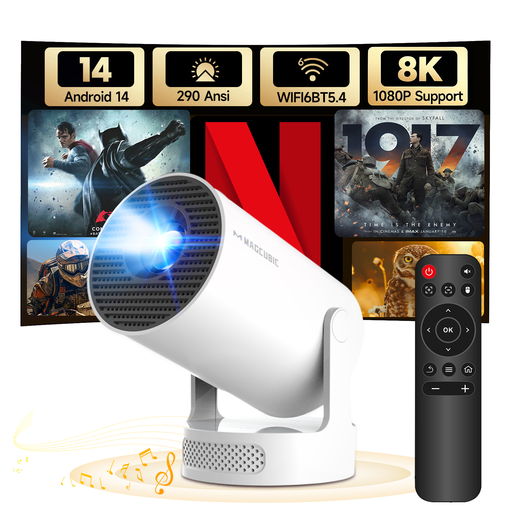
MAGCUBIC HY300Pro+ mini projector

MAGCUBIC HY300Pro+ mini projector

This projector is an option if you’re considering streaming via a projection set-up, rather than a separate TV stick. The product information lists Android 14 and Wi-Fi for streaming video.

The native resolution is 720p. The product title mentions support for 1080P and 8K, but that doesn’t mean the native resolution is higher.

View at Joybuy
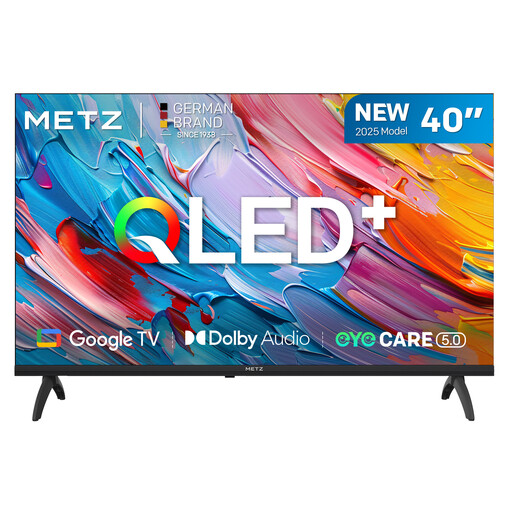
METZ 40MQF7000Z 40-inch 2025 QLED HD Google TV

METZ 40MQF7000Z, 40-inch, 2025 QLED HD Google TV

A smart TV option if you’re considering a Google TV set. Before buying, check that the service and musical film you want are available on the TV.

The product title lists HD, HDR10, HLG and Dolby Audio. The screen measures 40 inches.

View at Joybuy
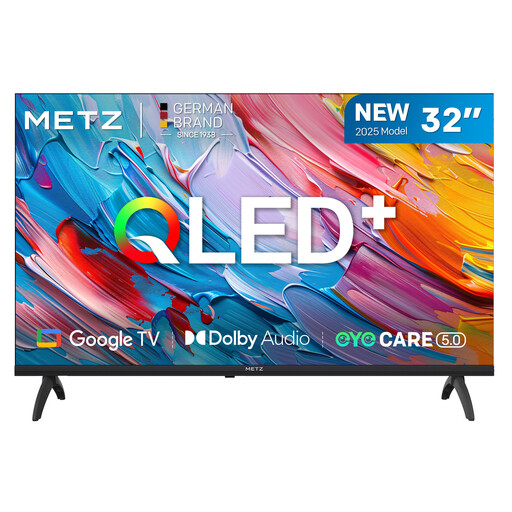
METZ 32MQF7000Z 32-inch 2025 QLED HD Google TV

METZ 32MQF7000Z, 32-inch, 2025 QLED HD Google TV

A smart TV option if you’re looking for a Google TV set and want to choose a screen size that suits your available space. Check that the app and title you want are available on the device.

The product title lists HD, HDR10, HLG, Dolby Audio and a 93% DCI-P3 colour gamut.

View at Joybuy

METZ 55MNE8000Z 55-inch QD-Mini LED Google TV

METZ 55MNE8000Z, 55-inch, QD-Mini LED Google TV

A smart TV option if you’re looking for a larger screen. Bear in mind how much space a 55-inch set will take up in a small living room.

The product title lists 4K, 144 Hz, HDR10+, Dolby Vision and Dolby Atmos. Actual playback also depends on the title and connected equipment.

View at Joybuy

Frequently asked questions

Do I need to buy a separate media player if my smart TV already has streaming apps?

Not necessarily. Check that the film you want is available on a service and that its app works on your TV. A separate player may be useful if the app you need is missing or no longer supported.

What should I check when setting up in a small living room?

Check that you have an HDMI port, power and space for any cables or stick you need. Google and Apple say you need to buy an HDMI cable separately for the boxes mentioned; Xiaomi lists a cable as included with the TV Box S (3rd Gen).

Will a streamer with Dolby Atmos automatically give me better musical sound?

No. For Dolby Atmos on Netflix, Netflix lists requirements including a suitable subscription, a supported playback device, a compatible audio system and a title with that audio version. So consider your whole set-up, not just the logo on the player.

What are my rights when buying a streaming device in the Netherlands?

For an online consumer purchase covered by the rules, you generally have a 14-day cooling-off period, according to the Dutch government. This is separate from your rights if a product is faulty: the seller is your point of contact. According to the Dutch government, the Netherlands has no fixed statutory guarantee period.

What product rules apply to a wireless streamer?

Wi-Fi and Bluetooth equipment sold on the EU market is subject to the applicable rules for radio equipment. The European Commission explains that, after the required conformity assessment, the manufacturer must draw up an EU declaration of conformity and affix the CE mark. Check the documentation and marking for the specific version.
