What to look for in a streaming device
Before the evening, check the title and app first, then the picture options and connection. After that, see whether extra hardware and controls would add anything to the TV you already have.
| What to consider |
What should you check? |
Who should pay particular attention? |
| Access to the title and app |
Check that the title and app you want are available on the TV or player you plan to use. The range of apps varies by TV system, according to the Consumers’ Association. |
If I want to start the documentary with guests, I want to know in advance that the title and app work; around 33% of consumers prioritise access to the title and app they want. |
| Picture quality to suit your needs |
Check the title’s quality label, your subscription terms and the capabilities of both your TV and player. |
Anyone who judges nature footage mainly on resolution and HDR will want every component to support the same format; around 27% of consumers put suitable picture quality first. |
| Stable connection |
Test the stream where you plan to watch. Netflix recommends a stable connection of 15 Mbps or higher for 4K UHD; this recommendation applies to Netflix. |
If I want to watch with guests without connection problems, I want to test the connection where we plan to watch; around 20% of consumers prioritise a stable stream. |
| Ease of use and extra equipment |
Try the TV app and remote first. Then check what’s in the box and whether you can use the service you want. |
If you want to keep set-up simple and avoid buying unnecessary hardware, start with what’s already available on your TV; around 20% of consumers prioritise simplicity and avoiding unnecessary purchases. |
Projectors with streaming features
These Joybuy products are projectors with built-in streaming features, designed for using apps directly on the projector. Check in advance that the service you want works on the exact model and that its picture capabilities meet your expectations.
 No image available
2026 Video Projector, white
An option if you want to use a streaming app directly on the projector; check in advance that the app and title you want are available on this model.
The product title lists Wi-Fi 6, automatic picture correction, 180° rotation, an air remote and a projection size of 50–200 inches.
View at Joybuy
 No image available
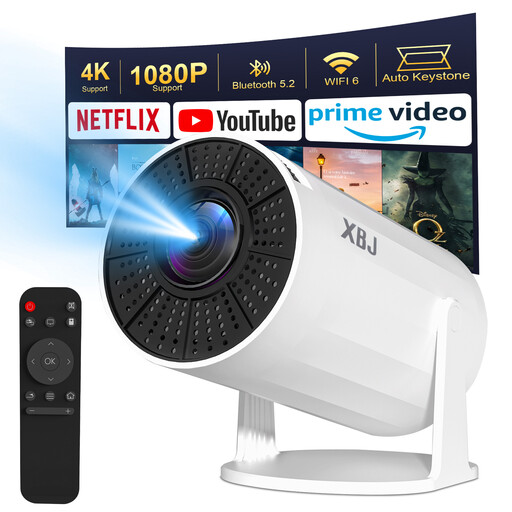
Lite Entertainment XBJ portable projector, white
This projector lists Android TV 11.0 and built-in apps; check before your viewing night that the service you want works on this model.
The product title lists Wi-Fi 6, Bluetooth 5.2, 1080P and 4K decoding, automatic keystone correction and 180° rotation. The description states a native resolution of 720P, so 4K decoding is not the same as native 4K playback. Some apps, including Disney+, may not work properly if a suggested system update isn’t confirmed.
View at Joybuy
Frequently asked questions
Do I need a separate media player if my smart TV already has the app?
Not necessarily. First, try playing the title you want through the TV app; the range of apps varies by TV system.
Will a 4K player play every nature documentary in 4K?
No. Check the title’s quality label, your subscription and the capabilities of both the player and TV. Disney+ says support for picture formats can vary by device model.
How can you test the connection in advance?
Play the documentary in advance on the TV and in the place where you plan to watch with guests. On Netflix, you can use the network check in the app; Netflix recommends a stable connection of 15 Mbps or higher for 4K UHD. This isn’t a general requirement for other services.
What should you check about the CE marking on a wireless device?
For the specific device, check that the required CE marking and conformity documentation are present. EU Directive 2014/53/EU sets out checks that distributors of radio equipment must carry out; the Dutch Authority for Digital Infrastructure says the CE marking must be displayed on the equipment. A product page alone doesn’t confirm that a particular item meets the requirements.
What if an online player doesn’t suit you or isn’t working properly?
For online purchases from a business, you generally have 14 days to change your mind, according to the Dutch government. You also have statutory rights if a product is faulty; the Dutch government says there is no fixed statutory guarantee period, and the appropriate solution depends on the circumstances.


